
How to add FAQs to WooCommerce products
Show FAQs in a tab on WooCommerce product pages, by product, category or tag.
There are two ways to add FAQs to a product. Use whichever is easier.
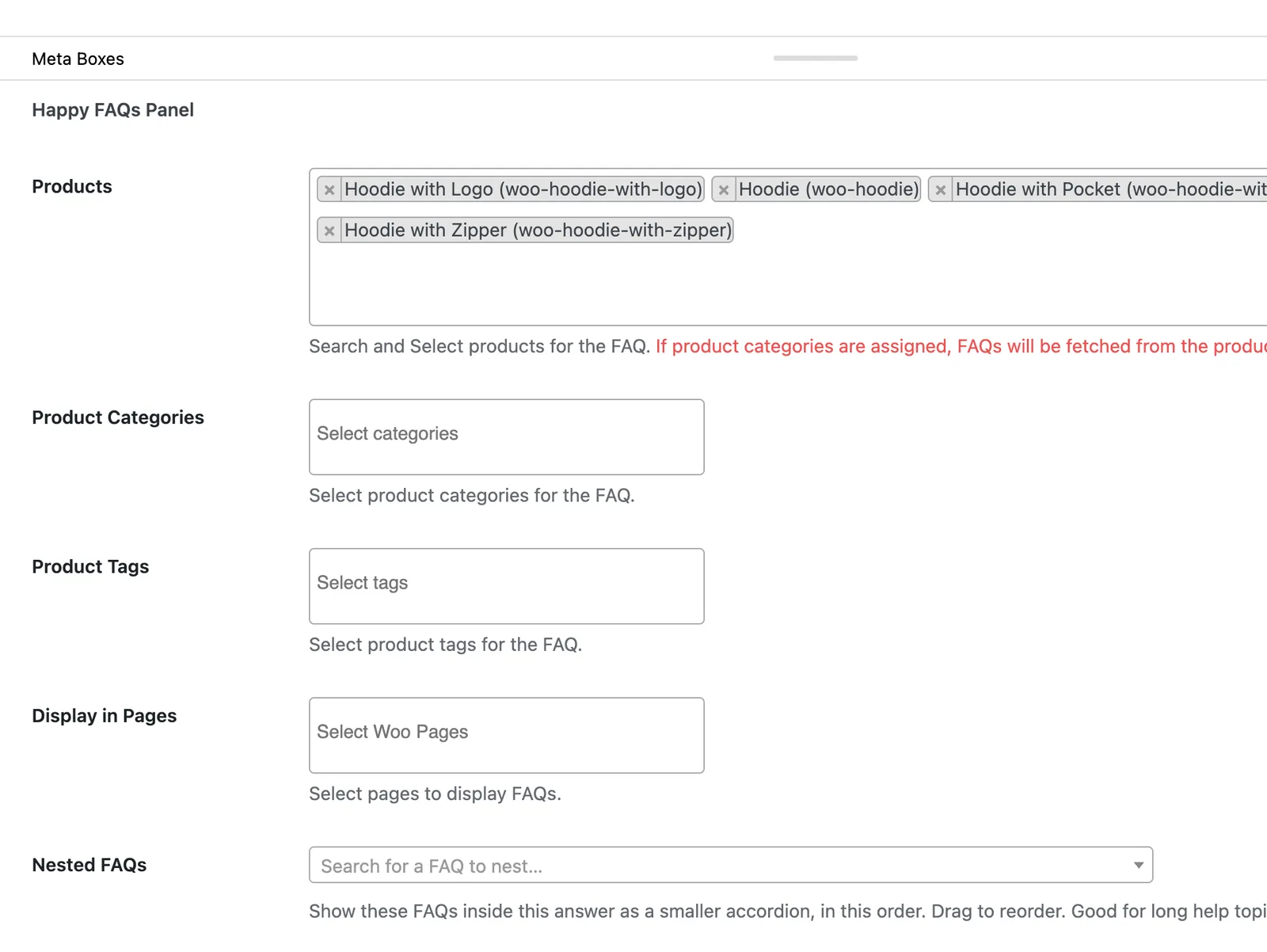
Step 1: From the FAQ
Open a FAQ. In the Happy FAQs Panel, pick Products, Product categories or Product tags. Update the FAQ.
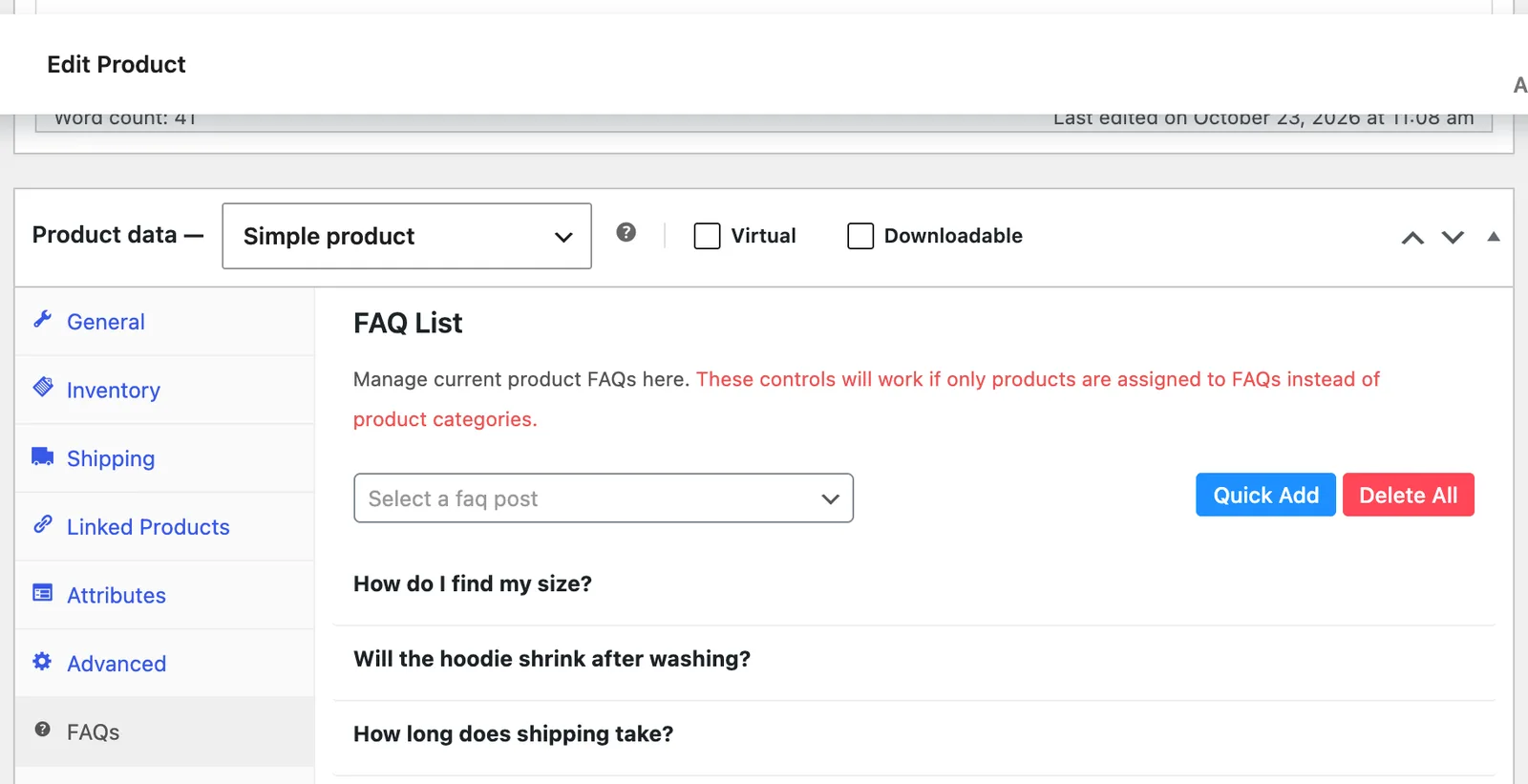
Step 2: Or from the product
Edit a product. In Product data, open the FAQs tab, pick FAQs, and drag them into order. Update the product.
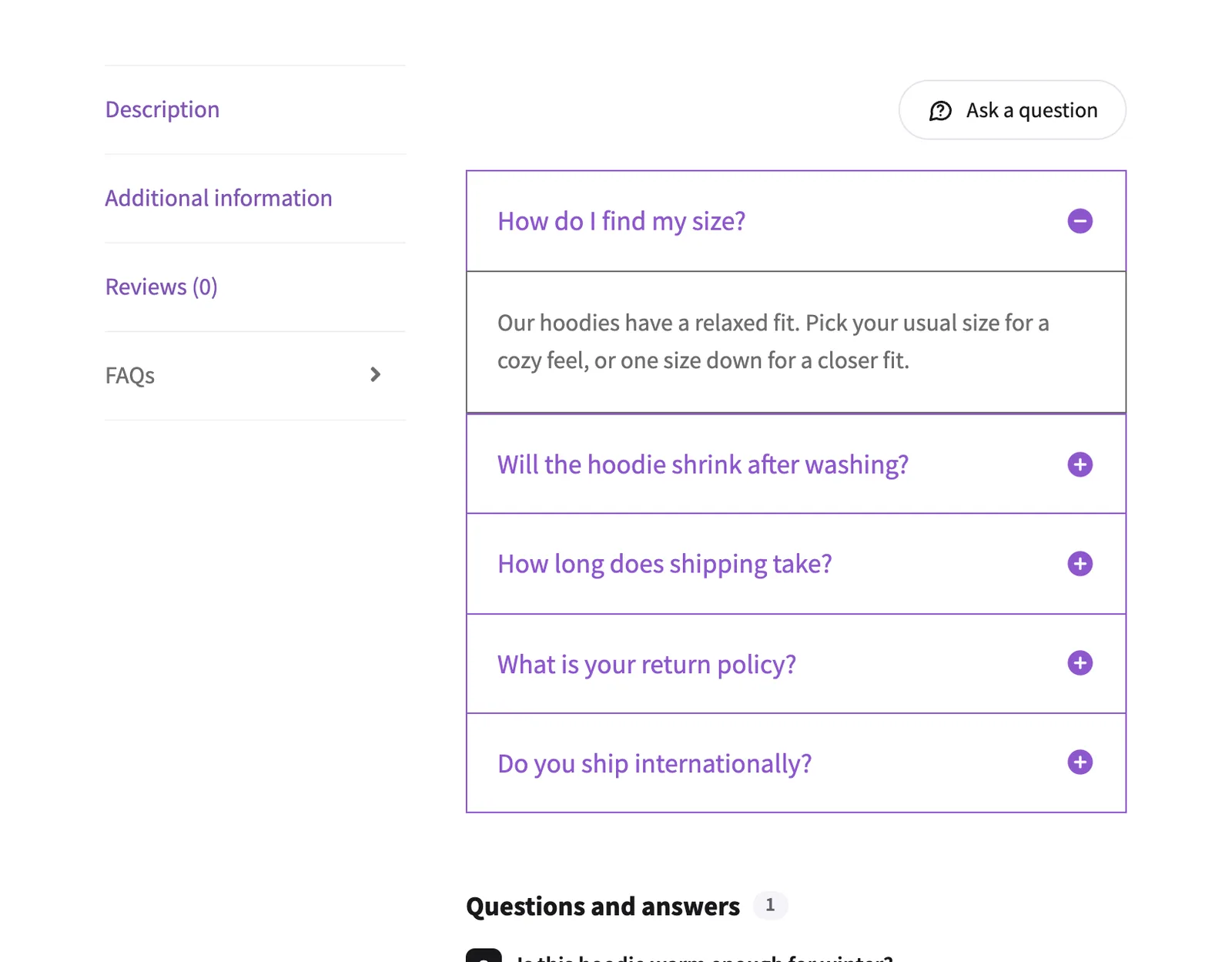
Step 3: Check the product page
Open the product. A FAQs tab shows the answers.
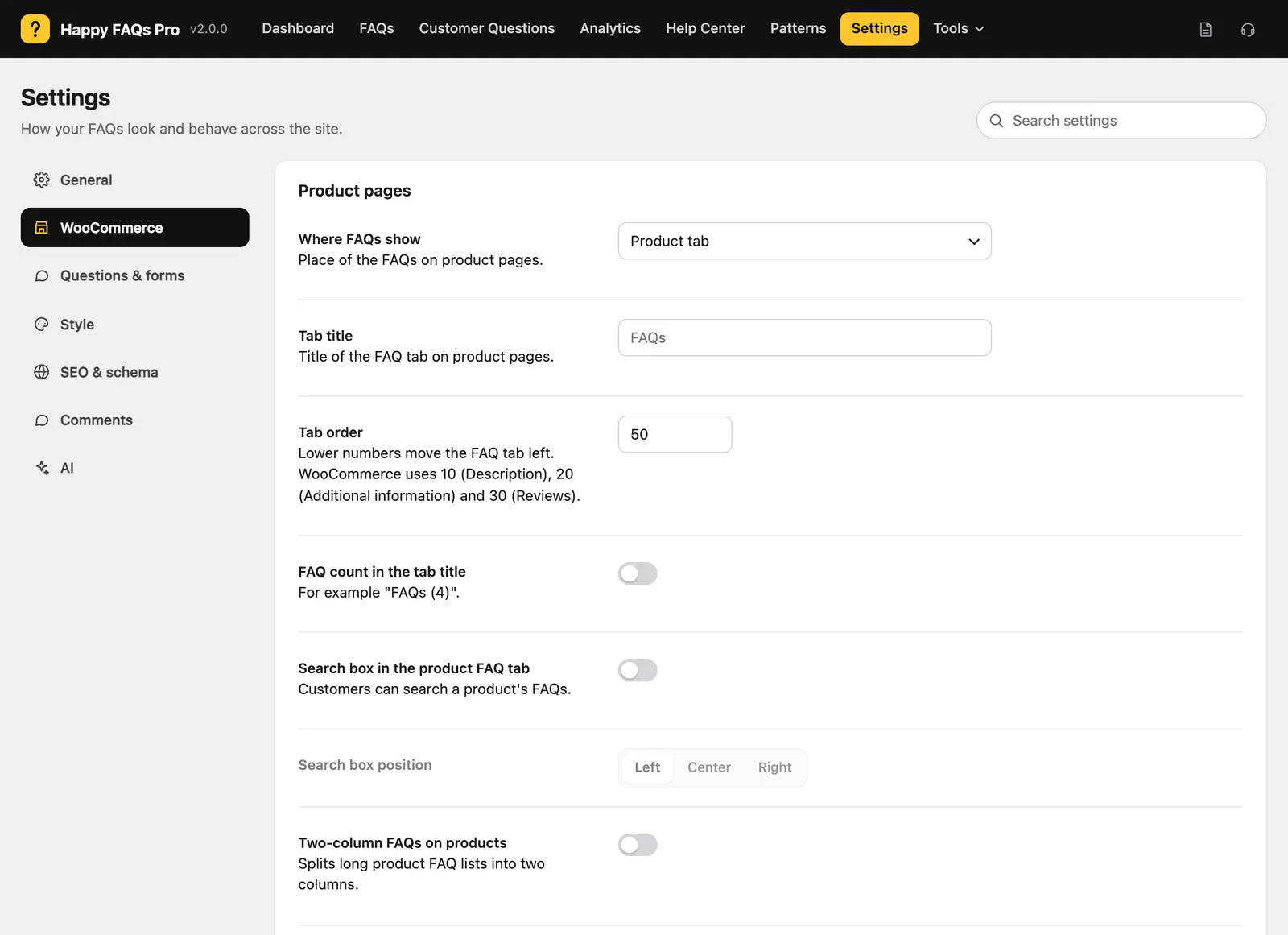
Step 4: Adjust the tab
In Happy FAQs → Settings → WooCommerce you can change where FAQs show, the tab title and order, and add a FAQ count.
Frequently asked questions
Can many products share the same FAQs?
Yes. Assign the FAQ to a product category or tag and every product in it gets the FAQ.
Can I rename or move the FAQs tab?
Yes. Change Tab title and Tab order in Settings → WooCommerce.
Still stuck? We’re happy to help.
Contact support