
How to show FAQs on the cart page
Pro featureShow FAQs on the WooCommerce cart, including the Cart block, to answer last-minute questions.
Answer doubts about shipping, discounts and returns right where shoppers hesitate.
Step 1: Turn it on
Go to Happy FAQs → Settings → WooCommerce. Under Store pages, turn on FAQs on the cart page and choose a Position. Save.

Step 2: Pick the FAQs
Open each FAQ you want there. In the Happy FAQs Panel, under Display in pages, choose Cart. Update the FAQ.
Step 3: Check the page
Open your cart page. The FAQs show in the position you chose.
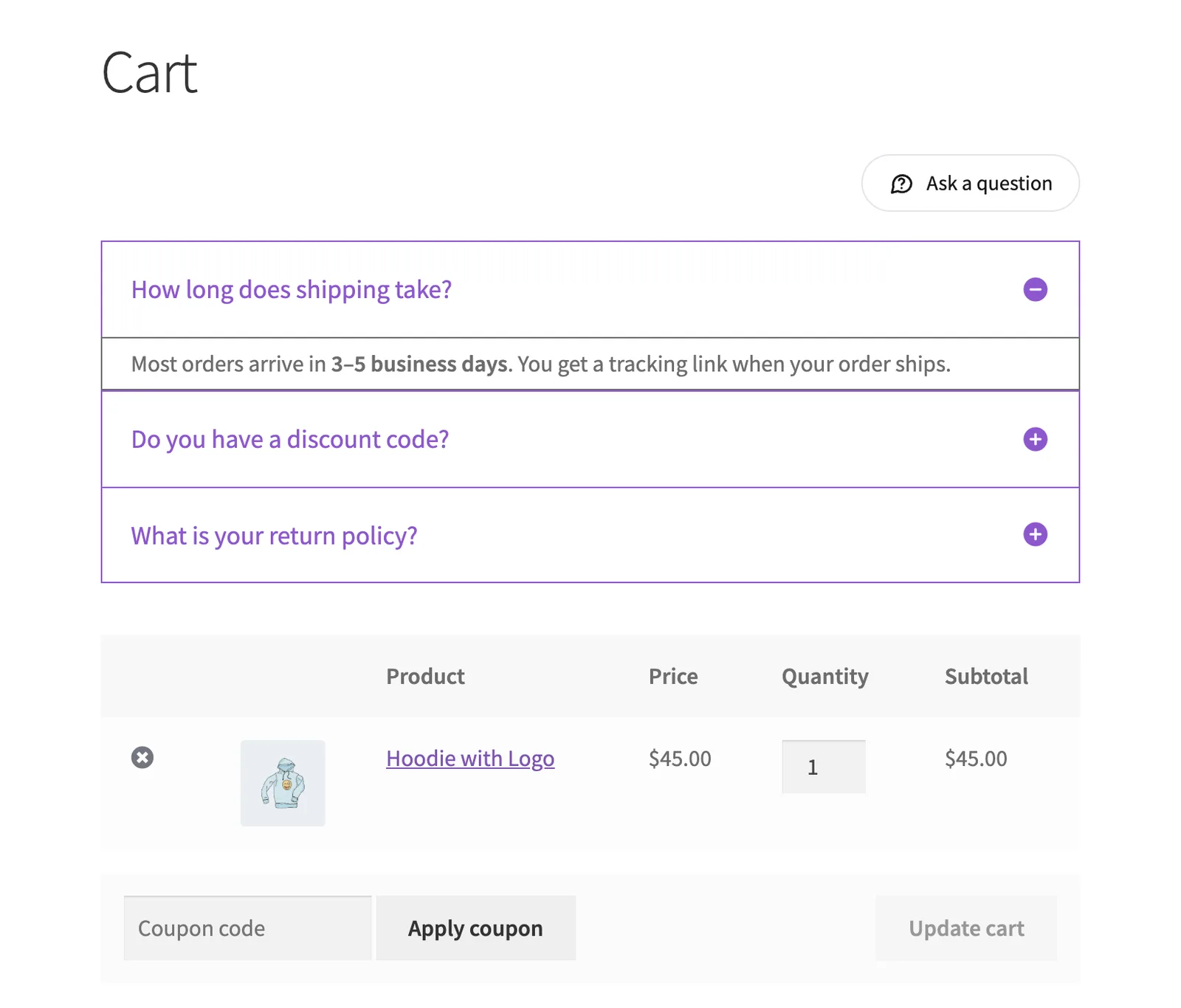
Block cart: FAQs also show with the WooCommerce Cart block. Positions with "after" in their name place the FAQs below the block; all others place them above it.
Frequently asked questions
Which FAQs show on the cart page?
Only the FAQs where you ticked Cart under Display in pages in the Happy FAQs Panel.
Can I change where they appear?
Yes. Pick a different Position next to the setting.
Still stuck? We’re happy to help.
Contact support