
How to build a Help Center page
Create a help center with search, most asked questions and every FAQ by topic, with a live preview.
Step 1: Open the builder
Go to Happy FAQs → Help Center.
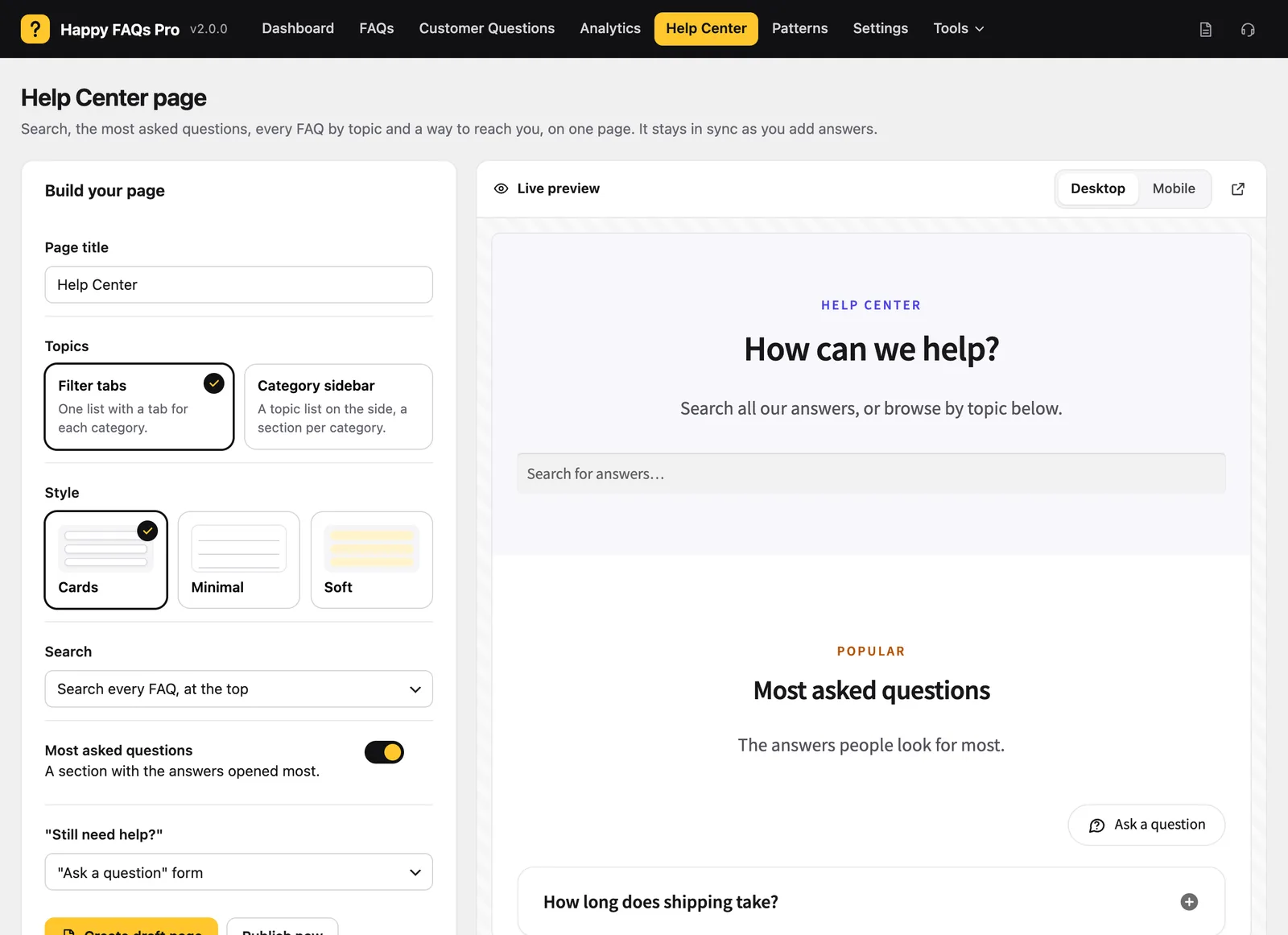
Step 2: Set it up
- Page title: for example “Help Center”.
- Topics: Filter tabs or a Category sidebar.
- Style: Cards, Minimal or Soft.
- Search: a search across every FAQ (Pro).
- Most asked questions: your most opened answers.
- “Still need help?”: a contact button, or the question form (Pro).
Step 3: Check the preview
Switch between Desktop and Mobile to see how it looks.
Step 4: Publish
Click Create draft page to review it first, or Publish now.
Frequently asked questions
Does the Help Center update by itself?
Yes. New FAQs appear in their topic automatically.
Still stuck? We’re happy to help.
Contact support