
How to connect AI (WordPress AI or OpenAI)
Connect an AI provider in WordPress, or add your own OpenAI API key, to use AI FAQs.
Step 1: Use WordPress AI (WordPress 7.0+)
Go to Settings → Connectors in WordPress and connect an AI provider. That’s all.
Step 2: Or add your OpenAI key
Go to Happy FAQs → Settings → AI. Paste your key into OpenAI API key and choose a model.
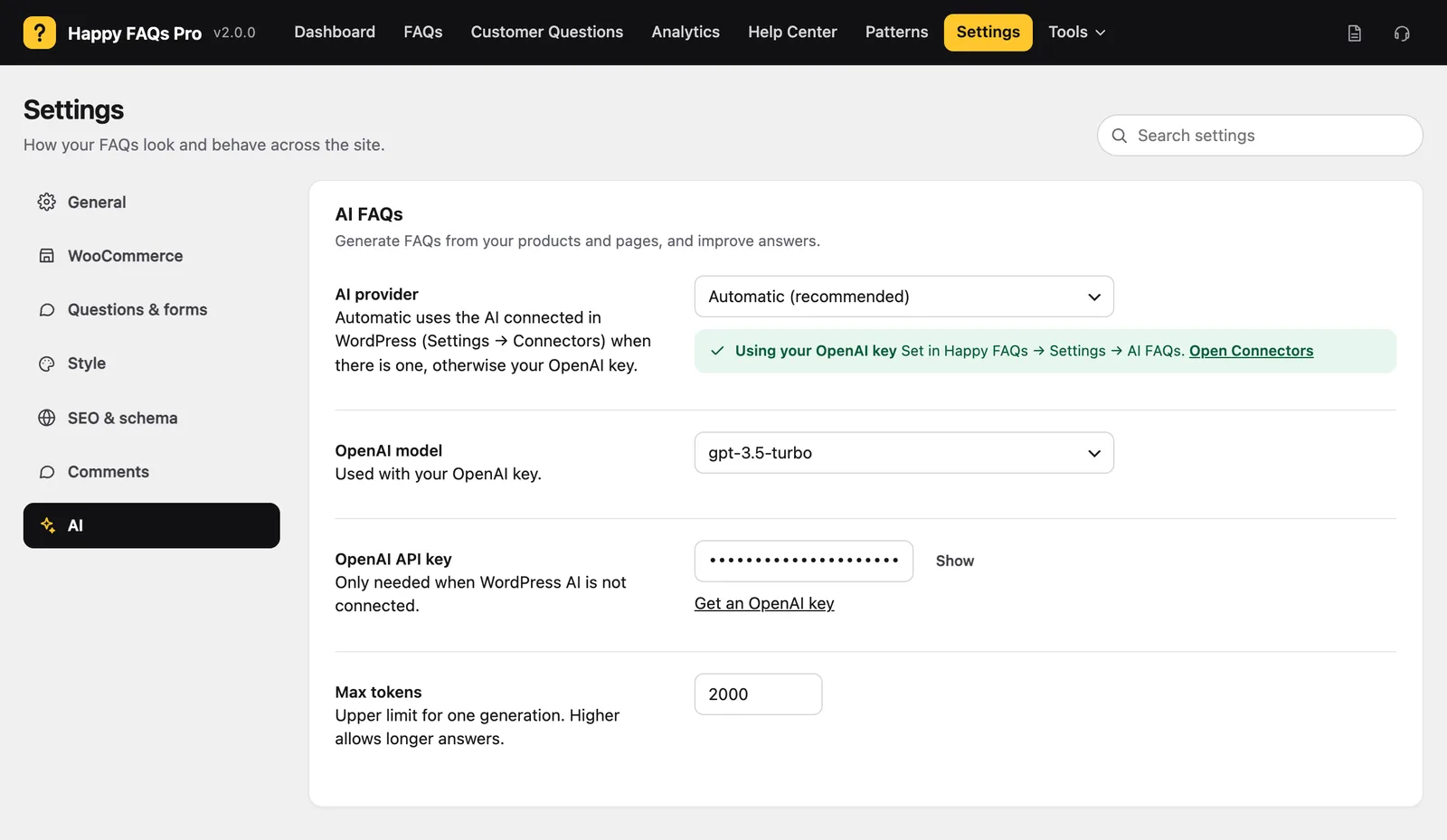
Step 3: Choose the provider
AI provider decides what is used. Automatic (recommended) uses WordPress AI and falls back to your key.
Step 4: Save and test
Save, then open Tools → AI FAQs. The status at the top shows AI is ready.
Frequently asked questions
Do I need a Happy FAQs API key?
No. Happy FAQs uses the AI provider connected in WordPress, or your own OpenAI key.
Still stuck? We’re happy to help.
Contact support