
How to add FAQs with Gutenberg, Elementor or Divi
Add the Happy Prebuilt FAQs or Happy Custom FAQs element to any page in Gutenberg, Elementor or Divi.
Every builder gets two elements:
- Happy Prebuilt FAQs: FAQs from your library (all, a category, or picked ones).
- Happy Custom FAQs: write questions and answers on the page.
Step 1: Open your page
Edit the page in Gutenberg, Elementor or Divi.
Step 2: Add the element
Search for Happy in the block inserter, Elementor widgets panel, or Divi module list. Add Happy Prebuilt FAQs.
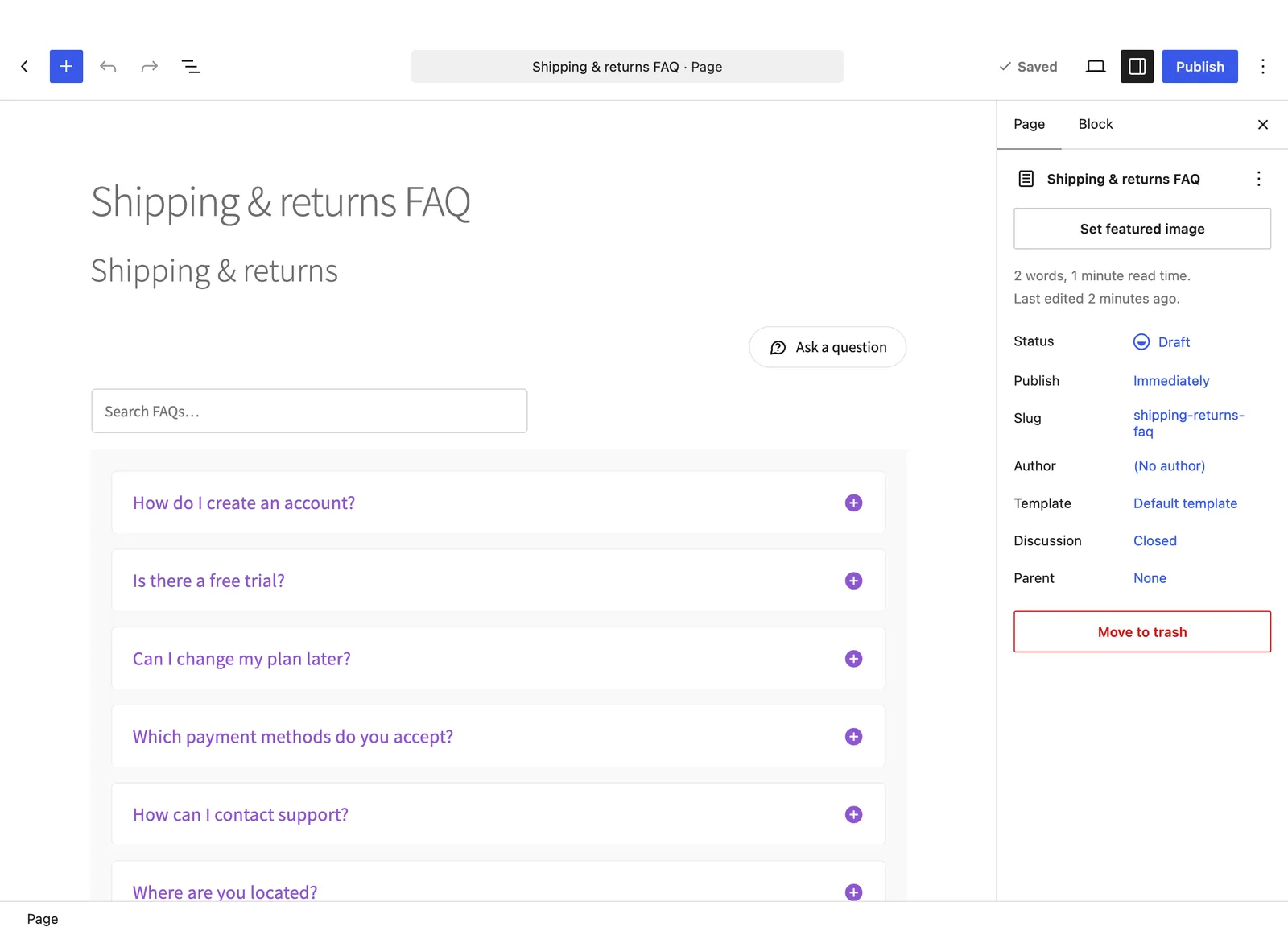
Step 3: Choose the FAQs and style
In the settings, pick the FAQs, then set colors, font sizes, border, spacing and the toggle icon. Turn on the category filter or “Show more” if you like.
Step 4: Publish
Save the page. Your FAQs are live, with FAQ schema.
Using another builder? Paste a shortcode into its shortcode or text element.
Frequently asked questions
What is the difference between Prebuilt and Custom FAQs?
Happy Prebuilt FAQs shows FAQs from your library. Happy Custom FAQs lets you type questions right on the page.
Do builder FAQs add FAQ schema?
Yes. Both elements add Google FAQ schema.
Still stuck? We’re happy to help.
Contact support