
How to turn on product Q&A with voting
Pro featureLet customers answer each other, vote on helpful answers, and mark the best answer.
Step 1: Turn on customer answers
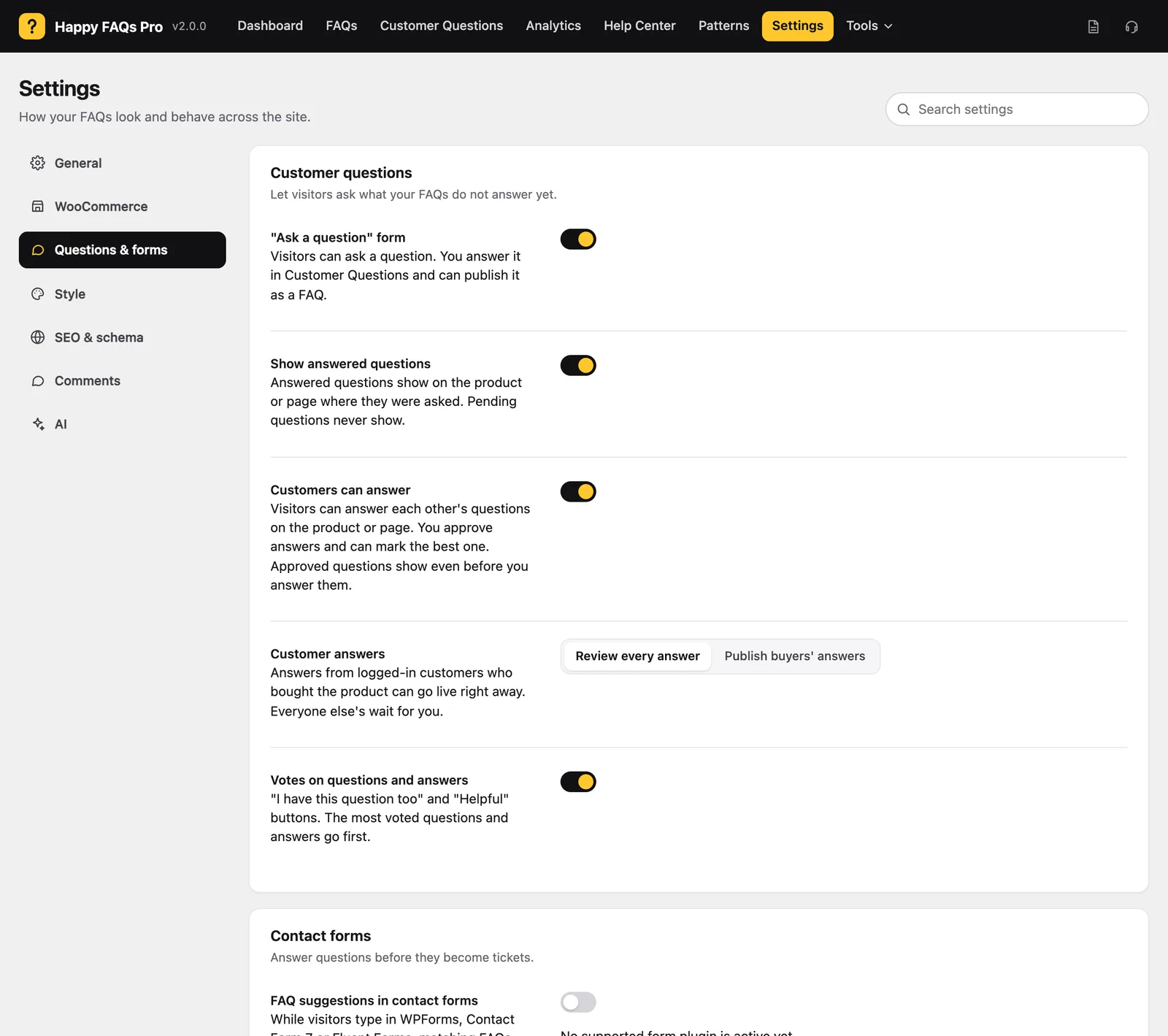
Go to Happy FAQs → Settings → Questions & forms. Turn on Customers can answer.
Step 2: Choose who goes live
Under Customer answers, pick Review every answer, or Publish buyers’ answers.
Step 3: Turn on votes
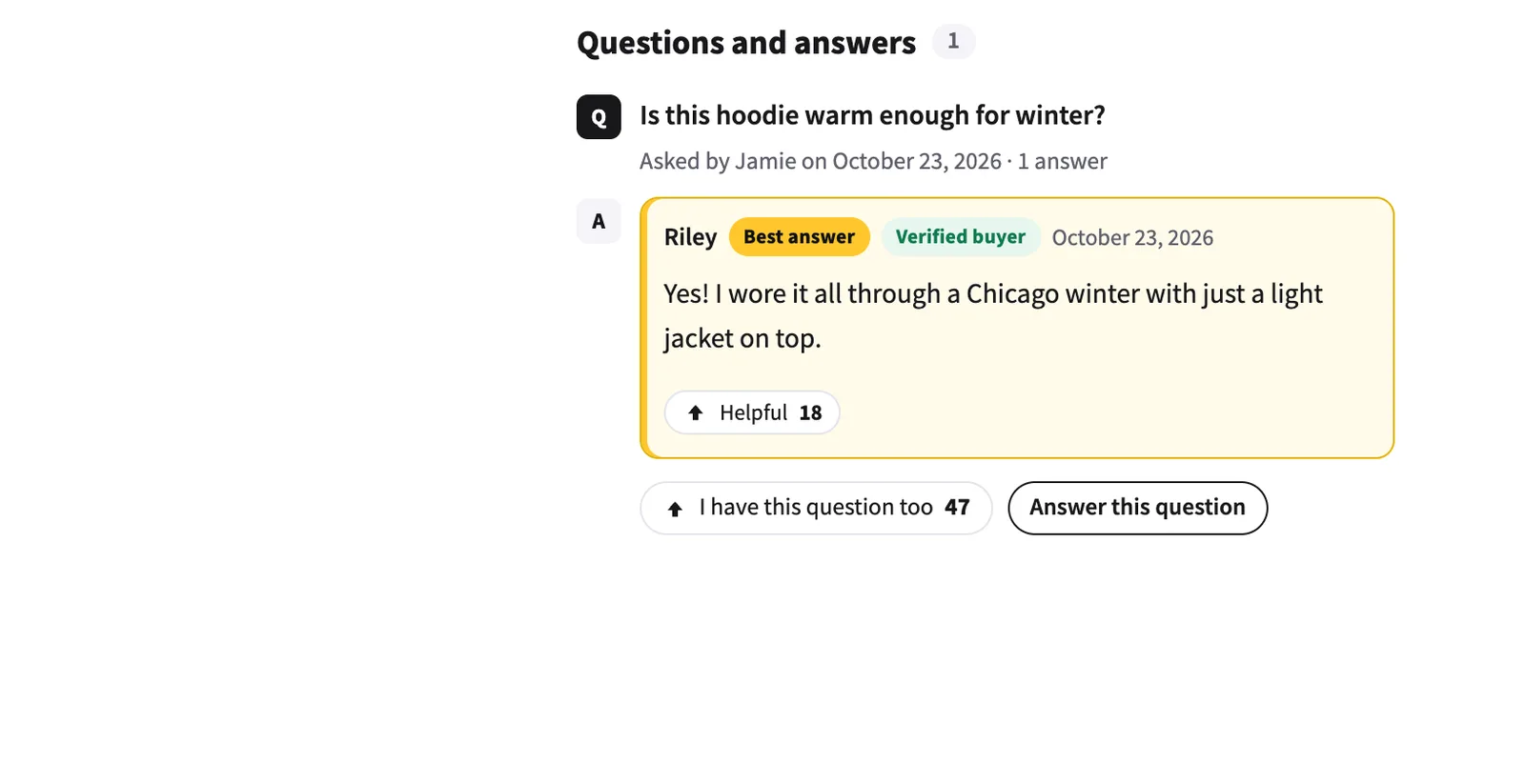
Turn on Votes on questions and answers. Shoppers get “I have this question too” and “Helpful” buttons, and the most voted go first.
Step 4: Moderate answers
Open Customer Questions → Answers to review. Approve, Mark best, Unpublish or Delete each answer.
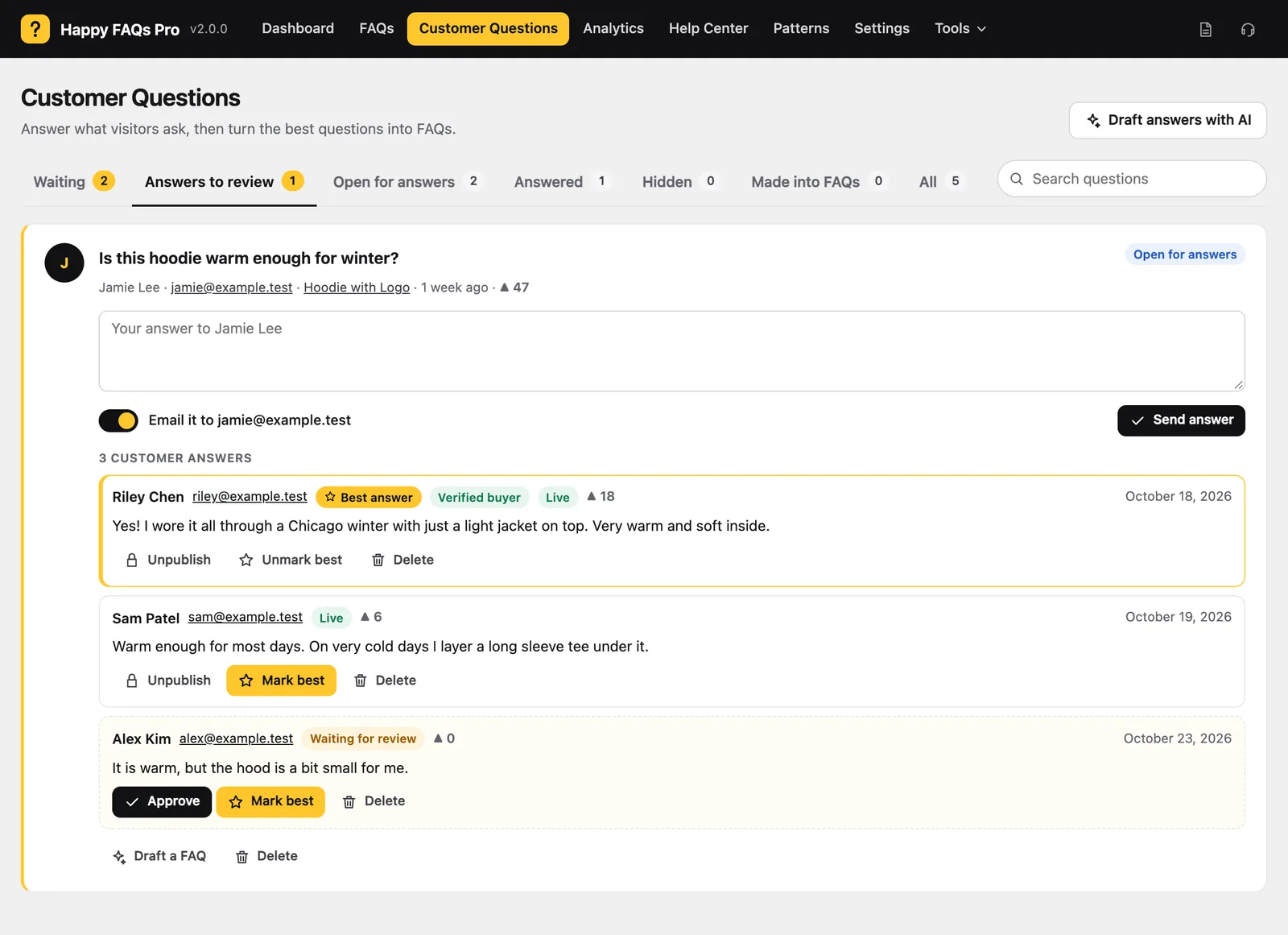
Badges show Verified buyer and Store team automatically.
Frequently asked questions
Can buyers’ answers go live without review?
Yes. Choose Publish buyers’ answers: logged-in customers who bought the product go live right away.
Are emails shown publicly?
No. Only first names are shown.
Still stuck? We’re happy to help.
Contact support