
How to organize FAQs with categories
Create FAQ categories, sort FAQs into them, and show one category on a page.
Categories group related FAQs, like Shipping, Returns or Billing.
Step 1: Open Categories
Go to Happy FAQs → FAQs and click the Categories tab.
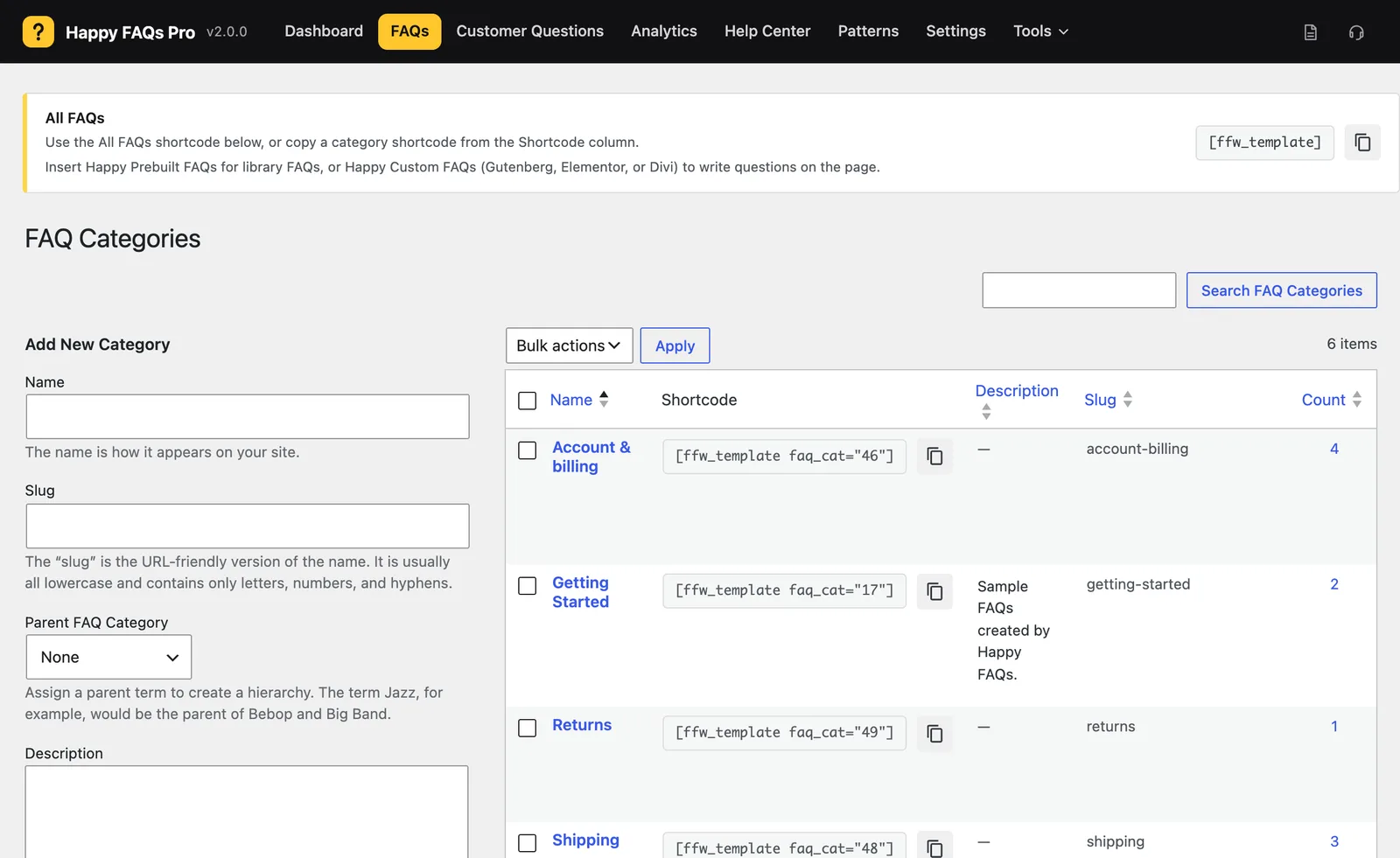
Step 2: Add a category
Type a Name, optionally pick a Parent, and click Add New Category.
Step 3: Put FAQs in it
Open a FAQ and tick the category, or select several FAQs on the list and use the bulk action Add to category.
Step 4: Show the category
Copy the shortcode next to the category and paste it on any page. Add filter="true" to show category buttons above an all-FAQs list.
Frequently asked questions
Can a FAQ be in more than one category?
Yes. Tick as many categories as you need on the FAQ.
How do I show only one category?
Copy the shortcode from the Categories screen, for example [ffw_template faq_cat="46"], and paste it on a page.
Still stuck? We’re happy to help.
Contact support