
How to create your first FAQ
Write a question and answer, pick a category, choose where it shows, and publish it.
Step 1: Open Add New
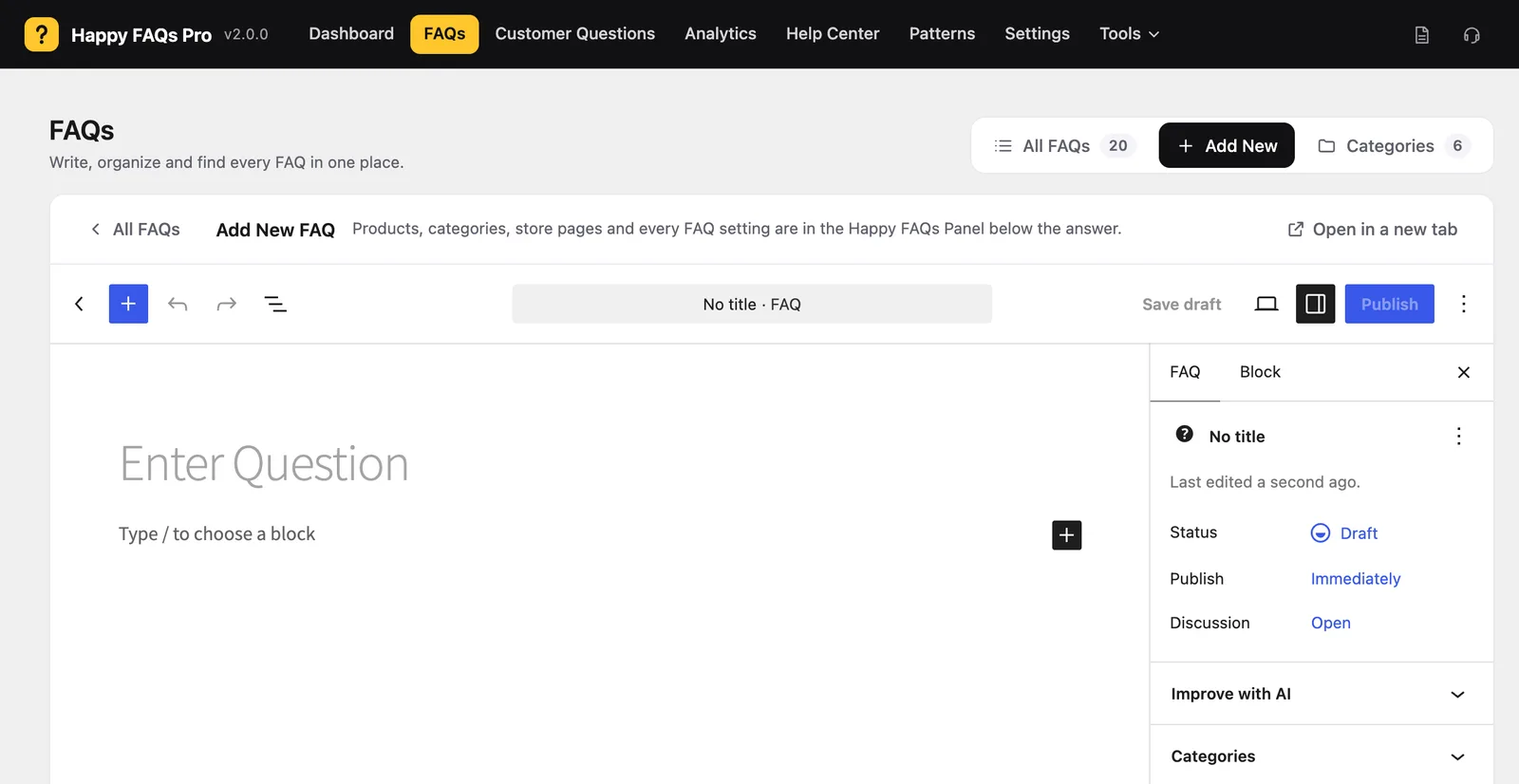
Go to Happy FAQs → FAQs and click Add New.
Step 2: Write the question and answer
Type the question in the title. Write the answer below it. Keep answers short and clear: two or three sentences is often enough.
Step 3: Pick a category
Choose a FAQ category such as Shipping or Returns. Categories help you show related FAQs together.
Step 4: Choose where it shows
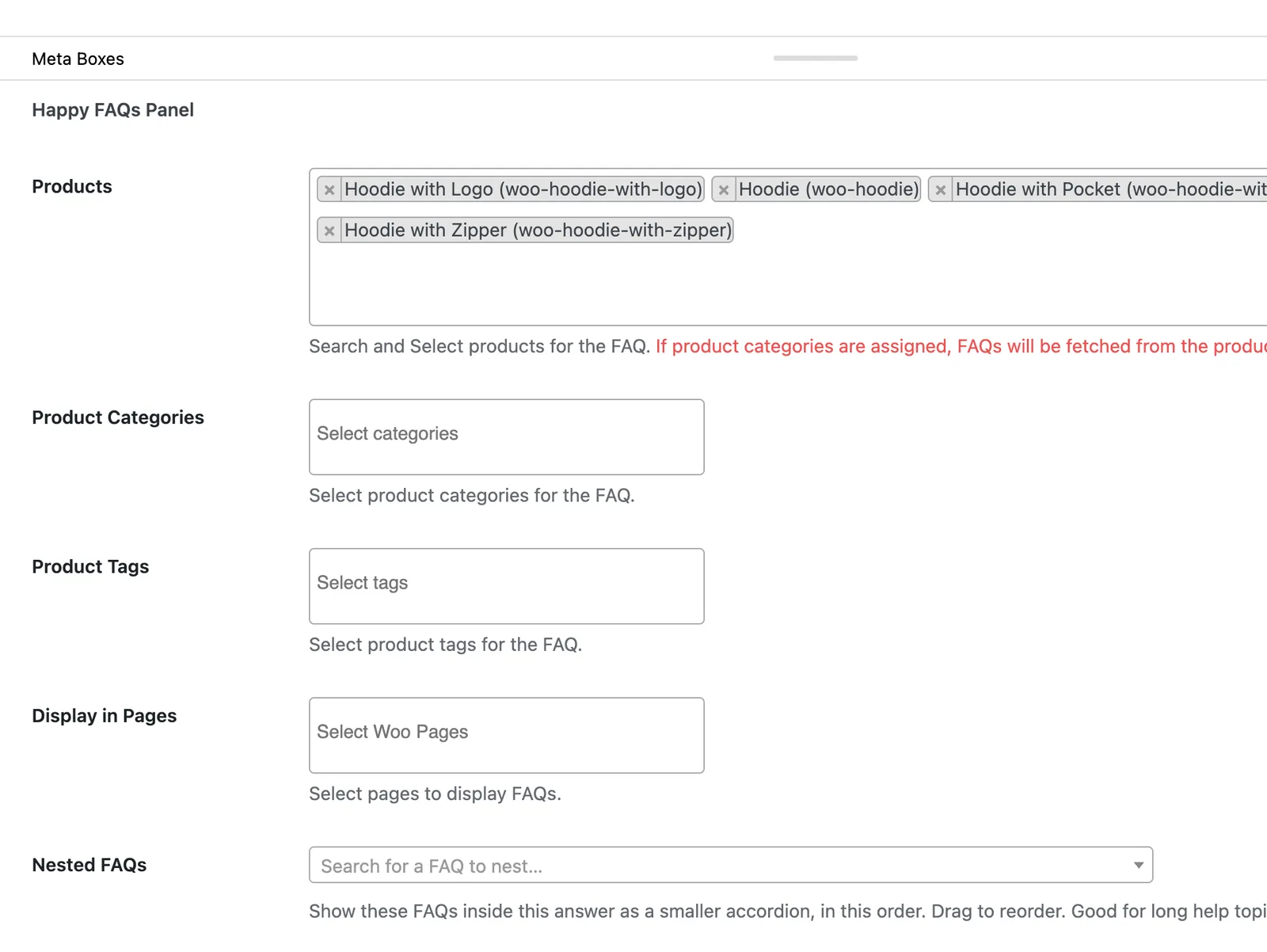
Scroll to the Happy FAQs Panel. Pick products, product categories or tags, or the store pages where this FAQ should appear.
Step 5: Publish
Click Publish. If you did not pick a product, the FAQ is a site FAQ: show it with a shortcode, a block or the Help Center.
Frequently asked questions
Can I add images or videos to an answer?
Yes. Answers use the WordPress editor, so you can add formatting, links, images and video.
Can one FAQ show in several places?
Yes. The same FAQ can be on a page, several products and the checkout at the same time.
Still stuck? We’re happy to help.
Contact support