
How to manage your FAQs
Search, filter, sort, quick edit and bulk edit all your FAQs on one screen.
Go to Happy FAQs → FAQs. Everything works without page reloads.
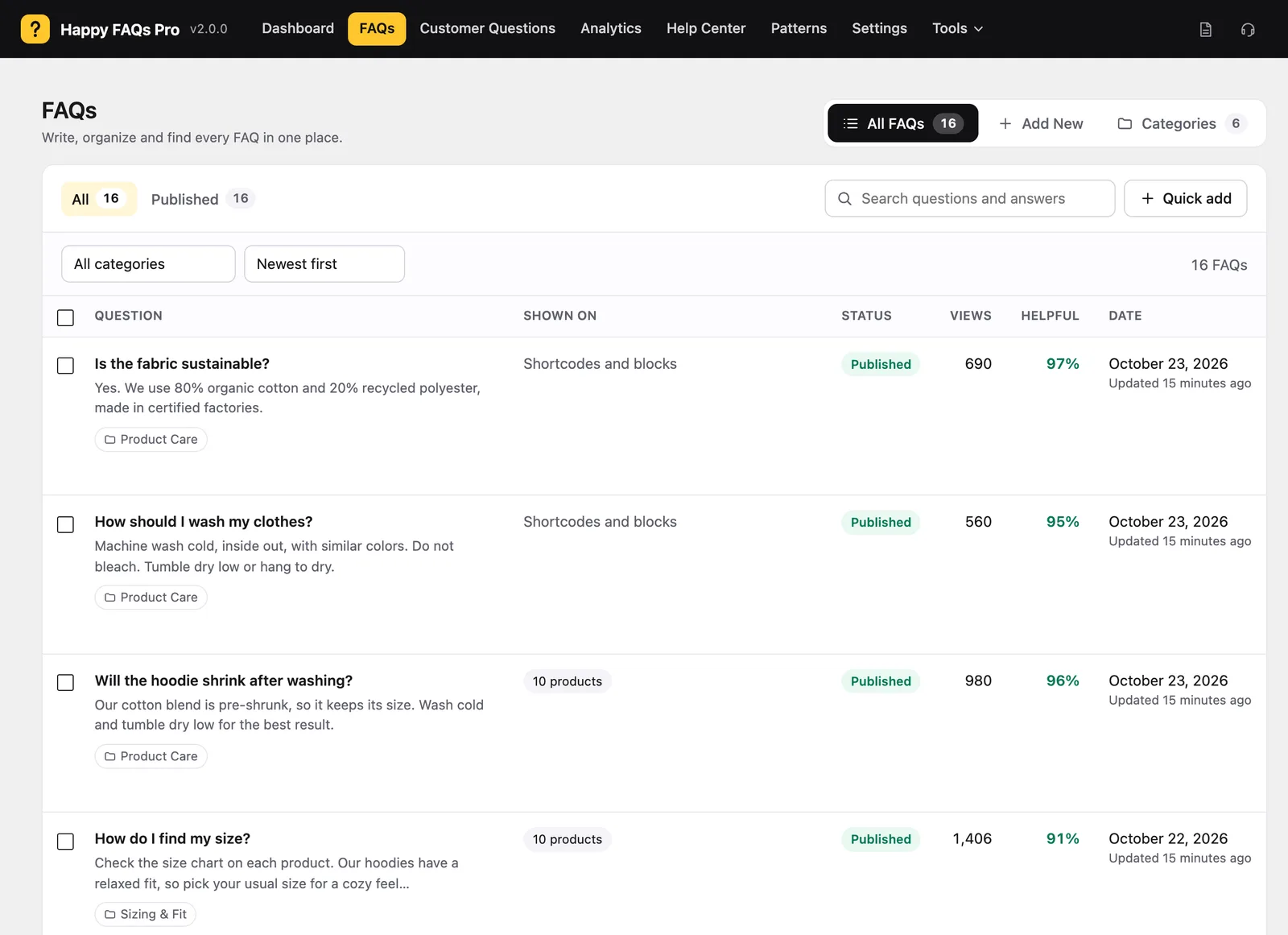
Find a FAQ
- Type in Search questions and answers.
- Filter by Published or Drafts, and by category.
- Sort by date, title, views or helpful votes.
The Shown on column tells you where each FAQ appears.
Edit quickly
- Quick edit changes the question, answer, category or status in place.
- Duplicate makes a copy as a draft.
- Copy shortcode copies a shortcode for just that FAQ.
Change many at once
Tick several FAQs, then choose a bulk action: publish, move to drafts, trash, or add to a category.
Frequently asked questions
Can I see which FAQs help the most?
Yes. Sort the list by Views or Helpful to see the most read and most useful answers.
Still stuck? We’re happy to help.
Contact support