
How to generate FAQs with AI
Write FAQs from a product, page or topic with AI, edit them, then save. No extra API key needed.
Set up AI first if you have not: see How to connect AI.
Step 1: Open AI FAQs
Go to Happy FAQs → Tools → AI FAQs.
Step 2: Choose a source
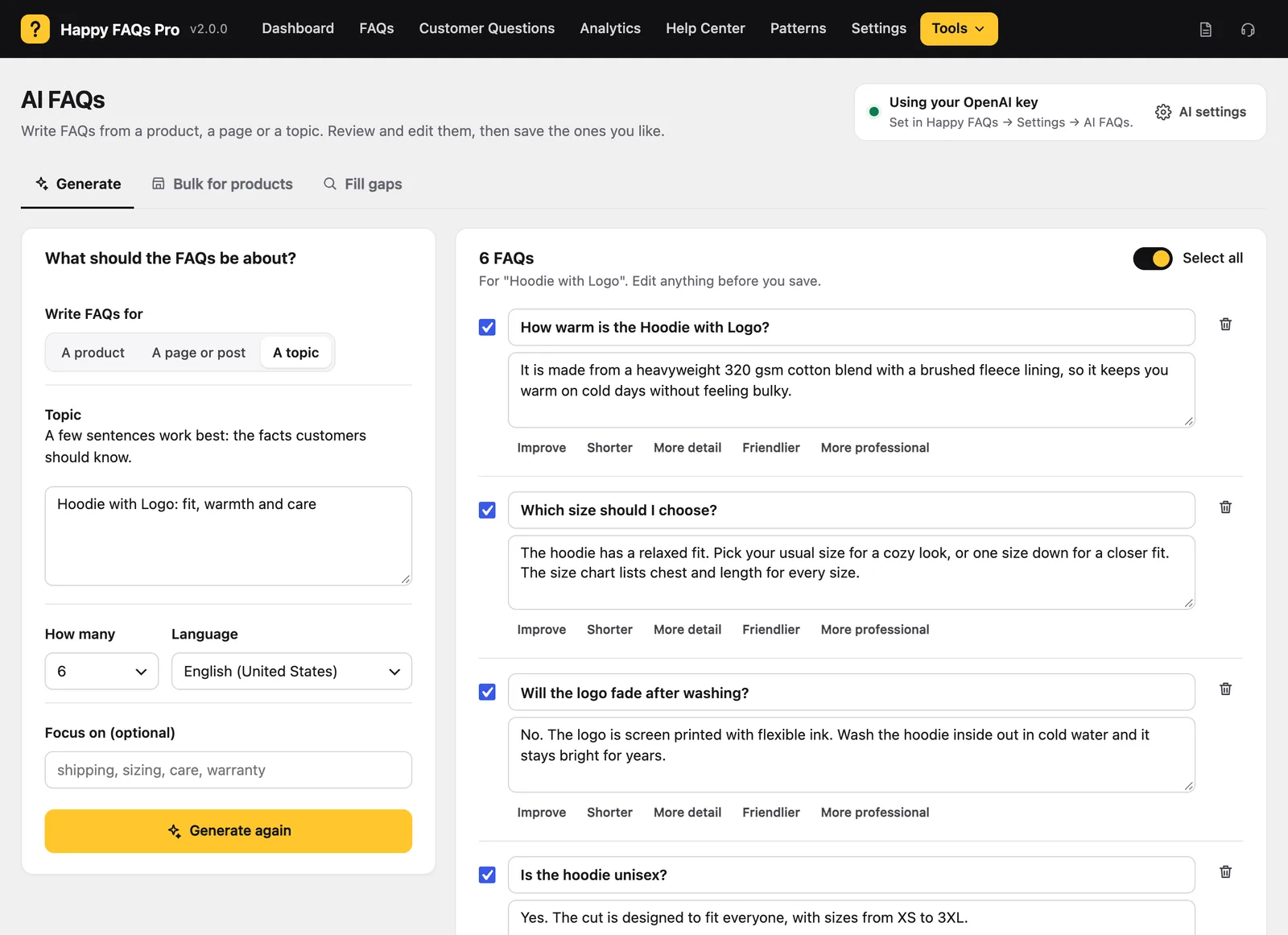
Pick A product, A page or post, or A topic. Choose how many FAQs and the language. Add an optional focus, like “shipping, sizing, care”.
Step 3: Generate
Click Generate FAQs.
Step 4: Review and save
Edit any answer, or click Improve, Shorter, More detail, Friendlier or More professional. Untick what you do not want, then save. Product FAQs are linked to the product automatically.
Pro extras
- Bulk for products: drafts for many products at once.
- Fill gaps: turns searches with no answer into draft FAQs.
Frequently asked questions
Will AI add FAQs without my approval?
No. You see every question and answer first and choose what to save.
Can AI write FAQs for many products at once?
Yes, with Pro. Bulk for products writes drafts for up to 50 products in one run.
Still stuck? We’re happy to help.
Contact support