
How to add FAQ schema for Google
Turn on FAQPage structured data so search engines understand your questions and answers.
FAQ schema tells Google and AI search engines which text is a question and which is the answer.
Step 1: Open SEO & schema
Go to Happy FAQs → Settings → SEO & schema.
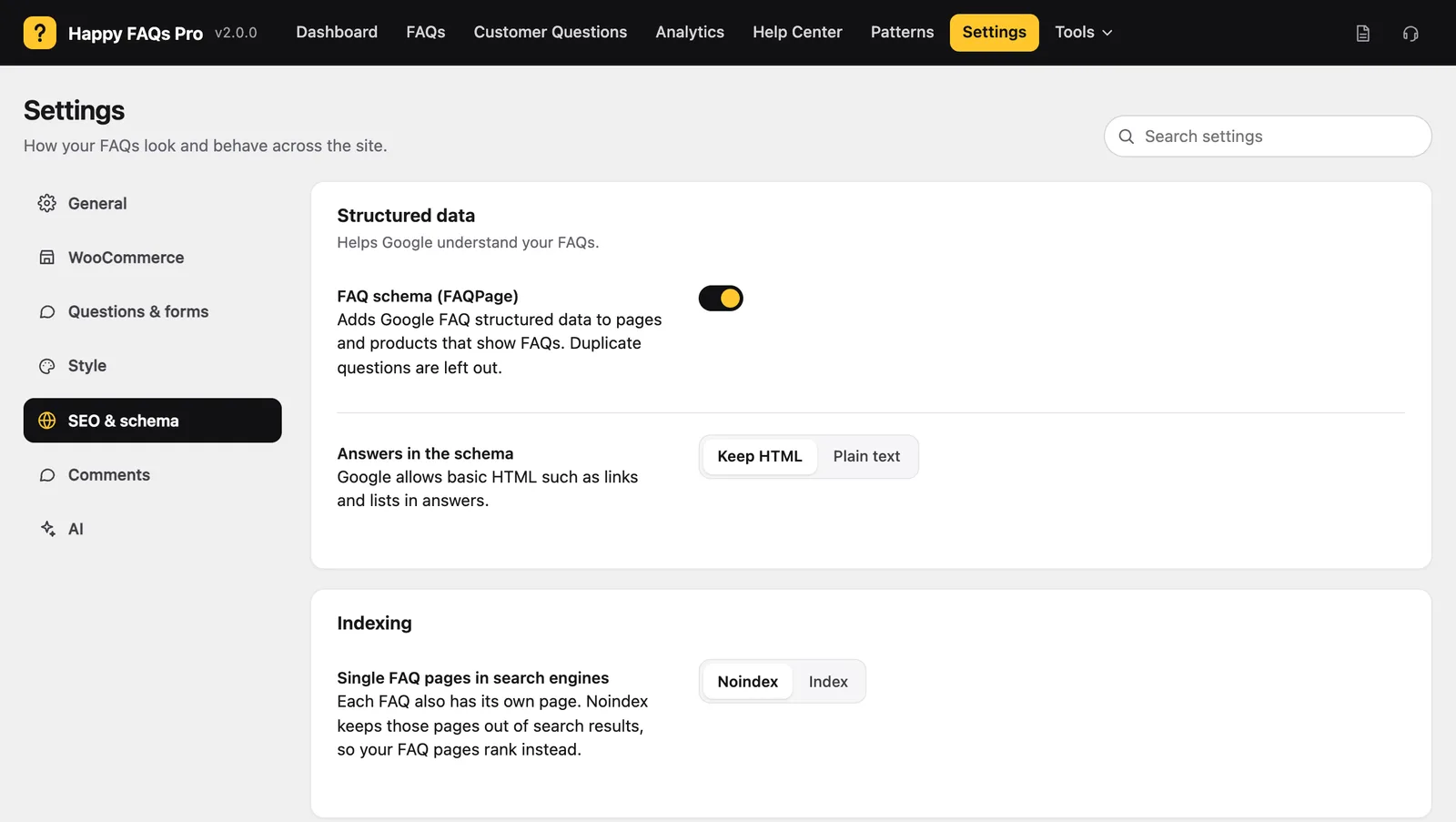
Step 2: Turn on FAQ schema
Turn on FAQ schema (FAQPage). Choose Keep HTML to keep links and lists in answers, or Plain text.
Step 3: Choose indexing
Single FAQ pages in search engines: Noindex keeps single FAQ pages out of search so your FAQ pages rank instead.
Step 4: Test it
Paste a page URL into Google’s Rich Results Test. You should see FAQ detected.
Frequently asked questions
Will FAQ schema always show rich results?
Google decides when to show rich results. Valid schema helps search and AI engines understand your answers either way.
What if the same FAQ shows twice on a page?
Happy FAQs removes duplicate questions from the schema, so it stays valid.
Still stuck? We’re happy to help.
Contact support