
WooCommerce product FAQs, by product, category and tag
Happy FAQs is a free WooCommerce product FAQ plugin. It adds an FAQs tab to your product pages and lets you attach each answer to a product, a whole product category or a product tag, so products pick up the right questions on their own.
Free on WordPress.org · Pro from $29.99/yr
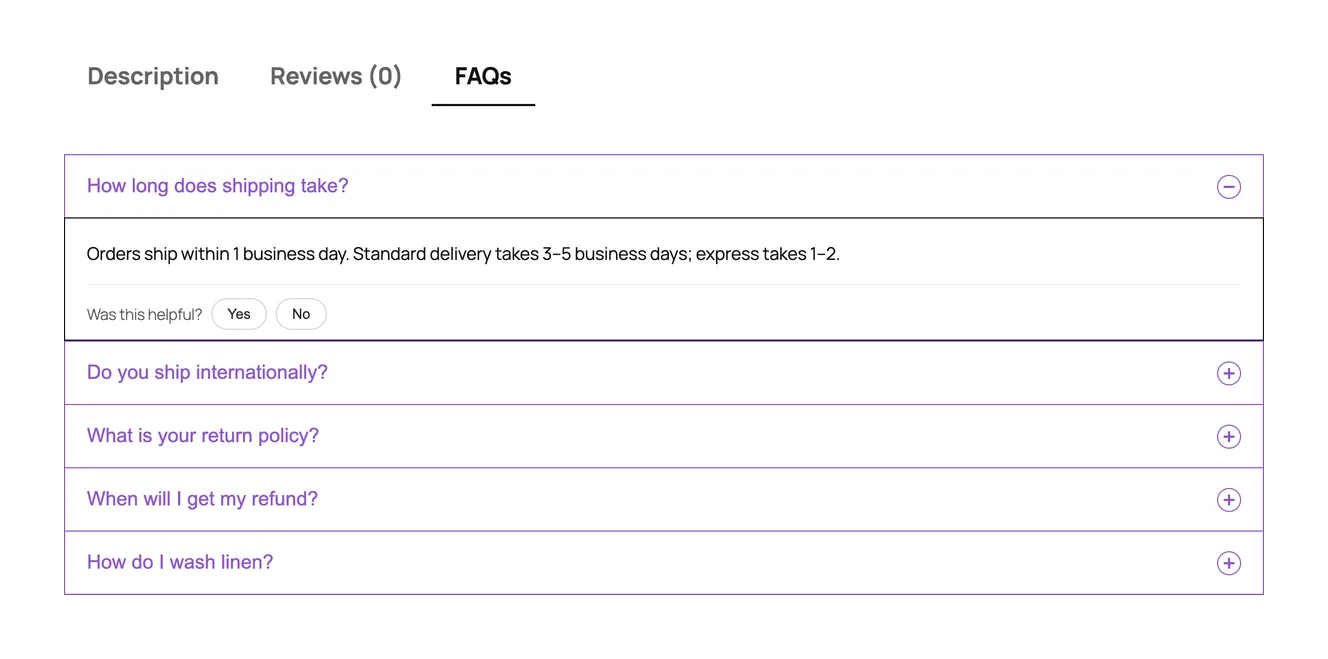
Why product FAQs matter
Shoppers who can’t find an answer on the product page either email you or leave. Sizing, materials, care, delivery times and returns come up again and again, and the product page is where the doubt happens. A short FAQ tab answers those questions at the moment someone is deciding, and the same answers also help search engines and AI assistants understand the product.
The hard part on a real store isn’t writing the answers. It’s getting the right ones onto hundreds of products and keeping them there as the catalog changes. That’s what Happy FAQs is built around.
Three ways to assign product FAQs
Every FAQ lives once in a central library. You decide where it shows from the FAQ itself, in the Happy FAQs Panel:
- Products. Pick one or more products. Good for questions that only apply to one item, like “Is this lamp dimmable?”.
- Product categories. Every product in the category shows the FAQ, including products you add later. Write “How do I wash linen?” once for the Linen category.
- Product tags. For questions that cut across categories. A “Fragile” tag can add a breakage-in-transit FAQ to glassware, lamps and ceramics at once.
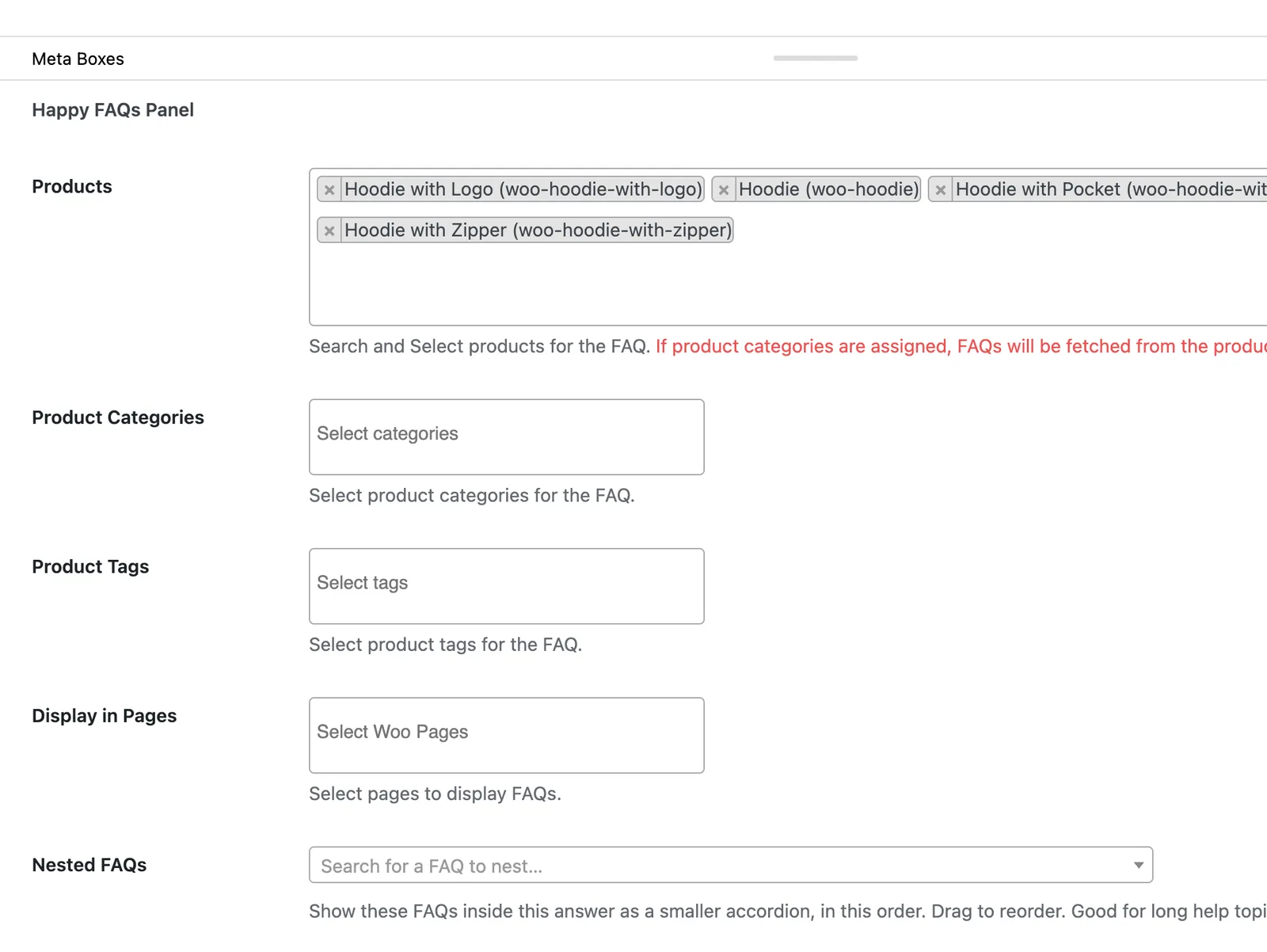
No other FAQ plugin we tested lets products inherit FAQs from both categories and tags in its free version.
How to add FAQs to a WooCommerce product
- Install Happy FAQs from Plugins → Add New (search “Happy FAQs”) and activate it. The setup wizard offers starter questions if you want them.
- Write your FAQs in Happy FAQs → FAQs, or let the AI FAQ generator draft them from the product.
- Assign them in the Happy FAQs Panel on each FAQ, or edit a product and open the FAQs tab in Product data to pick FAQs and drag them into order.
- Open the product. A new FAQs tab sits next to Description and Reviews.
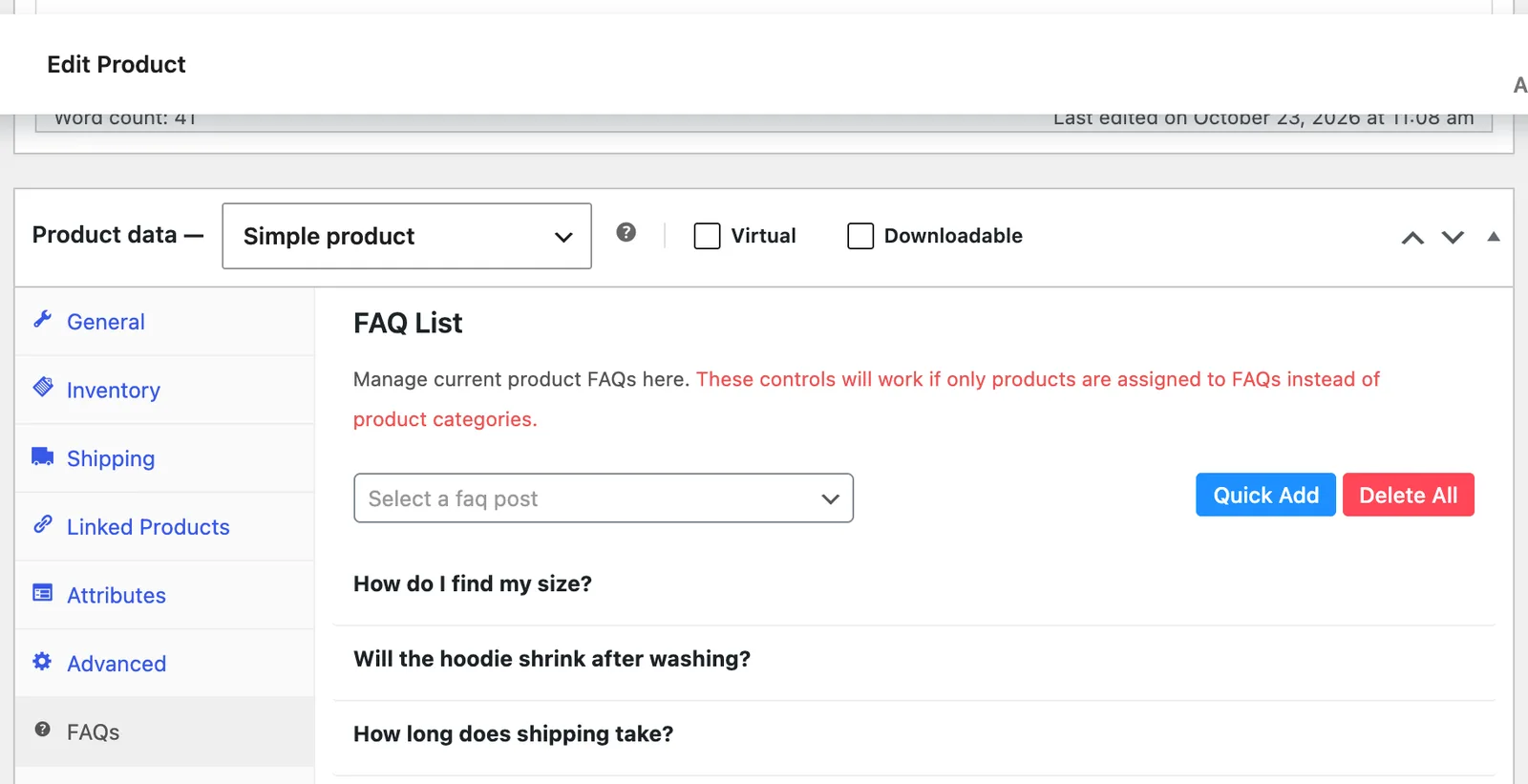
The full walkthrough is in the docs: how to add FAQs to WooCommerce products.
What shoppers see
An FAQs tab with an accessible accordion: it opens with the keyboard, works with screen readers and uses your chosen layout and toggle icons. Under each answer, a “Was this helpful?” vote shows you which answers work. FAQ schema for the product’s questions is added to the page automatically (see FAQ schema).
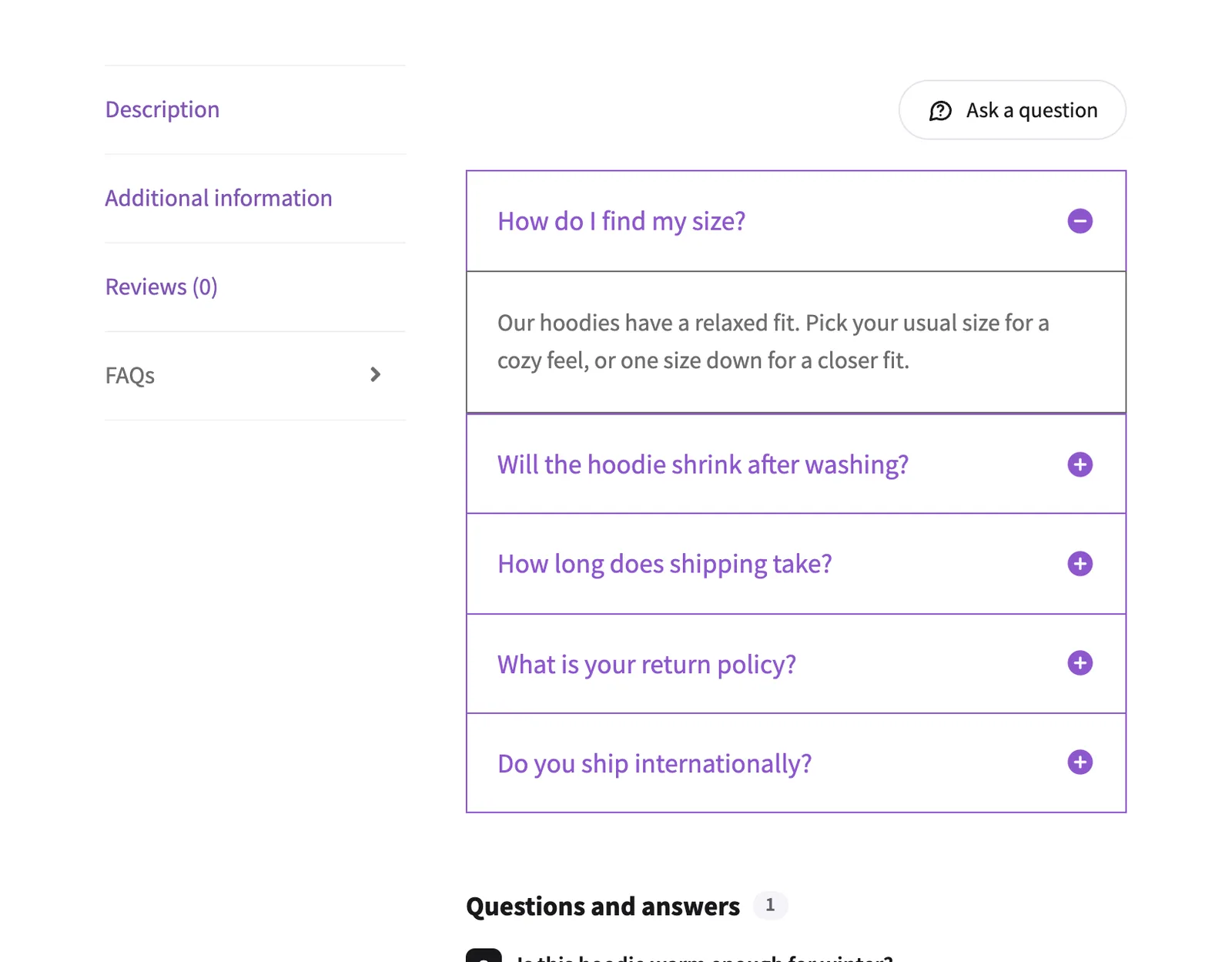
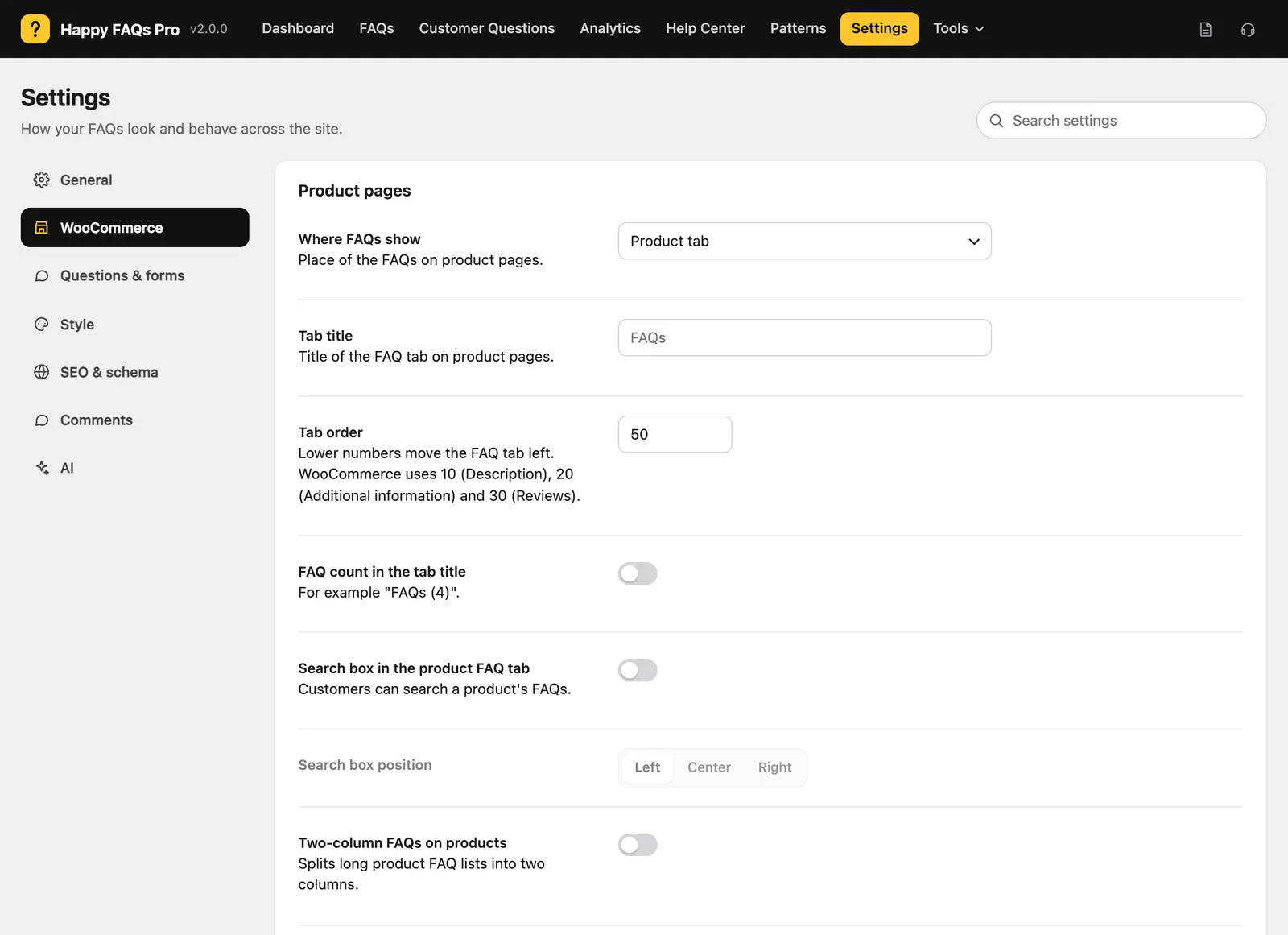
In Settings → WooCommerce you can rename the tab, change its order, show the FAQ count in the title (“FAQs (4)”), add a search box inside the tab and split long lists into two columns.
Free vs Pro for product FAQs
| Feature | Free | Pro |
|---|---|---|
| FAQ tab on product pages | ✓ | ✓ |
| FAQs by product, category and tag | ✓ | ✓ |
| Tab title, order, count, search box, two columns | ✓ | ✓ |
| AI drafts from a product | ✓ | ✓ (plus bulk, up to 50 products a run) |
| Global FAQs on every product | — | ✓ |
| Variation-specific FAQs | — | ✓ |
| 6 more positions on the product page | — | ✓ |
Live product details in answers, like {product_price} | — | ✓ |
| Product Q&A with voting and verified-buyer badges | — | ✓ |
| FAQs on shop, category, cart and checkout pages | — | ✓ |
How it compares
We tested the popular FAQ plugins side by side on the same WooCommerce store. On product FAQs, in their free versions:
- Helpie FAQ adds a product FAQ tab; you add FAQs to each product one by one. Categories need Pro. Happy FAQs vs Helpie FAQ
- Easy Accordion can show one FAQ group on every product, the same for all. Happy FAQs vs Easy Accordion
- Ultimate FAQ keeps its WooCommerce tab in Premium. Happy FAQs vs Ultimate FAQ
If every product needs the same handful of answers, any of them will do. If different products need different answers, inheritance by category and tag is what saves the time. See all six in the best WordPress FAQ plugins in 2026.
Frequently asked questions
Is there a free WooCommerce product FAQ plugin?
Yes. Happy FAQs is free on WordPress.org and adds an FAQ tab to WooCommerce product pages. You can assign FAQs to single products, to product categories and to product tags without paying. Pro adds global FAQs, variation FAQs, product Q&A and FAQs on the shop, cart and checkout pages.
Can I show different FAQs on different products?
Yes. Every product shows only the FAQs assigned to it, directly or through its categories and tags. A blanket gets washing questions, a lamp gets bulb questions, and both can share your shipping FAQ.
Do new products get FAQs automatically?
Yes, if you assign FAQs to a product category or tag. When you add a new product to that category or tag, it shows those FAQs straight away, with no extra step.
Can I rename the FAQ tab or move it?
Yes. In Happy FAQs → Settings → WooCommerce you can change the tab title and its order among the product tabs, show the number of FAQs in the title and add a search box inside the tab. Pro adds 6 more positions on the product page, such as after the Add to cart button.
Can one FAQ show on every product in my store?
In the free version, assign it to your top-level product categories. Pro has global FAQs, which show on every product with their own order and appearance settings.
Do product FAQs work with any WooCommerce theme?
The FAQ tab uses WooCommerce’s own product tabs, so it appears wherever your theme shows the Description and Reviews tabs. If your theme or product template hides those tabs, you can place the FAQs with the shortcode [ffw_template dynamic_post="true"].
More of what Happy FAQs does
Or see everything in Happy FAQs, with Free vs Pro and pricing.
Try Happy FAQs free
Install it from WordPress.org in a minute. Upgrade to Pro only if you want analytics, product Q&A and store-wide FAQs.