
How to use FAQ patterns
Turn one of 21 ready-made FAQ sections into a page in one click, or paste it into any page.
Step 1: Open Patterns
Go to Happy FAQs → Patterns. Filter by General, Live lists, Store or Industries, or search.
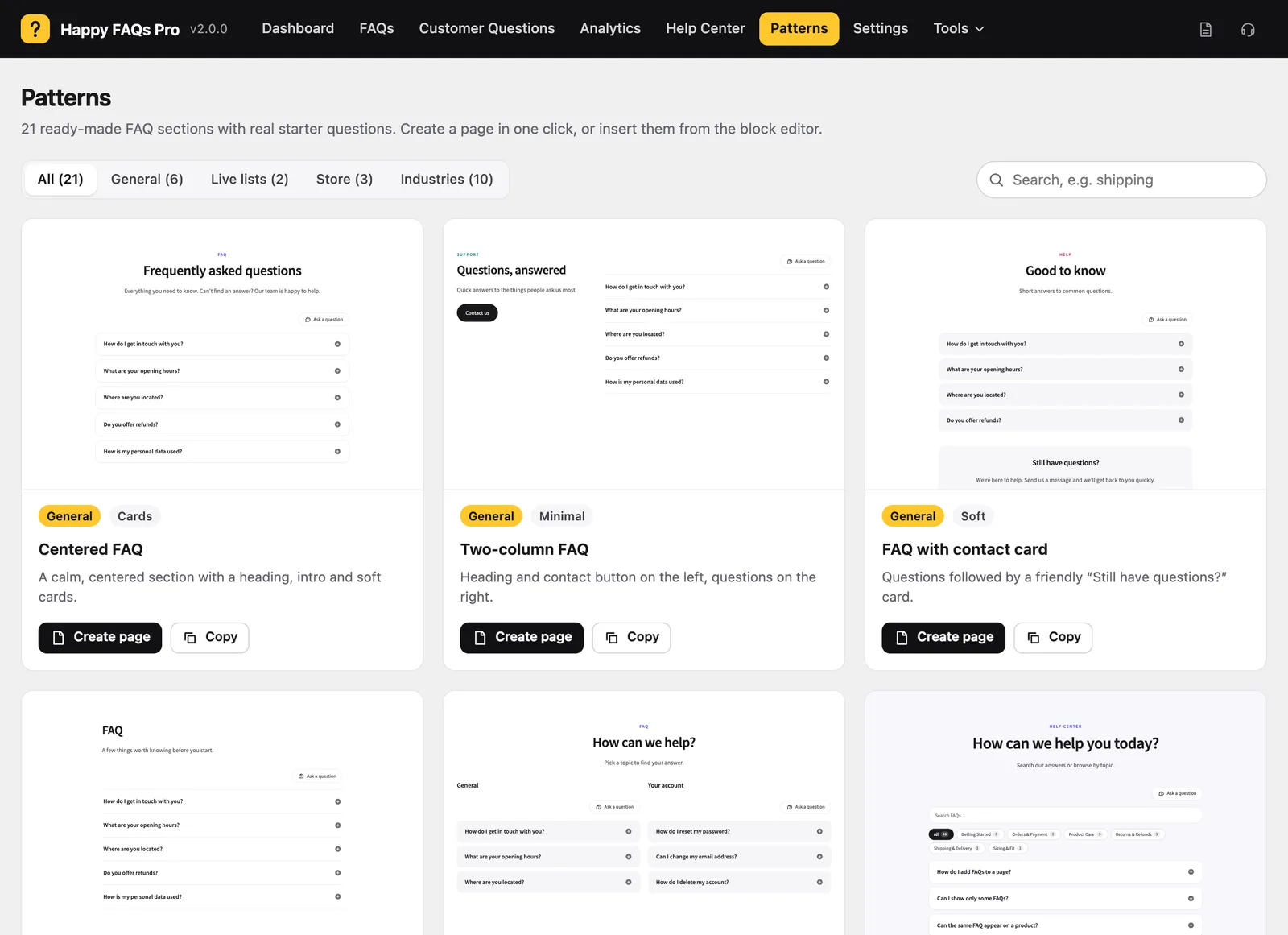
Step 2: Pick a pattern
Each card shows a live preview in your theme.
Step 3: Use it
- Create page makes a draft page from the pattern.
- Copy copies the blocks to paste into any page.
You can also insert patterns in the block editor from Patterns → Happy FAQs.
Step 4: Make it yours
Replace the starter questions with your own, or point the block at your FAQ categories.
Frequently asked questions
Do patterns need an internet connection or account?
No. All 21 patterns are bundled with the plugin.
Still stuck? We’re happy to help.
Contact support