
How to style your FAQs
Change the toggle icon, colors, font sizes and width of your FAQs, with a live preview.
Step 1: Open Style
Go to Happy FAQs → Settings → Style. A preview on the right shows every change.
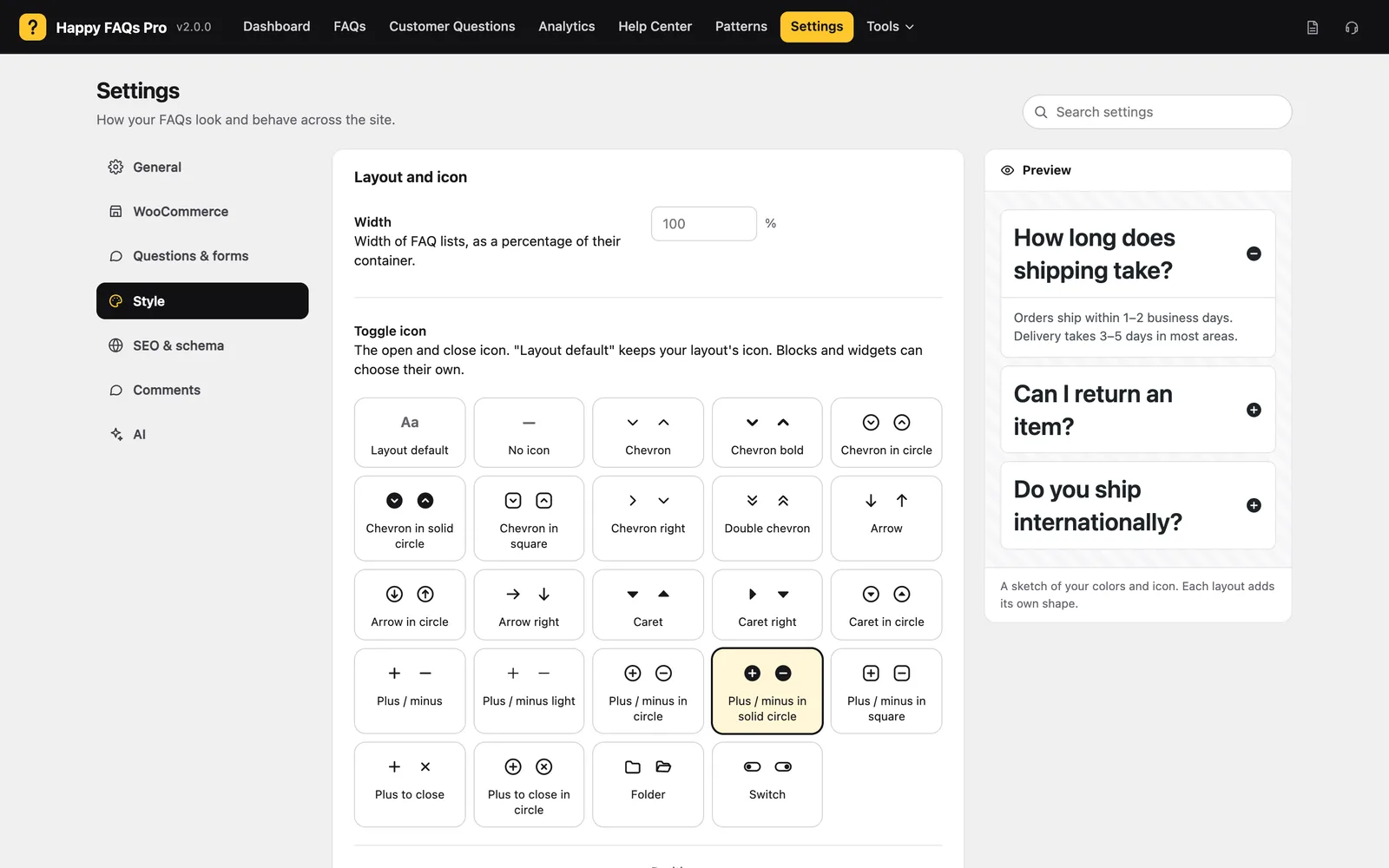
Step 2: Pick a toggle icon
Choose from 22 icon sets, such as chevron, plus/minus or folder. Set its position, size and color.
Step 3: Set colors and fonts
Change question and answer colors, backgrounds, borders and font sizes.
Step 4: Save
Click Save. Need more? Add Custom CSS at the bottom.
One list only? Blocks, widgets and shortcodes can override the icon and colors for a single list.
Still stuck? We’re happy to help.
Contact support