
How to answer customer questions
Pro featureAnswer questions by email, publish them, or turn them into FAQs from the Customer Questions inbox.
Step 1: Open the inbox
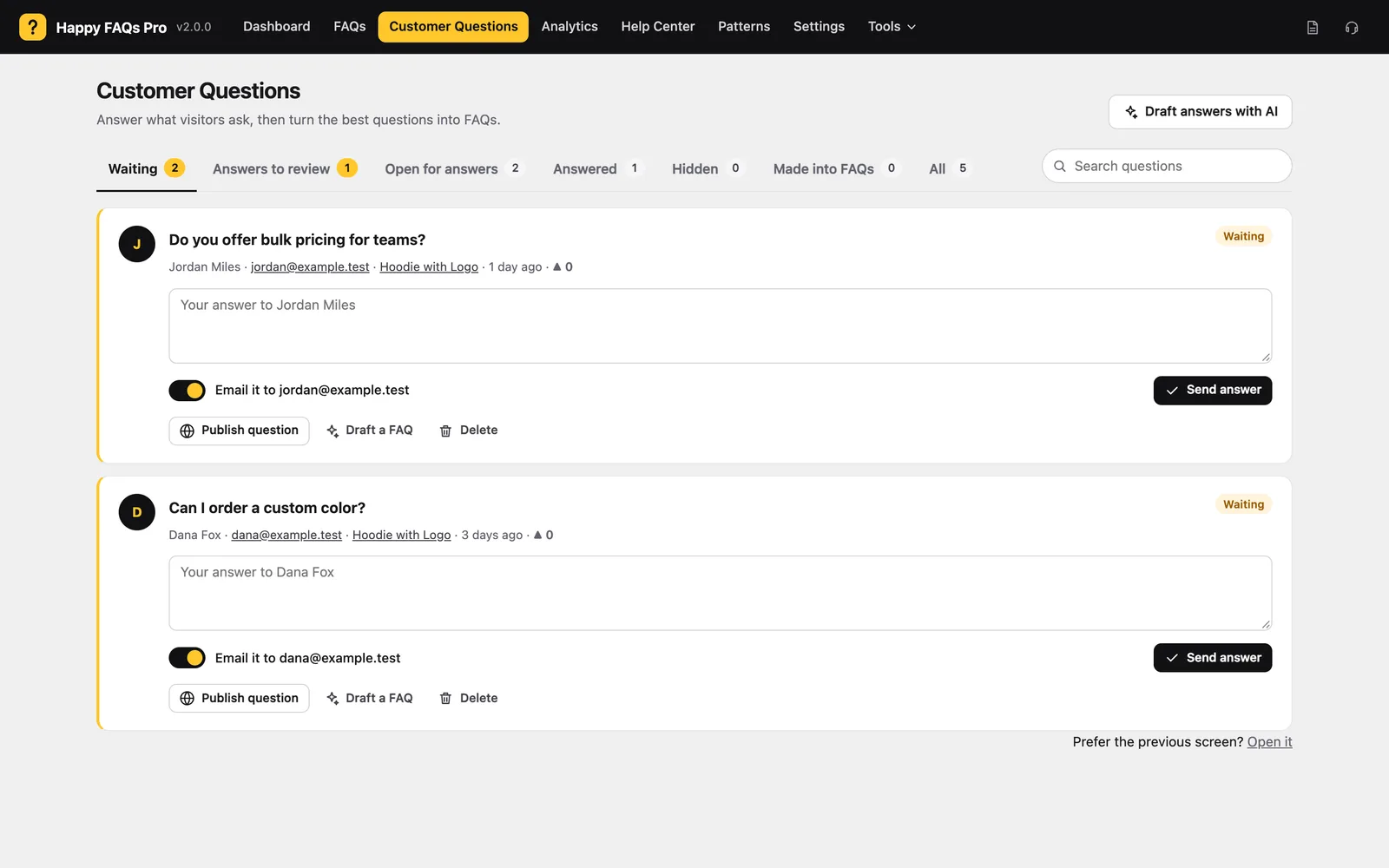
Go to Happy FAQs → Customer Questions. Tabs sort them: Waiting, Answers to review, Open for answers, Answered, Hidden, Made into FAQs.
Step 2: Answer
Type your answer and click Send answer. Keep Email it to… on to email the customer.
Step 3: Reuse good questions
Click Draft a FAQ to turn the question into a FAQ on that product. Draft answers with AI suggests answers for waiting questions.
Step 4: Publish or hide
Publish question shows it on the site. Hide from visitors keeps an answered question private.
Still stuck? We’re happy to help.
Contact support