
How to use Happy FAQs shortcodes
Build a FAQ shortcode with a live preview, and learn every attribute: categories, products, layout, filter and paging.
The easiest way is the Shortcode builder: pick options, watch the preview, copy.
Step 1: Open the builder
Go to Happy FAQs → Tools → Shortcodes.
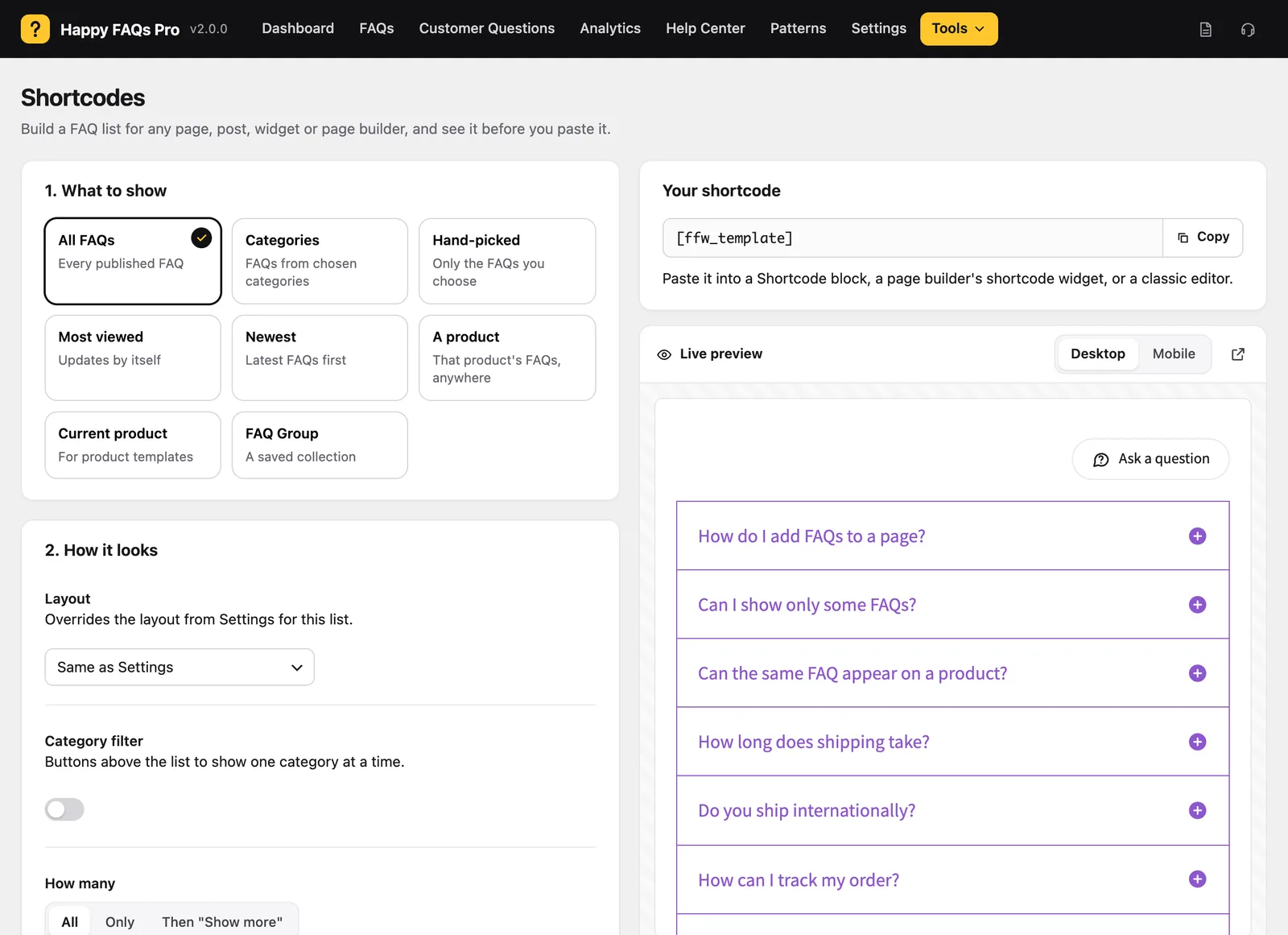
Step 2: Choose what to show
Pick All FAQs, Categories, Hand-picked, Most viewed, Newest, A product, Current product or a FAQ Group.
Step 3: Choose how it looks
Set the layout, category filter, how many to show, and the toggle icon. The preview updates as you go.
Step 4: Copy and paste
Click Copy and paste the shortcode into a Shortcode block, a page builder widget, or the classic editor.
All shortcode attributes
| Shortcode | What it shows |
|---|---|
[ffw_template] | All FAQs |
[ffw_template faq_cat="32"] | One FAQ category |
[ffw_template faq_ids="10,11,12"] | Selected FAQs |
[ffw_template id="20"] | One product’s FAQs (product ID) |
[ffw_template dynamic_post="true"] | The current product |
[ffw_template group_id="5"] | A FAQ Group (Pro) |
template:1Classic,2Whitish,3Trip,4Pop,5Basic. Pro:6Glow,7Smart,8Wow,9Zoom.filter="true": category buttons above the list.per_page="5": show five, then a Show more button.limit="5": show only five.order(ASC/DESC) andorder_by(date,title,id,modified…).icon,icon_position,icon_color,icon_size: the toggle icon.
Other shortcodes: [ffw_search] (AJAX search, Pro), [ffw_ask_question] (question form, Pro), [ffw_lms_faqs] (course FAQs, Pro).
Frequently asked questions
Where do I find a product ID?
Go to Products → All Products and hover the product, or open it and read post=20 in the address bar.
Can I combine attributes?
Yes, for example [ffw_template faq_cat="32" filter="true" per_page="5"].
Still stuck? We’re happy to help.
Contact support