
How to choose a FAQ layout
Preview the accordion layouts with your own FAQs and pick one for the whole site or one list.
Step 1: Open Templates
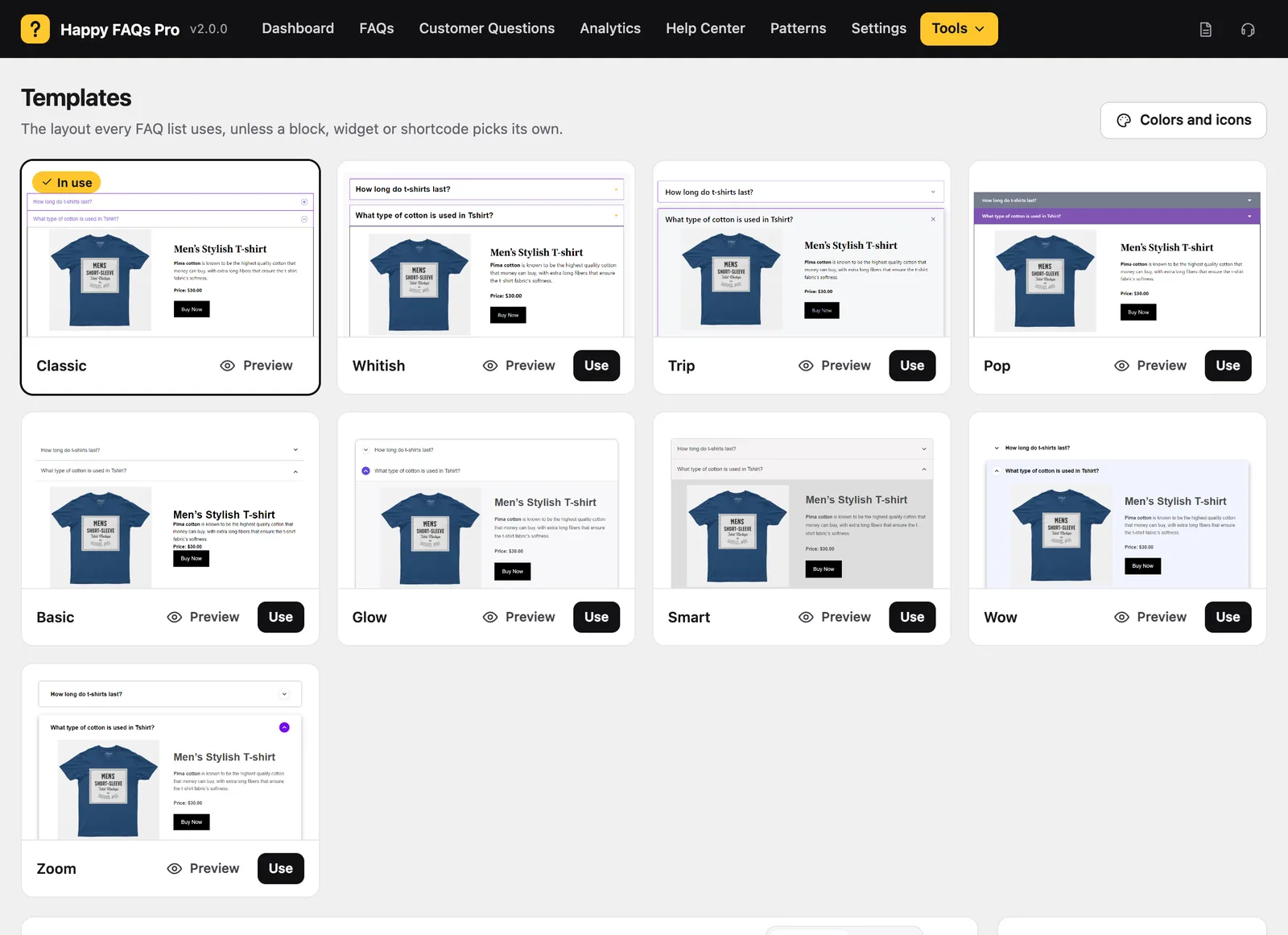
Go to Happy FAQs → Tools → Templates. Each card previews your own FAQs.
Step 2: Use a layout
Click Preview to look closer, then Use to make it the site-wide layout.
Step 3: Use a different layout for one list
Add template to a shortcode, for example [ffw_template template="4"], or pick the layout in a block or widget.
Frequently asked questions
How many layouts are there?
Five in the free version (Classic, Whitish, Trip, Pop, Basic) and four more in Pro (Glow, Smart, Wow, Zoom).
Still stuck? We’re happy to help.
Contact support