
Build a WordPress FAQ page or help center in one click
Happy FAQs builds a help center page for you: a search box, your most asked questions and every FAQ by topic, in one click. Prefer something simpler? Pick any page as your FAQ page and every answer appears on it. Both are free and update as your FAQs change.
Free on WordPress.org · Pro from $29.99/yr
Three ways to make a FAQ page in WordPress
Happy FAQs keeps every question in one library, then gives you three ways to put it on a page. Pick the one that fits how much structure you need:
| Option | Best for | Time |
|---|---|---|
| Help Center builder | A full support page: search, most asked, every topic | About 1 minute |
| FAQ page setting | A plain page listing every FAQ, grouped by category | About 2 minutes |
| FAQ patterns | A designed FAQ section inside a landing page or About page | About 2 minutes |
The one-click help center
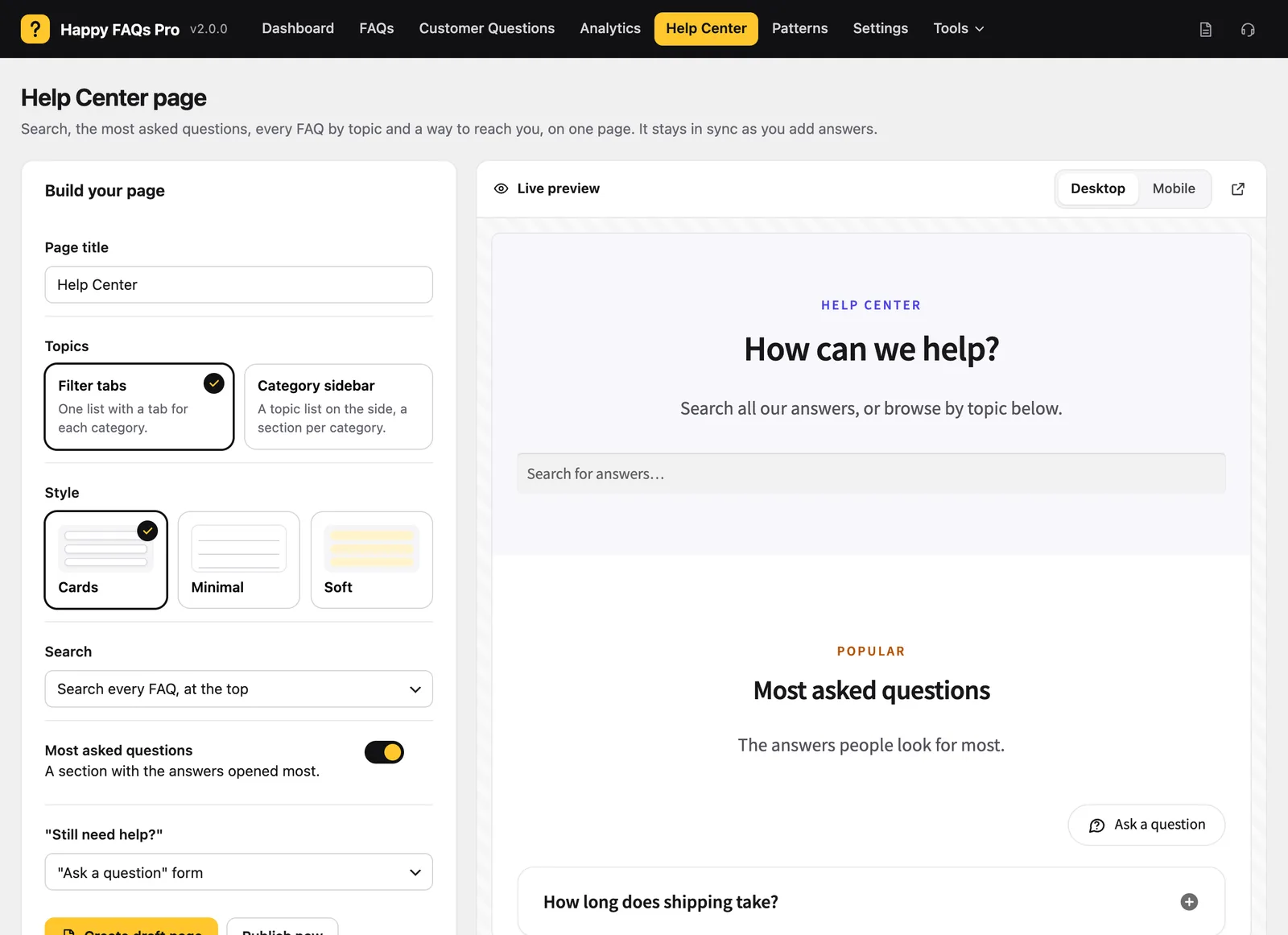
Go to Happy FAQs → Help Center, choose a few options and watch the live preview change. When it looks right, click Publish now, or Create draft page to review it first.
- Topics as filter tabs, or as a sticky category sidebar for larger libraries.
- Style: Cards, Minimal or Soft.
- Most asked questions at the top, ranked by how often each answer is opened.
- Search that filters answers as visitors type.
- “Still need help?” with a link to your contact page, filled in for you if you have one.
This is the page our test store got from the same five shipping, returns and care questions we used in our FAQ plugin comparison, with no other setup:
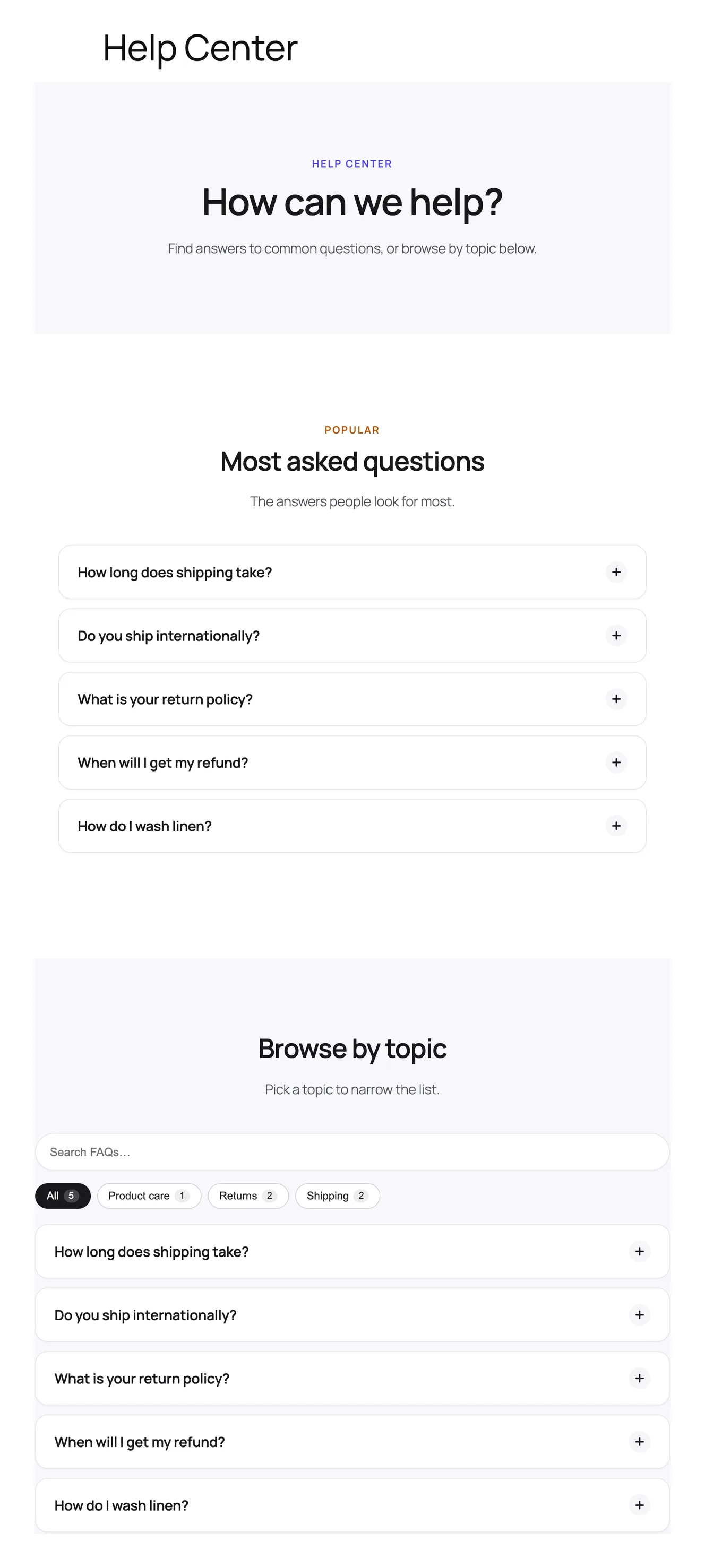
Because the page reads from your FAQ library, it never goes stale. New FAQs land in their topic, and the “most asked” list follows what visitors actually open. The step-by-step guide is in the docs: how to build a help center page.
A simple FAQ page in two steps
- Create an empty page called “FAQ” or “Help” and publish it.
- Go to Happy FAQs → Settings → General, choose it under FAQ page and save.
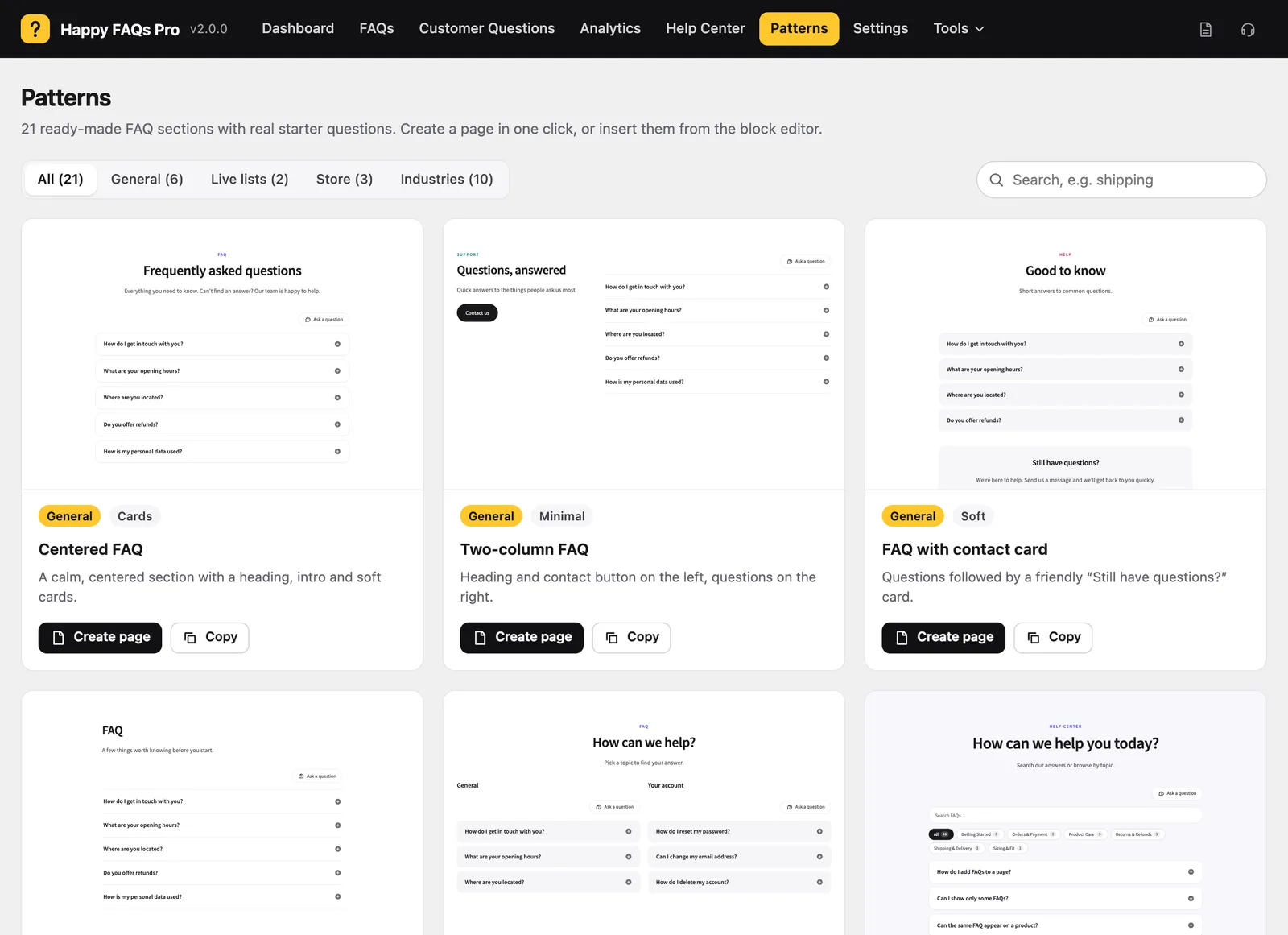
Every published FAQ now shows on that page in your accordion layout, grouped by category if you turn on category tabs. Add an intro above it with the Before the FAQs setting or by writing on the page.
21 ready-made FAQ patterns
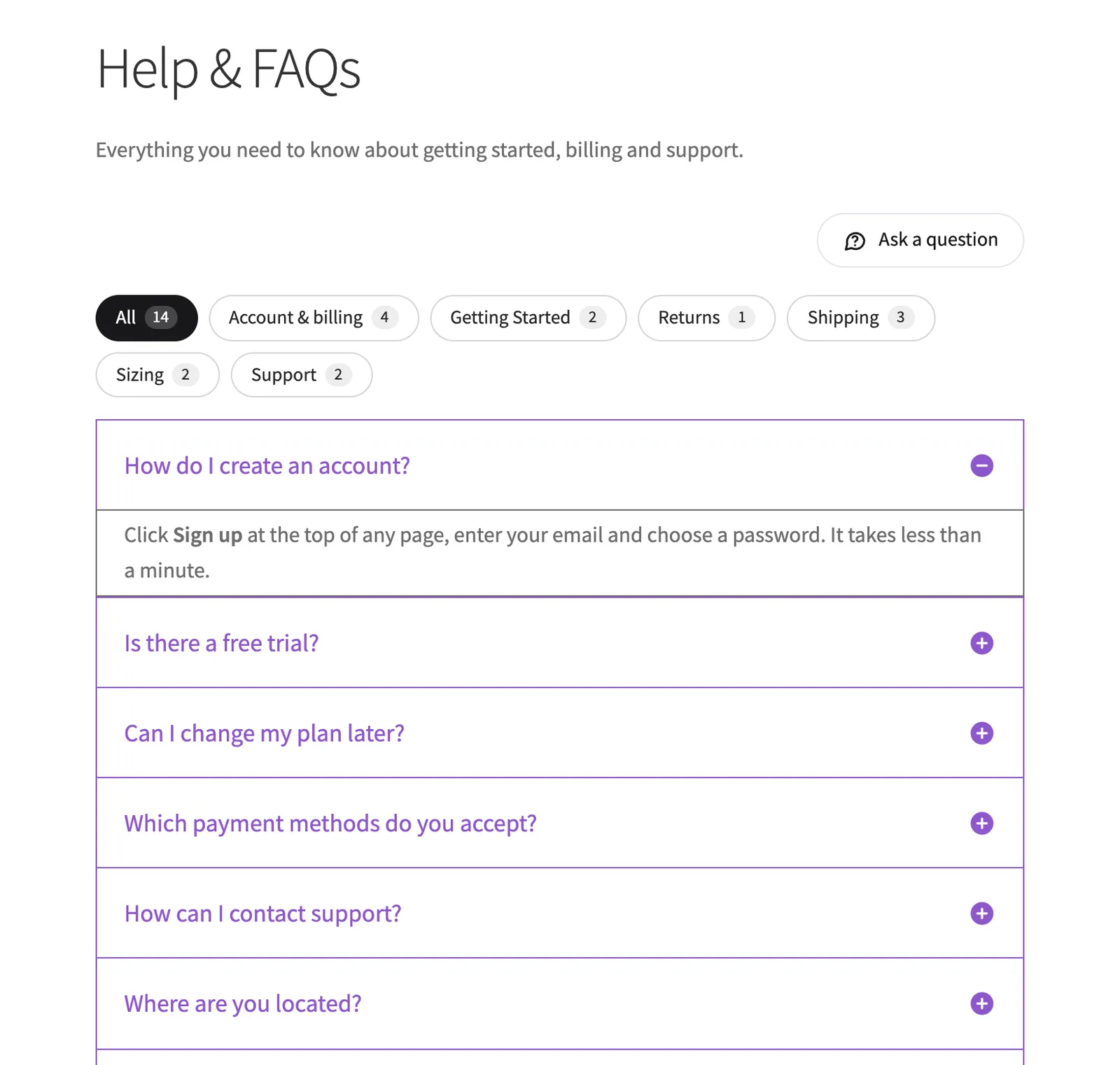
For an FAQ section inside another page, open Happy FAQs → Patterns. Each pattern previews in your own theme; Create page turns it into a draft, and Copy lets you paste it anywhere. They’re bundled with the plugin, so no account or download is needed.
- General: including a help center with search.
- Store: shipping and returns, orders and payments, product questions.
- Industries: pricing, getting started, agency, online course, restaurant, events, hotel, gym, real estate and privacy.
- Live lists: your most popular and most recent FAQs, updated on their own.
Free vs Pro for FAQ pages and help centers
| Feature | Free | Pro |
|---|---|---|
| One-click Help Center with live preview | ✓ | ✓ |
| Topics as tabs or a sidebar, 3 styles | ✓ | ✓ |
| Most asked questions | ✓ | ✓ |
| Search that filters the page as you type | ✓ | ✓ |
| FAQ page setting and 21 patterns | ✓ | ✓ |
| “Was this helpful?” votes and view counts | ✓ | ✓ |
| Search across the whole FAQ library with suggestions | — | ✓ |
| “Ask a question” form instead of a contact link | — | ✓ |
| Analytics: what visitors open, search and can’t find | — | ✓ |
| 4 more accordion layouts and multi-column | — | ✓ |
How it compares
None of the other FAQ plugins in our six-plugin test builds a help center page for you; you assemble one from blocks or shortcodes. Easy Accordion has the larger pattern library if design variety matters most (compare), and Helpie FAQ puts a search bar above its FAQ list by default (compare).
If you need long how-to articles, versioned docs or a full knowledge base, a documentation plugin such as BetterDocs or Echo Knowledge Base is the better tool. For a help center made of clear questions and answers, Happy FAQs gets you there in a minute.
Frequently asked questions
How do I create an FAQ page in WordPress?
With Happy FAQs, create an empty page, then pick it under Happy FAQs → Settings → General → FAQ page. Every published FAQ appears on it in your chosen layout. For a full help center with search and topics, use Happy FAQs → Help Center instead and click Publish.
What is the difference between an FAQ page and a help center?
An FAQ page lists your questions and answers, usually grouped by category. A help center adds structure around them: a search box, the most asked questions at the top, every topic as tabs or a sidebar, and a “Still need help?” link to contact you. Happy FAQs can build either.
Does the help center update when I add FAQs?
Yes. The help center reads from your FAQ library, so new FAQs appear in their topic and popular answers move up the “most asked” list without editing the page.
Do I need a knowledge base plugin for a help center?
Not if your help content is questions and answers. A knowledge base plugin like BetterDocs or Echo Knowledge Base is the better fit when you need long articles, documentation versions or a docs portal. Happy FAQs covers the FAQ-shaped help center most stores and small businesses need.
Can I search all my FAQs from the help center?
In the free version, the search box filters the FAQs on the help center page as visitors type. Happy FAQs Pro switches it to a search across your whole FAQ library, with suggestions as you type, and records searches that found no answer.
Will the help center match my theme?
It’s a normal WordPress page made of blocks, so it uses your theme’s fonts and you can edit it in the block editor. Choose Cards, Minimal or Soft style and preview it on desktop and mobile before you publish.
More of what Happy FAQs does
Or see everything in Happy FAQs, with Free vs Pro and pricing.
Try Happy FAQs free
Install it from WordPress.org in a minute. Upgrade to Pro only if you want analytics, product Q&A and store-wide FAQs.