Easy Accordion and Happy FAQs both let you build FAQs in WordPress, but they started from different places. Easy Accordion is an accordion builder that does FAQs well. Happy FAQs started as a WooCommerce FAQ plugin and grew into a full FAQ library with a help center. That difference explains almost everything in this comparison.
We make Happy FAQs, so read this with that in mind. To keep it honest, we put the same five questions into both plugins on one test store, used default settings, and checked each plugin's code for what's free and what's paid. Where Easy Accordion is ahead, we say so.
The short answer
- Pick Easy Accordion if design comes first, if you also want image, product or post accordions, or if you'd like the plugin most other people use (70,000+ active installs, 4.9★ from 358 reviews).
- Pick Happy FAQs if you run a WooCommerce store and different products need different answers, if you want a ready-made help center page, or if you want AI FAQ writing without managing an API key.
At a glance
"Free" means the free version on WordPress.org. Installs, ratings and update dates are from WordPress.org on October 25, 2026.
| Happy FAQs | Easy Accordion | |
|---|---|---|
| WordPress.org | 1,000+ installs, 4.8★ (22) | 70,000+ installs, 4.9★ (358) |
| Built for | FAQs and help centers, WooCommerce first | Accordions of all kinds, FAQs included |
| Product FAQs (free) | Per product, by category and by tag | One FAQ group on all products |
| FAQ schema | On by default, one merged block per page | Per group, off by default in our test |
| AI FAQ writing (free) | No key on WordPress 7.0+, OpenAI key as fallback | Google Gemini, your own key |
| Search (free) | Filters the FAQs on the page | Pro only (AJAX search) |
| Help center page | One-click builder | No |
| Designs | 5 layouts, 22 icon sets, 21 patterns | 15+ blocks and a large pattern library |
| Page builders | Blocks, Elementor widgets, Divi 4 and Divi 5 modules | Blocks, plus Elementor, Divi, WPBakery and more via shortcode |
| Analytics | Pro, including searches with no answer | Pro, popular FAQs |
| Import / export | Pro (spreadsheet) | Free |
The same FAQ in both plugins
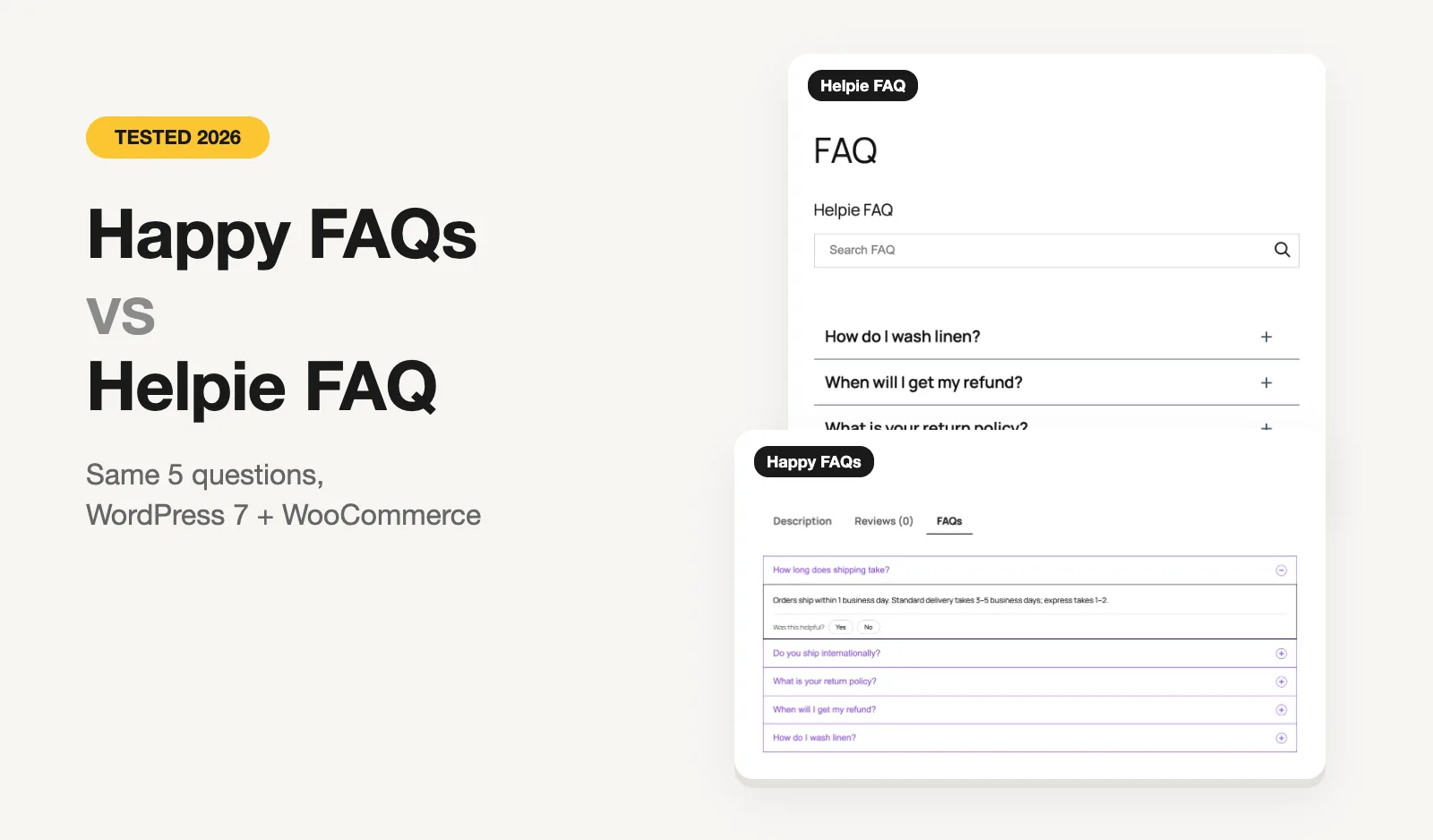
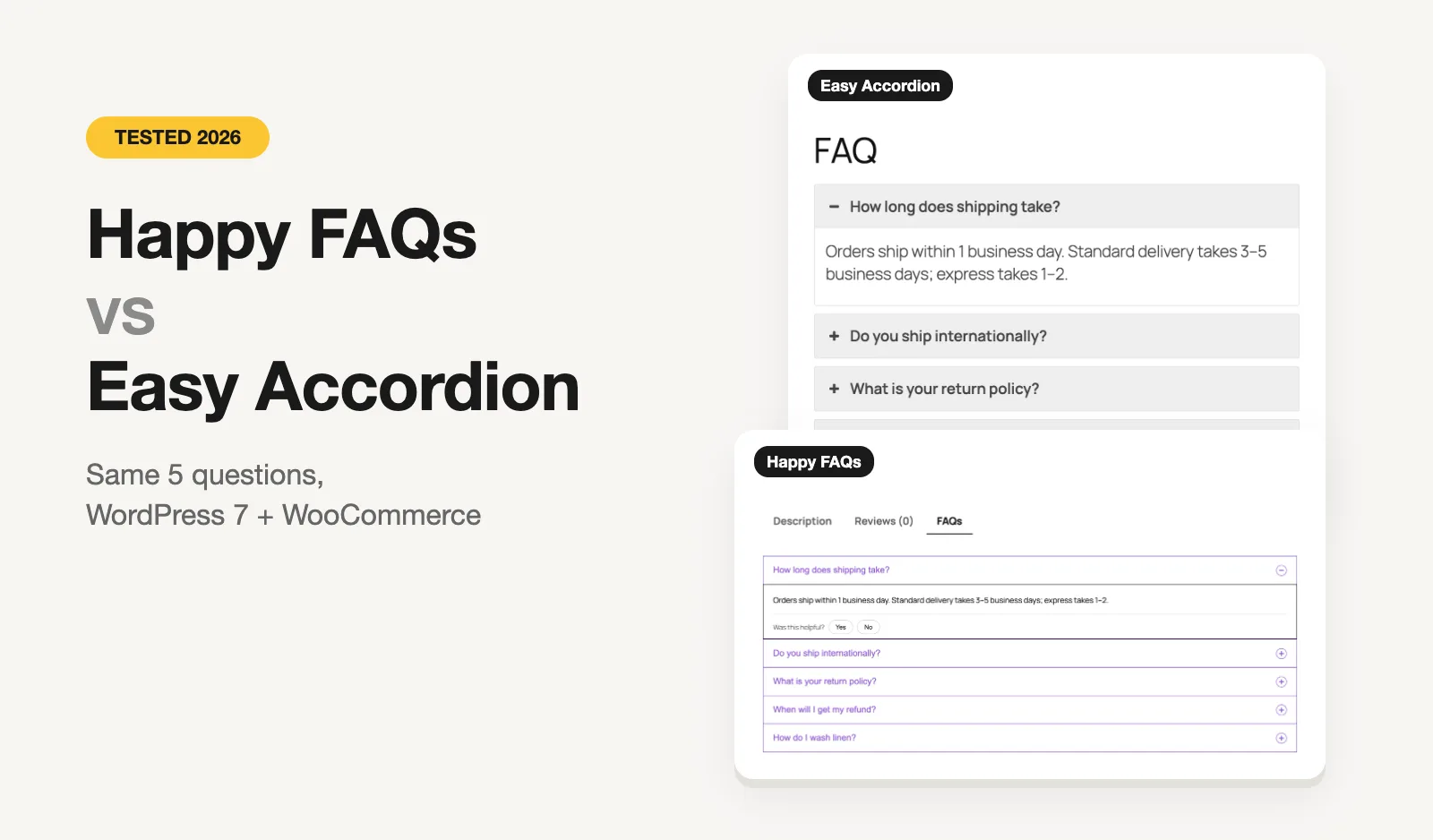
We built a test store on WordPress 7 with WooCommerce, the Twenty Twenty-Five theme and PHP 8.3, in WordPress Playground. Both plugins got the same five questions about shipping, returns and washing linen. We added each to a page with its own shortcode and opened "How long does shipping take?".
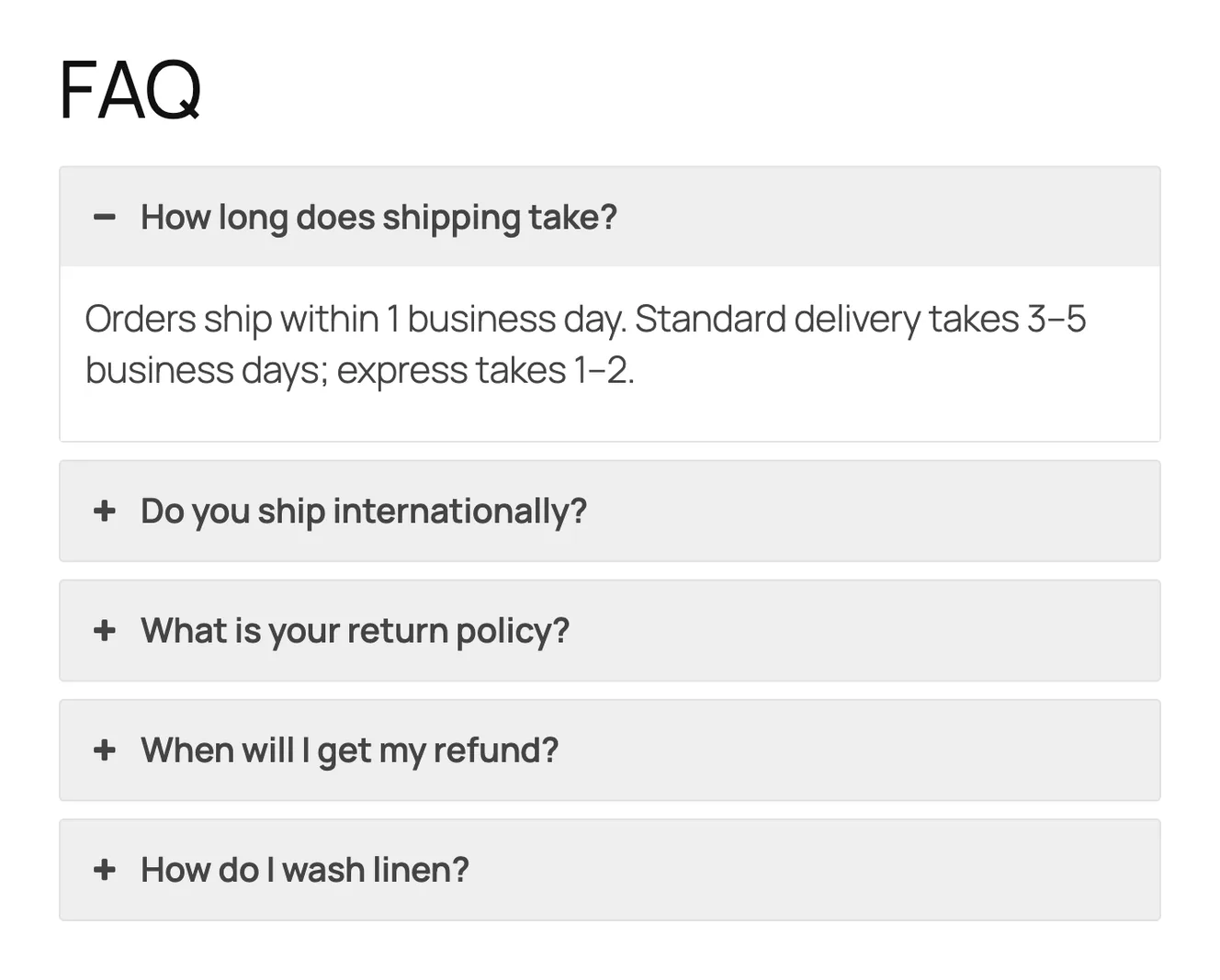
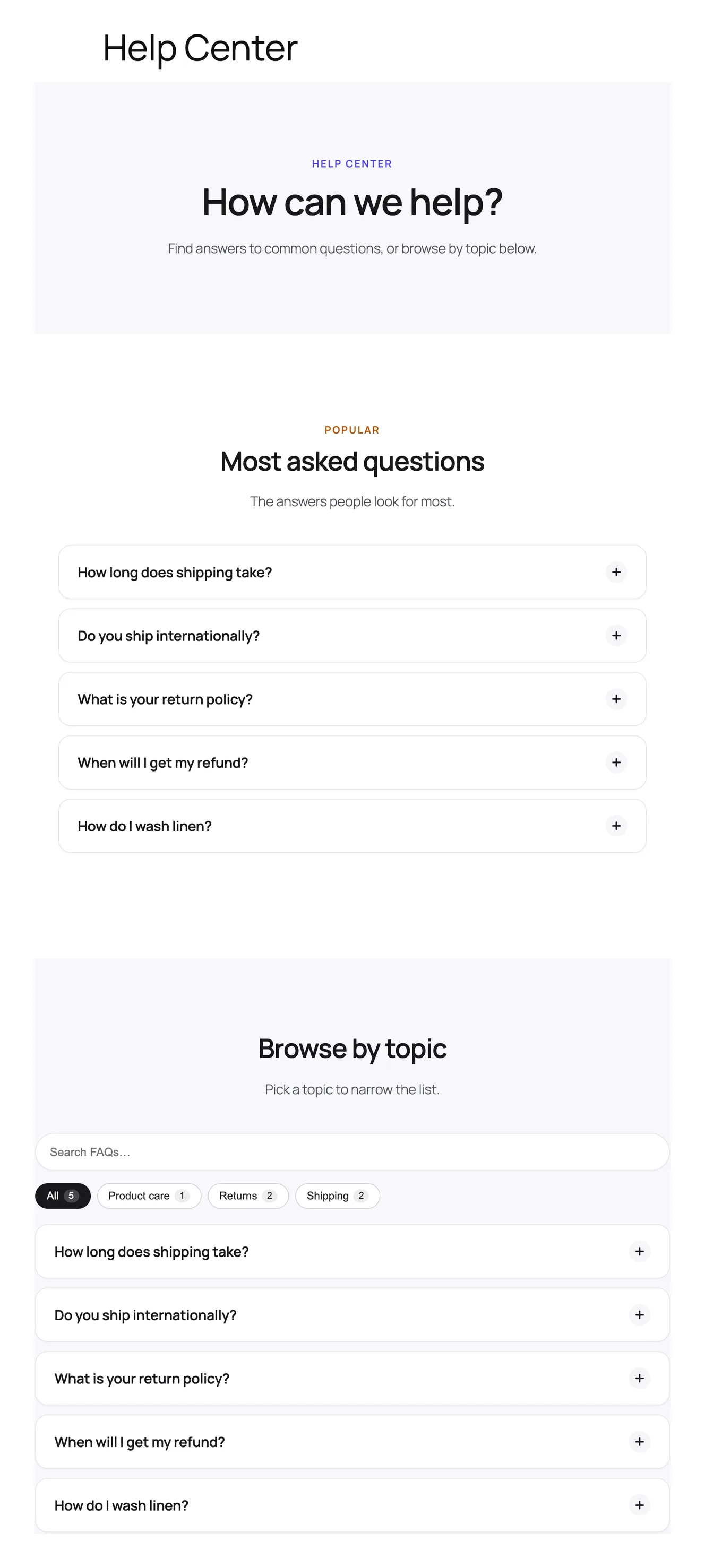
Both look clean out of the box. Easy Accordion gives you a bold, boxed accordion. Happy FAQs gave us a whole help center page from one click, which is a different kind of result: you get the page structure, not just the accordion.
WooCommerce product FAQs
This is the biggest difference, and the reason most store owners will choose one or the other.
Easy Accordion's free version adds an FAQ tab to product pages, but when we read the free code, it only handles one case: one FAQ group shown on all products. That's fine for store-wide questions like shipping and returns. It doesn't help when a linen throw and a cast-iron pan need different answers.
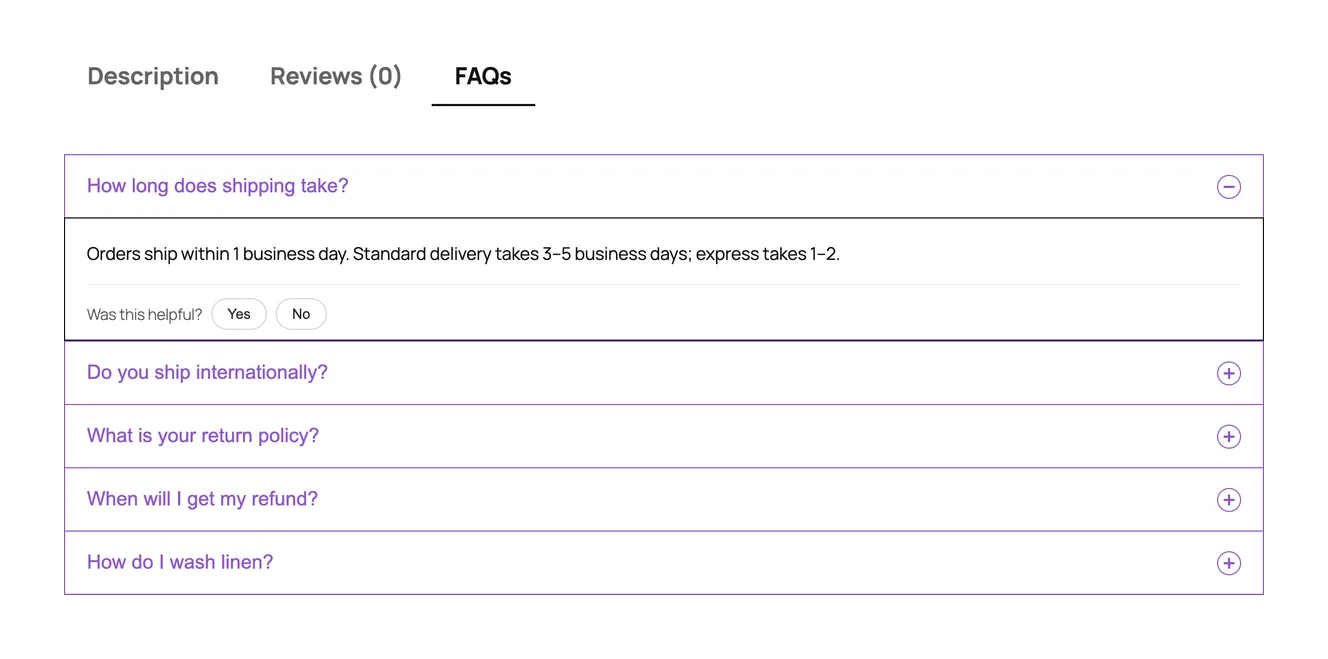
Happy FAQs, in the free version, lets you:
- assign FAQs to a single product, from the product screen or the FAQ screen, and drag them into order;
- assign FAQs to a product category or a product tag, so every product in it picks them up automatically;
- show the count in the tab title, add a search box inside the tab, and set the tab's order among the product tabs.
More on how it works: WooCommerce product FAQs in Happy FAQs.
Category and tag inheritance is what saves time on a real catalog. Write "How do I wash linen?" once, attach it to the Linen category, and every linen product shows it, including ones you add next year.
Easy Accordion does have something Happy FAQs doesn't: product accordions that list products with prices, images and add-to-cart buttons in a collapsible layout. If that's what you're after, it's a different feature from product FAQs, and Easy Accordion is the one that has it.
FAQ schema
Both plugins can output FAQPage schema. The difference is the default. In Easy Accordion, schema is a switch on each FAQ group, and the group we created had it off, so the page had no FAQ markup until we turned it on. Happy FAQs had it on from the start, and it merges every FAQ on a page into one schema block with duplicates removed, which matters when the same question appears in a product tab and a sidebar widget.
A quick reality check that applies to both: since August 2023 Google shows FAQ rich results only for a small group of government and health sites. Schema still helps search engines and AI assistants read your answers as clean question-and-answer pairs, so it's worth having on. Just don't expect the old expandable snippet under your result.
More on what Happy FAQs outputs: automatic FAQ schema.
AI FAQ writing
Both free versions can write FAQs with AI, and the difference is the setup.
- Easy Accordion connects to Google Gemini. You create a Gemini API key and paste it in. Pro adds more advanced AI options.
- Happy FAQs uses the AI connection built into WordPress 7.0 and newer, so if your site already has AI set up, there's nothing to paste. On older WordPress, an OpenAI key works as a fallback. You can write FAQs from a product, a page or a typed topic, choose how many and in which language, and it skips questions that product already has. There's also "Improve with AI" in the editor to shorten, expand or change the tone of an answer.
Step by step, with screenshots: the Happy FAQs AI FAQ generator.
Design and layouts
Easy Accordion wins here, and it isn't close. It has more than 15 blocks, a big library of ready patterns, horizontal and image accordions, nested accordions, and in Pro, media accordions and an accordion slider. If your FAQ is part of a designed landing page, you'll find more starting points.
Happy FAQs has 5 accordion layouts (4 more in Pro), 22 animated toggle icon sets, 3 block styles and 21 offline patterns, including store, pricing and industry FAQ pages. It's enough to make an FAQ look at home on most sites, but it's built around FAQs, not accordions in general.
Search, analytics and what Pro adds
Search. Happy FAQs' free version has a search box that filters the FAQs on the page, in every layout. Easy Accordion's search is Pro (AJAX search that highlights matches as you type). Happy FAQs Pro adds search across the whole FAQ library.
Analytics. Both keep analytics in Pro. Easy Accordion Pro tracks which FAQs are popular. Happy FAQs Pro tracks opens, helpful votes and searches, and lists the searches that found no answer, with a button to add that FAQ. That last part is the one we'd look at: it tells you which questions you're still missing.
Other Pro features. Easy Accordion Pro adds visitor question forms, a "toggle all" button, category filters, load-more pagination and many layout options. Happy FAQs Pro adds FAQ suggestions inside WPForms, Contact Form 7 and Fluent Forms (with a count of support tickets avoided), product Q&A with voting, FAQs on the shop, cart and checkout pages, variation FAQs and spreadsheet import and export.
Page builders
Easy Accordion works in Elementor, Divi, WPBakery, Beaver Builder and others through its shortcode, plus its own Gutenberg blocks. Happy FAQs has Gutenberg blocks, its own Elementor widgets, and native modules for both Divi 4 and Divi 5. If you build in Divi 5, check that your FAQ plugin has a real module, not just a shortcode.
Switching from Easy Accordion
There's no one-click importer from Easy Accordion to Happy FAQs yet. For a typical store with a few dozen questions, copying them into the Happy FAQs library takes less time than it sounds, and you can then attach them to products and categories. If you have hundreds, Happy FAQs Pro imports a spreadsheet (CSV, TSV or Excel), including categories and the products each FAQ belongs to.
You can run both plugins side by side while you move over. They use different shortcodes, so nothing breaks until you swap them.
Pricing
Both plugins are free on WordPress.org, and both sell yearly and lifetime Pro plans with a 14-day money-back guarantee.
| Plan | Happy FAQs Pro | Easy Accordion Pro |
|---|---|---|
| 1 site, yearly | $29.99 | $29 |
| 5 sites, yearly | $79.99 | $99 |
| Unlimited sites, yearly | $199.99 | $199 |
| 1 site, lifetime | $89.99 | $129 (normally $258) |
| 5 sites, lifetime | $239.99 | $229 (normally $458) |
| Unlimited sites, lifetime | $599.99 | $399 (normally $798) |
| Refund | 14 days | 14 days |
Prices are in US dollars, from each developer's own pricing page on October 26, 2026. Some were sale prices on that day, so check before you buy.
For one site the price is the same, so pick on features. For five sites a year, Happy FAQs is about $19 cheaper. On lifetime plans, Easy Accordion's half-price sale made its 5-site and unlimited licenses cheaper than ours on the day we checked.
Which one should you choose?
- You want the most designs or accordions beyond FAQs: Easy Accordion. Turn schema on in each group.
- Your store-wide FAQs are the same for every product: either works. Easy Accordion's free product tab covers that.
- Different products need different FAQs: Happy FAQs. Assign by product, category or tag, for free.
- You want a help center page without building it: Happy FAQs.
- You want AI FAQs without an API key: Happy FAQs on WordPress 7.
- You want free import and export: Easy Accordion.
Comparing more than these two? We tested six FAQ plugins in the best WordPress FAQ plugins in 2026, with the same five questions in each, and compared Happy FAQs with Ultimate FAQ and Helpie FAQ.