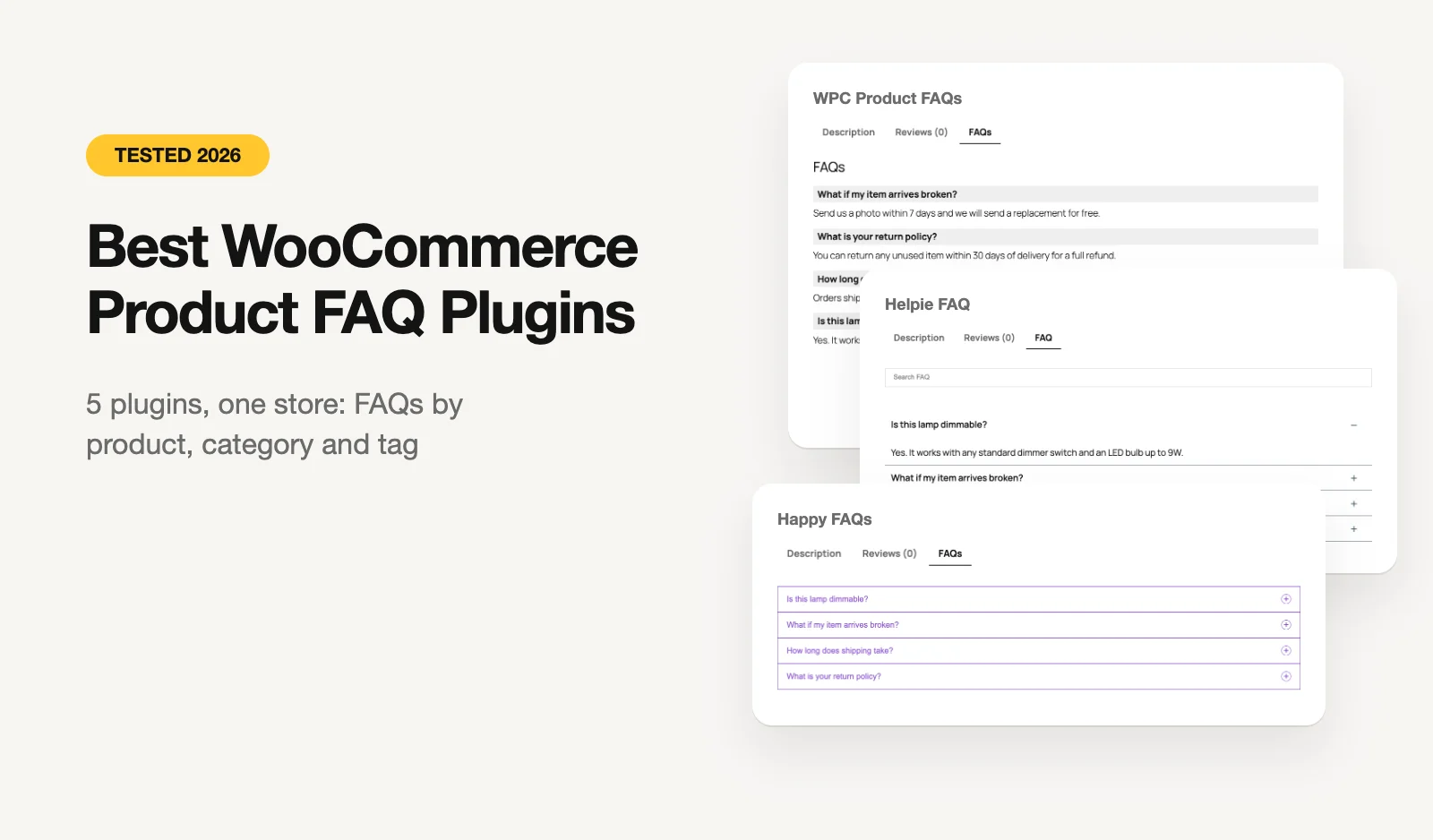
We make Happy FAQs, so read our first place with that in mind. To keep it fair, we built one small store and gave every plugin the same job: show the right FAQs on the right products. Everything below is what each free version did, with its default look.
The short version: most "product FAQ" plugins can put a tab on a product page. Far fewer can show different FAQs on different products without making you add them one product at a time. That's where they split.
Quick picks
- Best overall: Happy FAQs. FAQs by product, category and tag for free, new products pick them up on their own, and FAQ schema on every product.
- Best completely free: WPC Product FAQs. Store-wide, category and tag FAQs with no paid version. No schema, and keep an eye on the 10-FAQ catch.
- Best with a search box: Helpie FAQ. A searchable FAQ tab with schema; you pick the products for each FAQ by hand.
- Best for the same FAQs on every product: Easy Accordion. One FAQ group on all products, with the most design options.
The test
We built a store called Linen & Co. on WordPress 7 with WooCommerce, the default Twenty Twenty-Five theme and PHP 8.3, using WordPress Playground. Each plugin got its own copy of the store, with three products and five FAQs:
| FAQ | Should show on |
|---|---|
| How long does shipping take? | Every product |
| What is your return policy? | Every product |
| How do I wash linen? | Products in the Bedding category |
| What if my item arrives broken? | Products tagged Fragile |
| Is this lamp dimmable? | The Ceramic Table Lamp only |
The products were a Linen Throw Blanket (Bedding), a Ceramic Table Lamp (Lighting, tagged Fragile) and a Linen Duvet Cover, which we added to Bedding after the FAQs were set up. A good plugin should show the blanket 3 FAQs, the lamp 4, and the new duvet cover 3, with nothing extra to do.
We set each plugin up the way its free version allows, then opened every product, counted the questions in the FAQ tab and checked the page for FAQPage schema. We also read each plugin's code to confirm what's free.
Results at a glance
| Plugin | Blanket (3) | Lamp (4) | New duvet (3) | Category / tag FAQs | FAQ schema | Paid version |
|---|---|---|---|---|---|---|
| Happy FAQs | 3 ✓ | 4 ✓ | 3 ✓ | Both, free | Yes | From $29.99/yr |
| WPC Product FAQs | 3 ✓ | 4 ✓ | 3 ✓ | Both, free | No | None, all free |
| Helpie FAQ | 3 ✓ | 4 ✓ | 0 ✗ | Categories in Pro; no tags | Yes | From $38.99/yr |
| Product FAQ for WooCommerce | 3 ✓ | 1 ✗ | 3 ✓ | Both, 2 groups of 3 FAQs free | Yes | From $5/month |
| Easy Accordion | 2 ✗ | 2 ✗ | 2 ✗ | No, one group on all products | Off by default | From $29/yr |
Install counts and ratings below are from WordPress.org on October 27, 2026. Prices are from each developer's site on October 26–27, 2026.
1. Happy FAQs
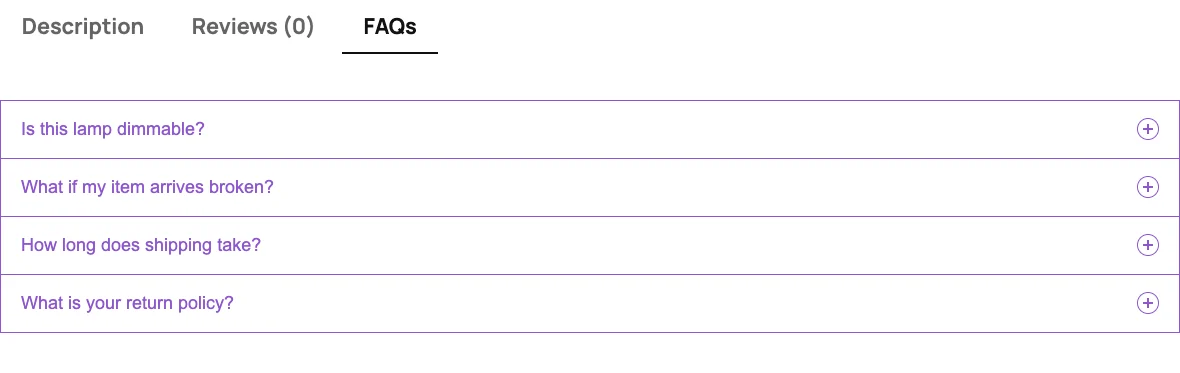
Best for: stores where products need different answers, and anyone who also wants a help center or FAQ page from the same library.
WordPress.org: 1,000+ installs, 4.8★ (22 reviews).
Happy FAQs (ours) got every product right. Each FAQ lives once in a library, and you choose where it shows from the FAQ itself: products, product categories, product tags, or any mix. The lamp showed all four of its FAQs, and the duvet cover we added later showed the Bedding FAQs straight away. Each product page also carried one FAQPage schema block with exactly the questions on that product.
There's no "all products" switch in the free version. For store-wide answers like shipping, we assigned them to our top-level categories, which reached every product. Pro adds true global FAQs.
What's free:
- An FAQs tab with FAQs by product, category and tag; rename it, reorder it, show the count or add a search box. More in our WooCommerce product FAQs guide.
- FAQ schema on every product, with duplicates removed.
- An AI FAQ generator that drafts FAQs from a product's own description. On WordPress 7.0+ it needs no API key.
- "Was this helpful?" votes, plus a help center and FAQ page from the same FAQs.
What's paid (Pro): global FAQs on every product, variation FAQs, six more positions on the product page, customer Q&A with voting, FAQs on the shop, cart and checkout, bulk AI for up to 50 products, and analytics.
Watch out for: it has the fewest installs of the five, so there are fewer outside tutorials. And there's no free "all products" option.
2. WPC Product FAQs
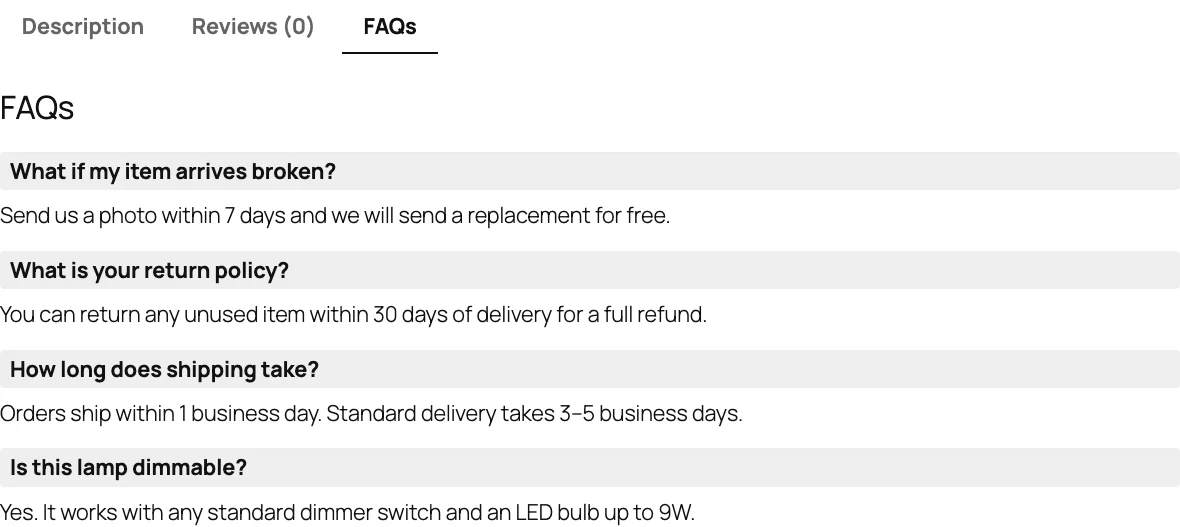
Best for: small catalogs that want category and tag FAQs at no cost, and don't need schema.
WordPress.org: 1,000+ installs, 4.5★ (2 reviews).
From WPClever, the makers of many small WooCommerce add-ons, and the closest match to Happy FAQs on the core job. Each "global FAQ" can go on all products, on chosen categories or on chosen tags, and you can add one-off FAQs to a single product. It got all three products right, including the new one, and it's entirely free.
Two things to know. It adds no FAQ schema, and the answers aren't an accordion: every answer is shown open, one after another. That reads fine with four questions, less so with twelve.
The bigger catch showed up when we added ten more category FAQs for Lighting. The plugin only looks at the 10 newest global FAQs on the store (it follows WordPress's "Blog pages show at most" setting, 10 by default). With 14 in total, the blanket lost all three of its FAQs and the lamp lost its shipping, returns and breakage answers. Raising that setting works around it, but it isn't mentioned anywhere.
Watch out for: no schema, no accordion, and the 10-FAQ limit above as your library grows.
3. Helpie FAQ
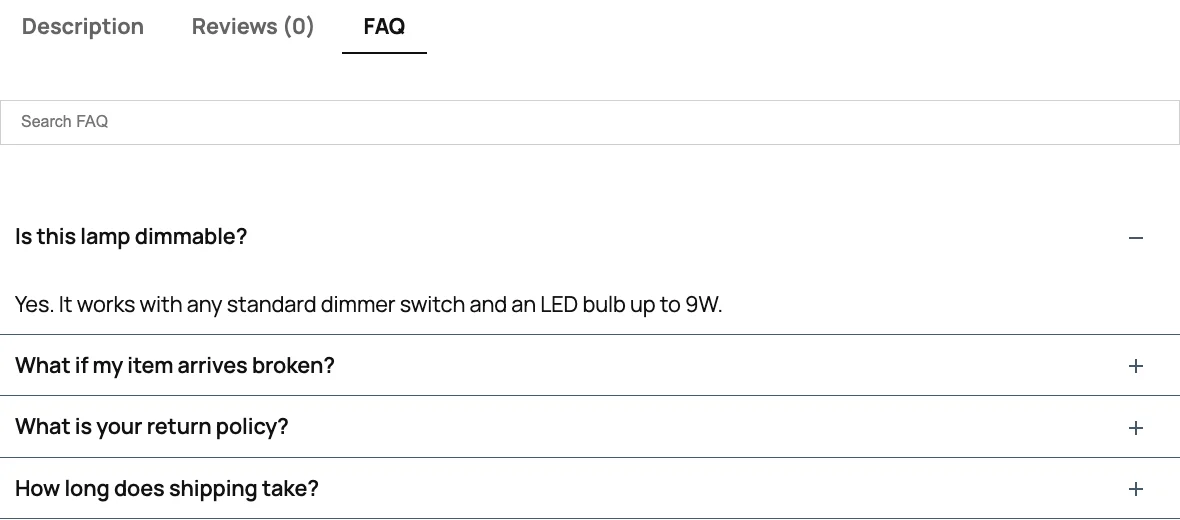
Best for: stores with a handful of products that want a searchable FAQ tab.
WordPress.org: 9,000+ installs, 4.5★ (80 reviews).
Helpie FAQ is a general FAQ plugin with a good WooCommerce tab. In the free version you pick the products on each FAQ, and the tab gets a search box and FAQ schema. The blanket and lamp were right, because we ticked each product by hand. The duvet cover we added later showed no FAQs at all: nothing reaches a new product until you go back and add it to every FAQ.
What's paid (Pro): FAQs on all products or by product category (there's no tag option), customer Q&A, and insights on what visitors read and search. Pro is $38.99 a year for one site.
Watch out for: with a growing catalog, picking products one by one gets slow. Read our Happy FAQs vs Helpie FAQ comparison for the full picture.
4. Product FAQ for WooCommerce

Best for: trying an AI-written FAQ on a few products, if you already have a Gemini or OpenAI key.
WordPress.org: 80+ installs, 4.8★ (4 reviews). New, and actively updated.
This one has the right ideas: category and tag FAQ groups, per-product FAQs, FAQ schema and an AI writer using your own Gemini or OpenAI key. Two things tripped it up in our test. First, nothing showed on any product until we chose a display position in its settings. Second, a product's own FAQs replace its category and tag FAQs instead of adding to them, so once we gave the lamp its dimmer question, it lost shipping, returns and breakage. That's by design, but it means repeating your shared answers on every product that has its own.
Free limits: 3 FAQs per product, and 2 category or tag groups of 3 FAQs each. Answers are plain text, so no links or lists. Pro is sold on WPBay from $5 a month for one site.
5. Easy Accordion

Best for: stores that only need the same few answers everywhere, and care most about the design.
WordPress.org: 70,000+ installs, 4.9★ (358 reviews).
Easy Accordion is the most popular plugin here, but its free WooCommerce tab does one thing: it shows the FAQ groups you choose on all products. All three products got the same two store-wide questions, which is exactly right if that's all you need, and not enough if it isn't. FAQ schema is a switch on each group and was off by default.
What's paid: Pro (from $29 a year) adds search, forms and analytics. Check the Pro version's product options before you buy if your products need different FAQs. Our Happy FAQs vs Easy Accordion comparison goes deeper.
Also considered
- Ultimate FAQ: a popular FAQ plugin whose WooCommerce FAQ tab is Premium only ($67 once for one site), so it didn't fit a test of free product FAQs. See Happy FAQs vs Ultimate FAQ.
- Custom Product Tabs for WooCommerce: with 80,000+ installs, it's the classic way to add a tab of any kind, including a written FAQ. It isn't an FAQ plugin (no accordion, no schema) and its last update was in April 2025, tested up to WordPress 6.7.
- Product Questions & Answers for WooCommerce: customer Q&A rather than FAQs, last updated in June 2025.
Which one should you use?
- Different products need different answers: Happy FAQs, or WPC Product FAQs if you want no paid version at all and can live without schema.
- A few products, and you want a search box: Helpie FAQ.
- The same answers on every product: Easy Accordion.
Whichever you pick, write the questions your customers really ask: sizing, materials, care, delivery and returns. Two or three plain sentences per answer is enough. For FAQs on pages as well as products, see the best WordPress FAQ plugins, which tests six general FAQ plugins on the same theme.