Helpie FAQ and Happy FAQs are the two plugins most often compared by WooCommerce store owners, and for good reason: they're the only two in our test of six FAQ plugins that let you choose different FAQs for each product in their free versions. That makes this the closest of our comparisons. The differences are in how far each free version goes, and what you pay for after that.
We make Happy FAQs, so read this with that in mind. We put the same five questions into both plugins on one test store, used default settings, and checked both plugins' readmes and code for what's free and what's paid. Where Helpie is ahead, we say so.
The short answer
- Pick Helpie FAQ if you want a search box above your FAQs out of the box, FAQ groups for adding many questions at once, or FAQs inside LearnDash, Tutor LMS or LearnPress courses.
- Pick Happy FAQs if your products share questions by category or tag, if you want AI to write your FAQs, or if you'd like a full help center page from one click, all on the free plan.
At a glance
"Free" means the free version on WordPress.org. Installs, ratings and update dates are from WordPress.org on October 25, 2026.
| Happy FAQs | Helpie FAQ | |
|---|---|---|
| WordPress.org | 1,000+ installs, 4.8★ (22) | 9,000+ installs, 4.5★ (80) |
| Product FAQ tab (free) | Yes | Yes |
| FAQs by product category (free) | Yes | Pro |
| FAQs by product tag (free) | Yes | No |
| FAQ schema | On by default, one merged block per page | On by default |
| Search (free) | Filters the FAQs on the page | Search bar above the FAQs |
| AI FAQ writing | Free, no key on WordPress 7.0+ | No |
| Help center page | One-click builder | No |
| Page builders | Blocks, Elementor widgets, Divi 4 and Divi 5 modules | Block, two Elementor widgets |
| Product Q&A | Pro | Pro |
| Analytics | Pro, including searches with no answer | Pro: most-read FAQs and most-searched words |
| Visitor-submitted questions | Pro (product Q&A) | Pro |
The same FAQ in both plugins
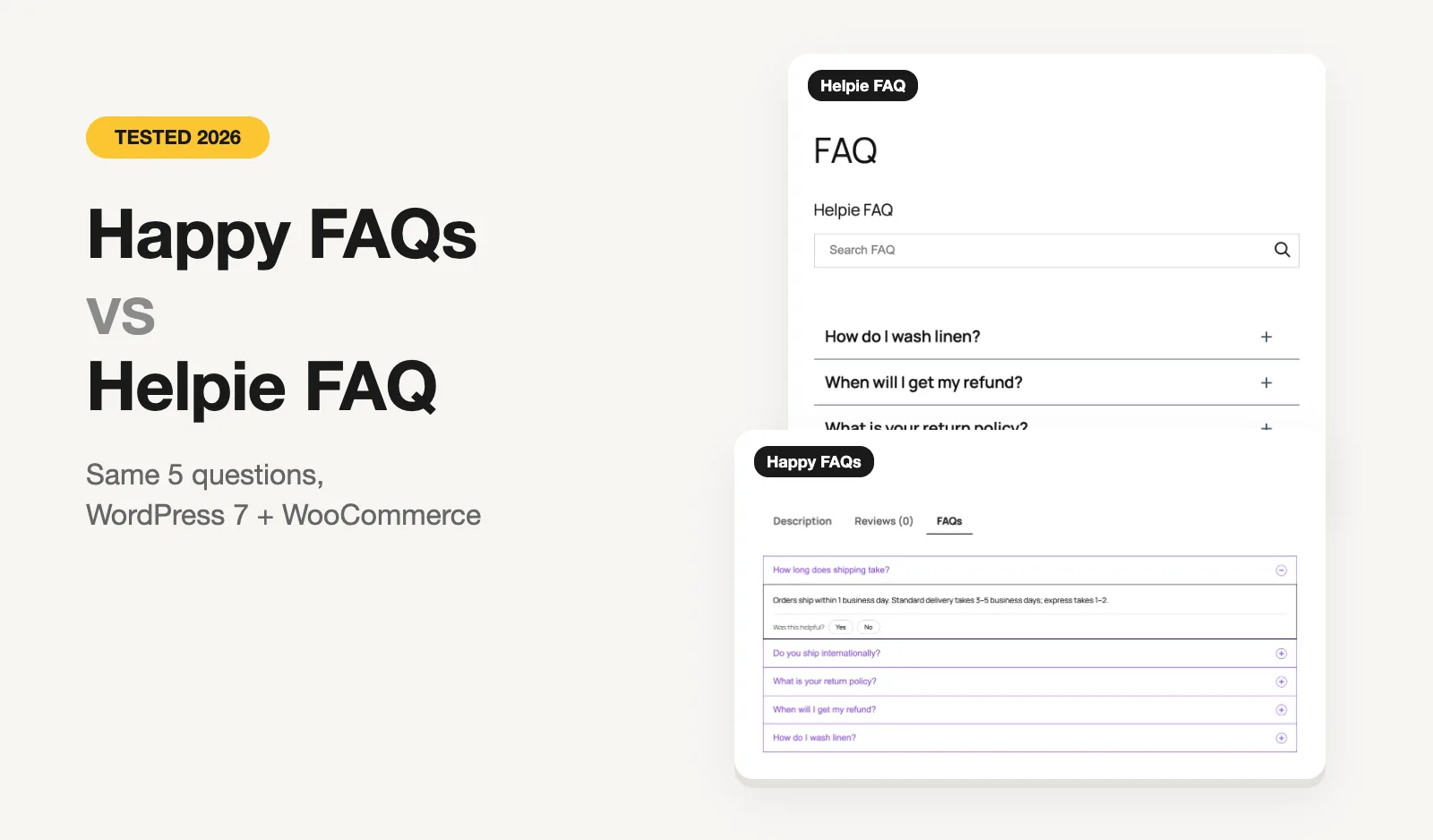
We built a test store on WordPress 7 with WooCommerce, the Twenty Twenty-Five theme and PHP 8.3, in WordPress Playground. Both plugins got the same five questions about shipping, returns and washing linen, in the same three categories. We added each to a page with its own shortcode and opened "How long does shipping take?".
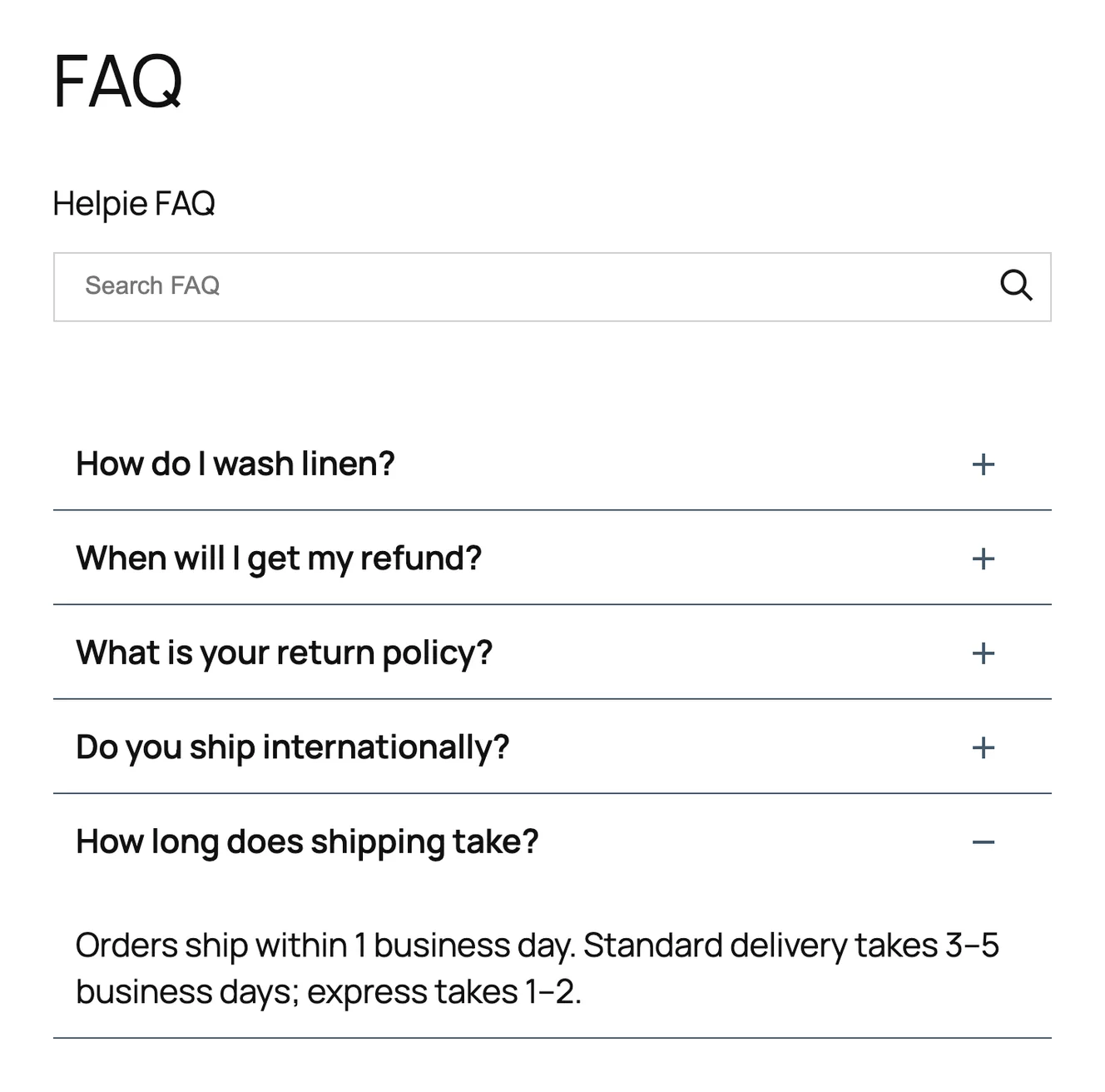
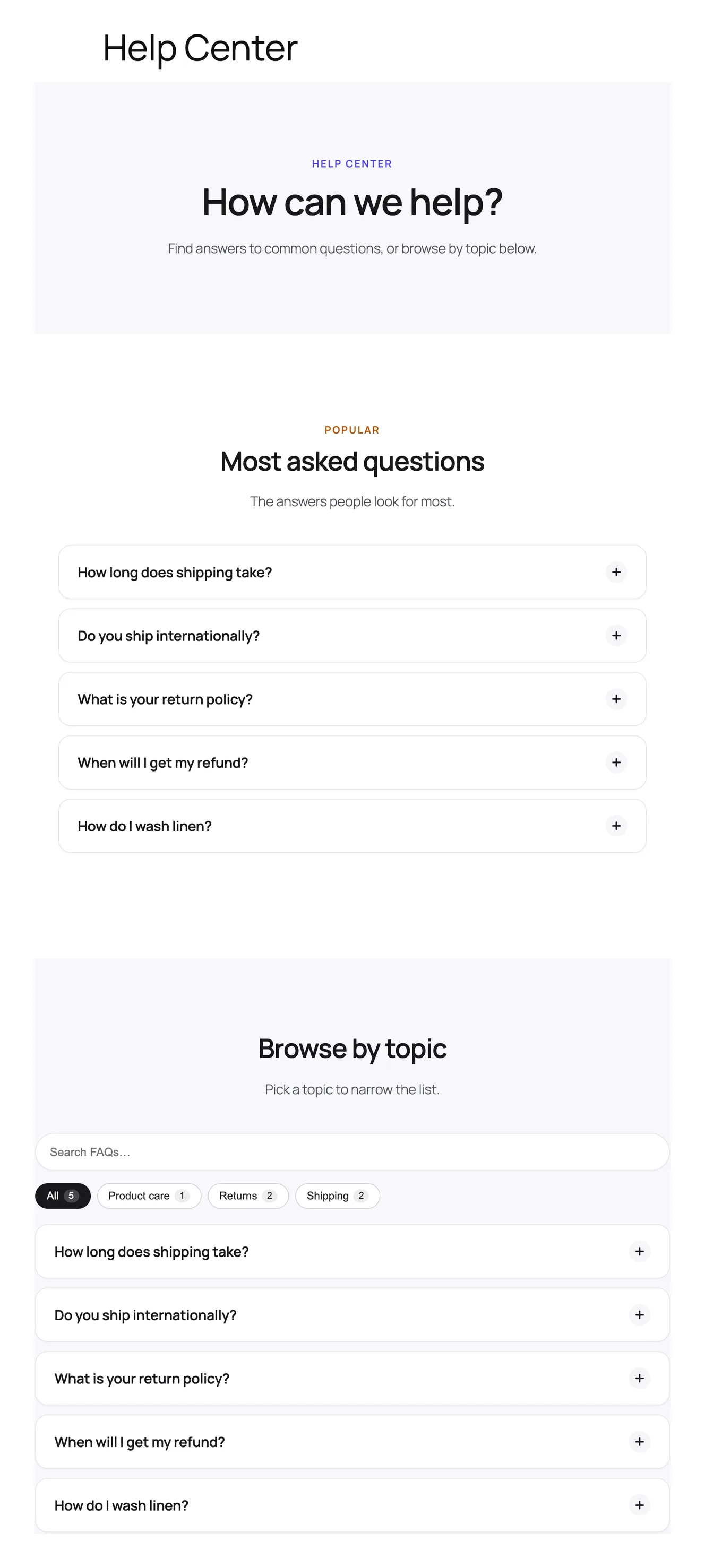
Helpie's basic shortcode gave us the most complete-looking FAQ of any plugin we tested on default settings: a title, a search bar and the accordion. One small annoyance: on activation it created three sample FAQs, which showed up next to ours until we deleted them.
Happy FAQs' plain shortcode gives you the accordion; its search box and category filters are options you switch on. The one-click Help Center builder is where it pulls ahead, giving you a whole help page with the most-viewed questions, topic filters and search, kept in sync with your FAQ library.
WooCommerce product FAQs
Both plugins add an FAQs tab next to Description and Reviews on product pages, for free. The difference is how you get FAQs onto many products.
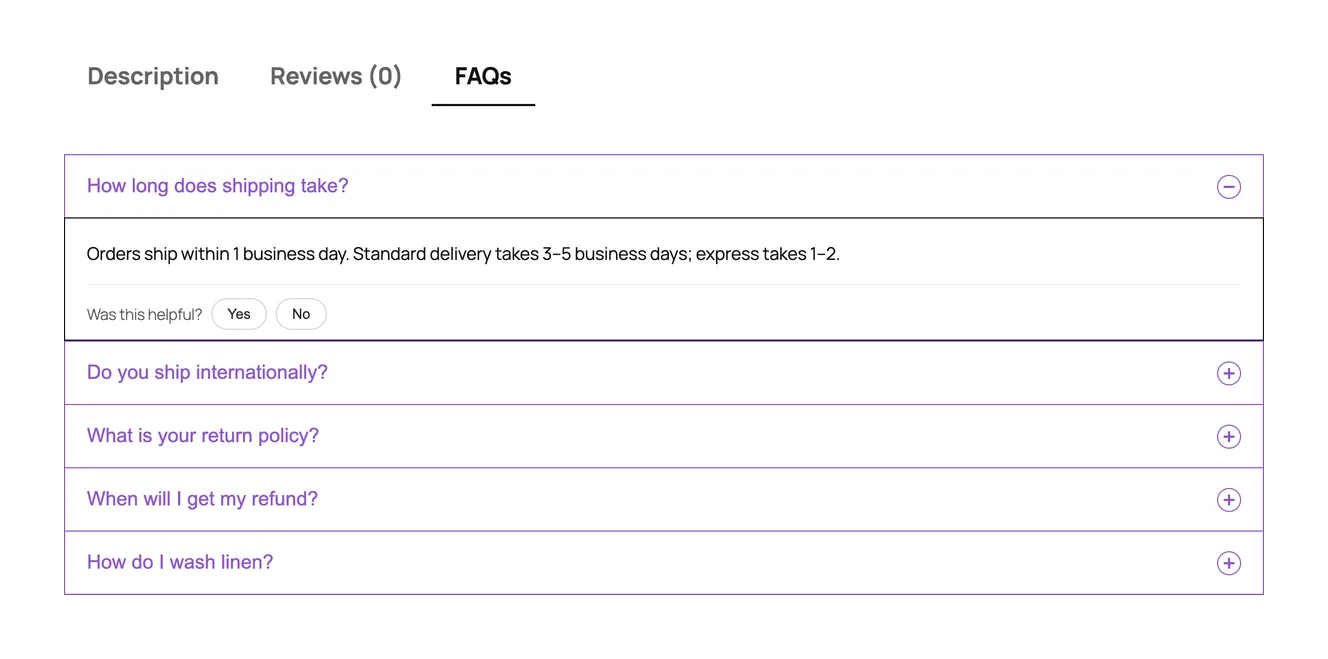
Helpie FAQ, free: you add FAQs to each product, one product at a time. Showing an FAQ on all products, or on every product in a category, is a Pro feature.
Happy FAQs, free:
- assign FAQs to a single product, from the product screen or the FAQ screen, and drag them into order;
- assign FAQs to a product category or a product tag, so every product in it picks them up, including products you add later;
- show the count in the tab title, add a search box inside the tab, and set the tab's order among the product tabs.
More on how it works: WooCommerce product FAQs in Happy FAQs.
On a small catalog, adding FAQs product by product is fine. On a store with a few hundred products, it's the difference between writing "How do I wash linen?" once for the Linen category and pasting it into every linen product. Tags help when questions cut across categories, like a "Fragile" tag that adds a shipping-damage FAQ to products in several categories.
Both Pro versions add product Q&A, where customers ask questions on the product page. Happy FAQs Pro adds verified-buyer badges, voting and a best-answer mark, plus FAQs on the shop, cart and checkout pages and FAQs for product variations.
Search
Helpie wins on defaults here. Its free search bar sits above the FAQs as soon as you add the shortcode, and you can switch it off. Pro adds search highlighting, styling and tag-based search, so searching a tag finds every FAQ carrying it.
Happy FAQs' free search also filters as you type and works in every layout, including inside the product tab, but you switch it on yourself. Search across your whole FAQ library is Pro.
AI FAQ writing
This one is simple: Happy FAQs has it and Helpie FAQ doesn't. We found no AI feature in Helpie's free version or its Pro feature list.
Happy FAQs' free AI writes FAQs from a product, a page or a typed topic. On WordPress 7.0 and newer it uses the AI connection built into WordPress, so there's no API key to paste; on older WordPress you can add an OpenAI key. It skips questions that product or page already has, and "Improve with AI" in the editor can shorten, expand or change the tone of an answer. For a store with hundreds of products, generating a first draft of product FAQs saves the most time.
Step by step, with screenshots: the Happy FAQs AI FAQ generator.
Analytics
Both keep analytics in Pro. Helpie FAQ Pro shows which FAQs are read most and which words people search for, and can sort FAQs so the most-viewed come first.
Happy FAQs Pro shows opens, helpful votes and searches, but the part we'd look at first is the list of searches that found no answer, each with a button to add that FAQ. It also shows FAQ suggestions inside WPForms, Contact Form 7 and Fluent Forms, and counts the support tickets avoided when a visitor finds the answer instead of sending the form.
Where Helpie FAQ is ahead
- More users. 9,000+ active installs and 80 reviews, against our 1,000+ and 22.
- Search out of the box on its basic FAQ shortcode.
- FAQ groups in free. Add a batch of questions on one screen and drag them into order. In Happy FAQs, groups are Pro.
- LMS support. Helpie lists FAQs for LearnDash, Tutor LMS and LearnPress courses.
- Helpie Knowledge Base integration, if you already use that plugin.
Where Happy FAQs is ahead
- Free category and tag FAQs on products. Helpie needs Pro for categories and doesn't list tags.
- Free AI FAQ writing with no API key on WordPress 7.
- A one-click help center page, plus 21 ready-made FAQ patterns.
- Native Divi 4 and Divi 5 modules, as well as Elementor widgets and blocks.
- "Was this helpful?" votes and view counts in free.
- Lighter pages. CSS and JavaScript load only on pages that show FAQs.
Pricing
Both plugins are free on WordPress.org. Here's what the paid versions cost.
| Plan | Happy FAQs Pro | Helpie FAQ Pro |
|---|---|---|
| 1 site, yearly | $29.99 | $38.99 |
| 5 sites, yearly | $79.99 | $79 |
| Bigger plan, yearly | Unlimited sites: $199.99 | 100 sites: $149.99 |
| Lifetime | $89.99 / $239.99 / $599.99 | No |
| Trial / refund | 14-day refund | 7-day free trial, 14-day refund for valid reasons |
Prices are in US dollars, from each developer's own pricing page on October 26, 2026. Helpie lists 30% off renewals. Check both before you buy.
For one site, Happy FAQs Pro is $9 a year cheaper. For five sites the two are about the same, and for agencies with up to 100 sites, Helpie's bigger plan costs less. Helpie's 7-day free trial lets you try Pro before paying; Happy FAQs offers lifetime licenses if you'd rather pay once.
Switching from Helpie FAQ
There's no one-click importer from Helpie FAQ yet. For a few dozen FAQs, copying them into the Happy FAQs library is quick, and it's a good moment to move them from individual products onto categories and tags. If you have hundreds, Happy FAQs Pro imports a spreadsheet (CSV, TSV or Excel), including categories and the products each FAQ belongs to. Both plugins use their own shortcodes, so you can run them side by side while you move.
Which one should you choose?
- A small store, a few products, FAQs added by hand: either works for free. Helpie gives you search with no setup.
- Many products that share questions by category or tag: Happy FAQs, on the free plan.
- You want AI to draft your FAQs: Happy FAQs.
- You want a help center page without building it: Happy FAQs.
- You run courses in LearnDash, Tutor LMS or LearnPress: look at Helpie FAQ first.
- You want to cut support tickets from contact forms: Happy FAQs Pro.
Comparing more plugins? We tested six in the best WordPress FAQ plugins in 2026, and also compared Happy FAQs with Easy Accordion and Ultimate FAQ.