Ultimate FAQ has been around since 2014. It's one of the best-known FAQ plugins on WordPress.org, with 30,000+ active installs and 439 reviews. Happy FAQs is much newer and much smaller. It started as a WooCommerce FAQ plugin and has grown into a full FAQ library with a help center builder.
We make Happy FAQs, so keep that in mind as you read. To keep it fair, we put the same five questions into both plugins on one test store, used default settings, and read both plugins' code and readmes to see what's free and what's paid. Ultimate FAQ's free version is generous, and we say where it's ahead.
The short answer
- Pick Ultimate FAQ if you want a straightforward FAQ page with a search form, schema, view counts and comments on FAQs, all free, from a plugin with a long track record.
- Pick Happy FAQs if you run a WooCommerce store, want a ready-made help center page, or want AI FAQ writing that runs through WordPress's own AI connection instead of a third-party server.
At a glance
"Free" means the free version on WordPress.org. Installs, ratings and update dates are from WordPress.org on October 25, 2026.
| Happy FAQs | Ultimate FAQ | |
|---|---|---|
| WordPress.org | 1,000+ installs, 4.8★ (22) | 30,000+ installs, 4.6★ (439) |
| Product FAQs | Free: per product, by category and by tag | Premium |
| FAQ schema | On by default, one merged block per page | On by default |
| Search (free) | Filters the FAQs on the page | Search form that reloads the page |
| AI FAQ writing (free) | WordPress's built-in AI on 7.0+, OpenAI key as fallback | Through the developer's server to OpenAI |
| Help center page | One-click builder | No |
| Comments on FAQs | No (Pro has product Q&A) | Free |
| Toggle icons | 22 sets, free | 15 sets, Premium |
| No-answer search analytics | Pro | Premium |
| Contact form suggestions | Pro: WPForms, Contact Form 7, Fluent Forms | Premium: WPForms |
| Spreadsheet import / export | Pro | Premium |
The same FAQ in both plugins
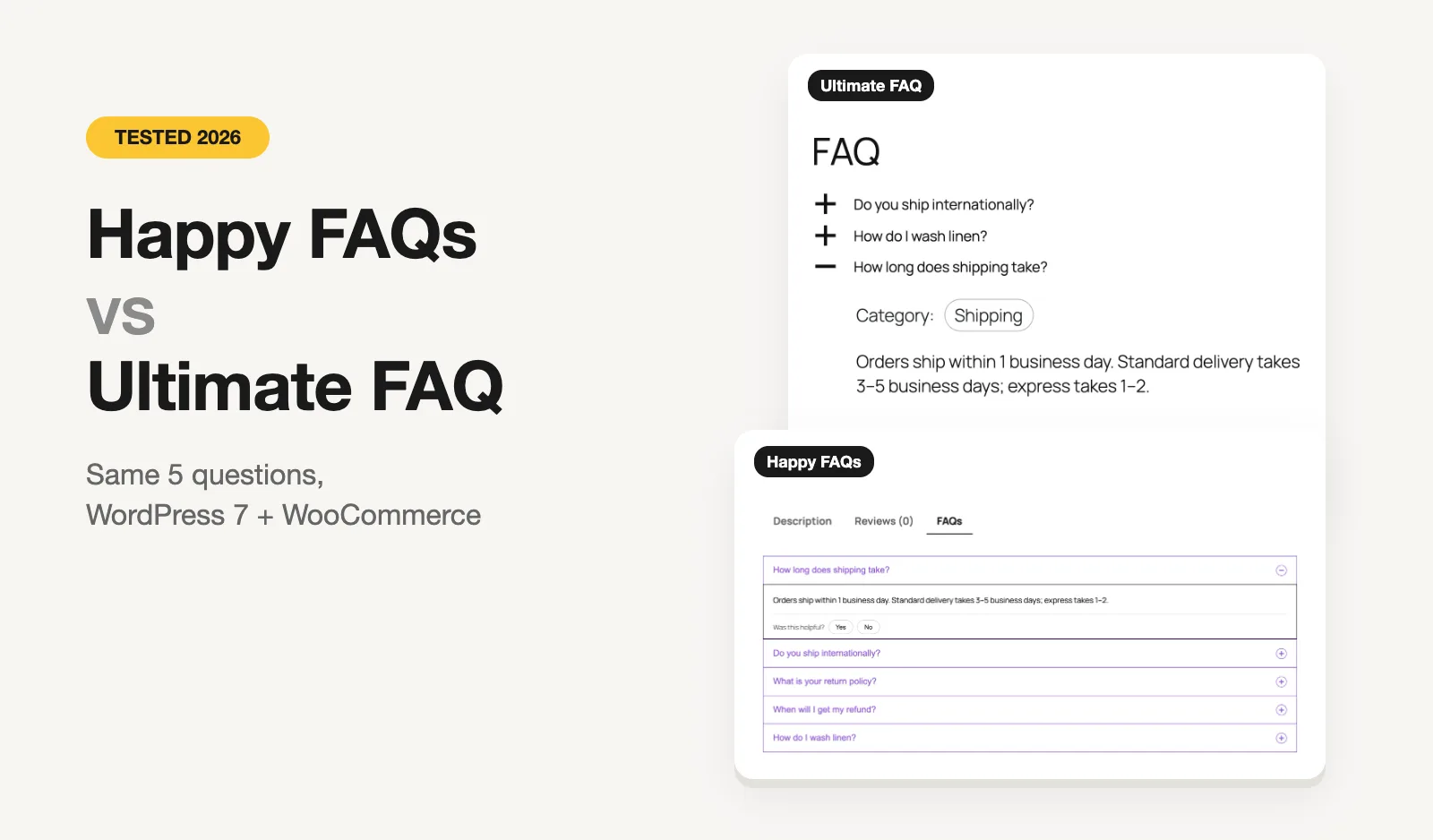
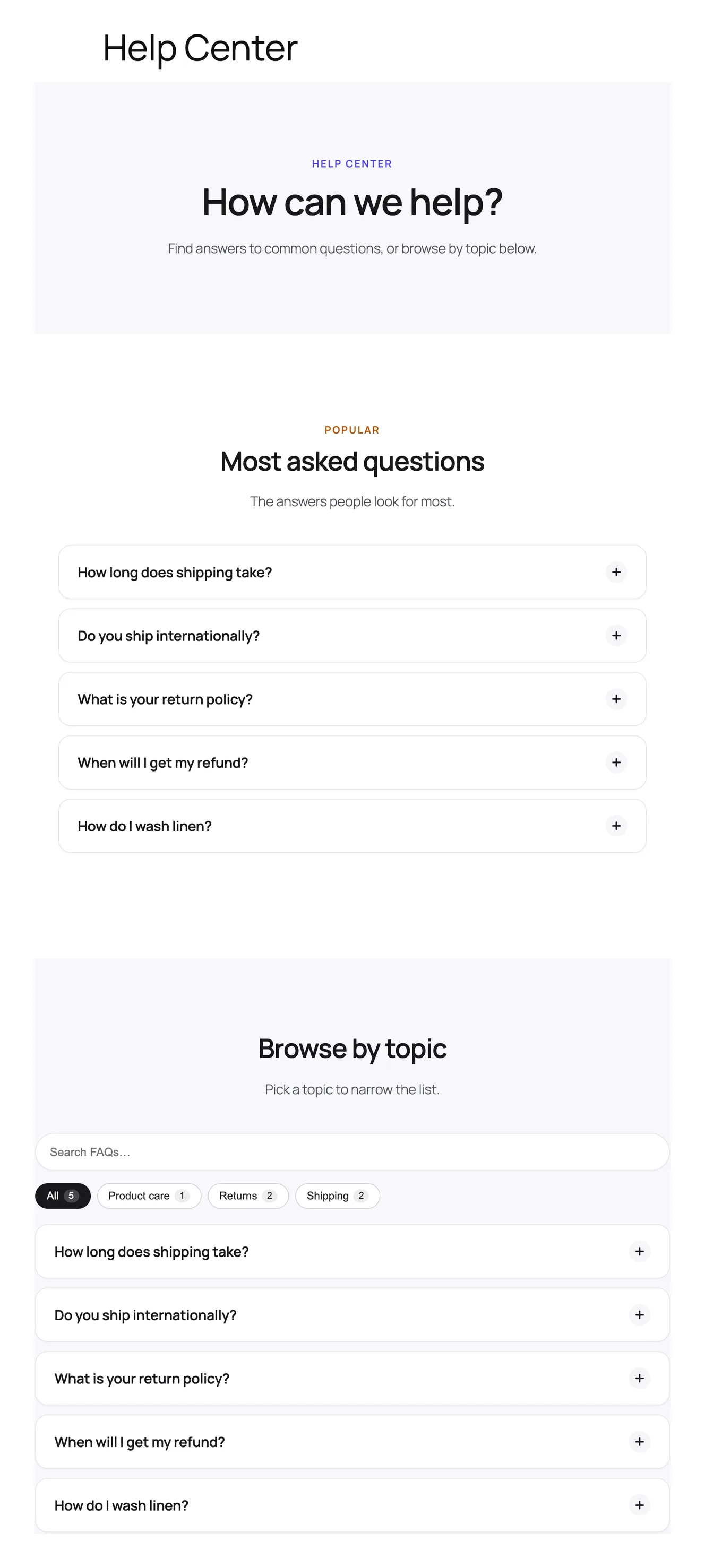
We built a test store on WordPress 7 with WooCommerce, the Twenty Twenty-Five theme and PHP 8.3, in WordPress Playground. Both plugins got the same five questions about shipping, returns and washing linen, in the same three categories. We added each to a page with its own shortcode and opened "How long does shipping take?".
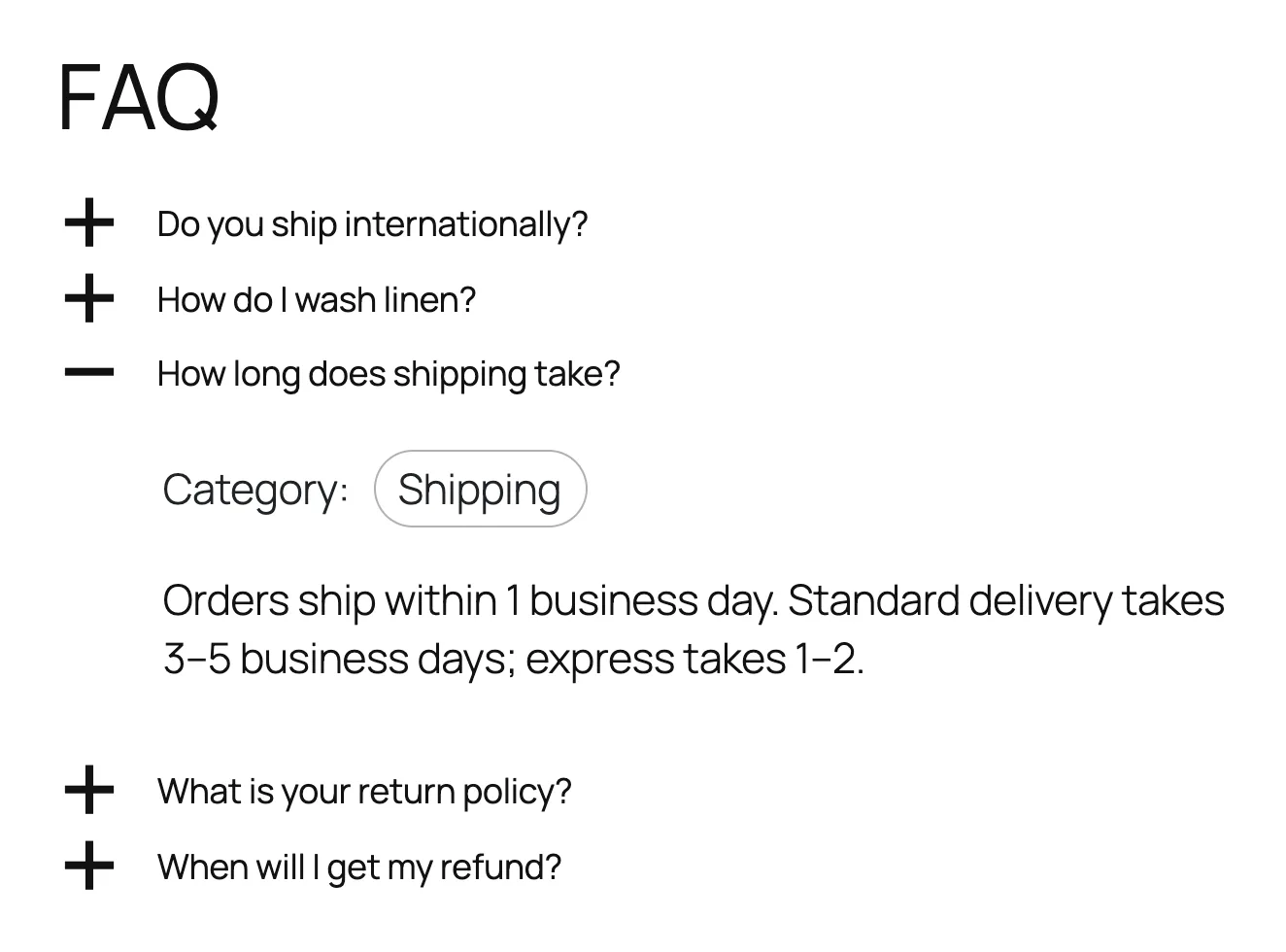
Two things stood out with Ultimate FAQ's defaults. It sorted our questions alphabetically rather than in the order we wrote them, and it showed each FAQ's category inside the open answer. Both are settings you can change, and Ultimate FAQ has more of these display switches than most plugins: you can choose whether each FAQ shows its categories, tags, author or date.
Happy FAQs kept our order and gave us a full help center page from one click, with the most-viewed questions at the top and the categories as filter tabs.
WooCommerce product FAQs
This is the clearest difference. Ultimate FAQ's product FAQ tab is part of Premium. It can add FAQs to a product by hand, or automatically when an FAQ category has the same name as a WooCommerce category or product.
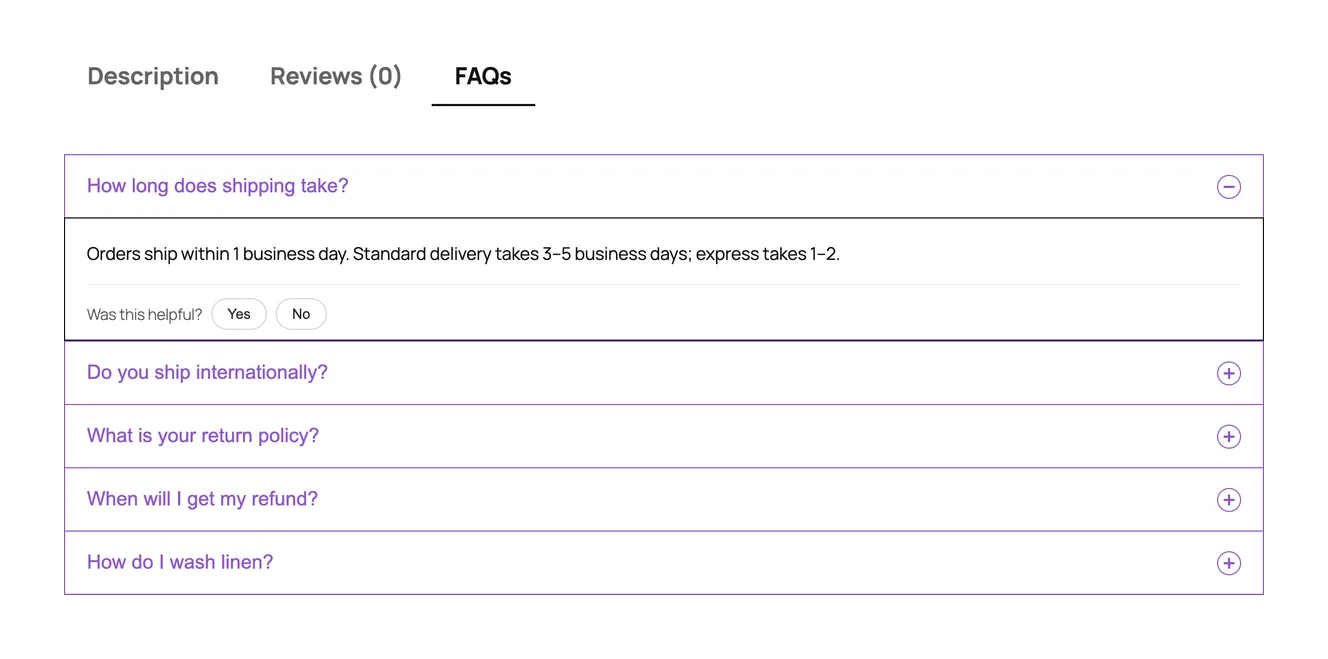
Happy FAQs does this in the free version, and connects FAQs to products directly rather than by matching names:
- assign FAQs to a single product, from the product screen or the FAQ screen, and drag them into order;
- assign FAQs to a product category or a product tag, so every product in it picks them up, including products you add later;
- show the count in the tab title, add a search box inside the tab, and set the tab's order among the product tabs.
More on how it works: WooCommerce product FAQs in Happy FAQs.
Happy FAQs Pro goes further with variation FAQs, FAQs on the shop, cart and checkout pages, and product Q&A where customers answer each other.
Search
Ultimate FAQ's free search is a separate form you add with a block or shortcode. It searches your published FAQs when the visitor submits it, with a page reload. Premium turns it into live search with highlighting and autocomplete.
Happy FAQs' free search box sits above the FAQs and filters them as you type, in every layout. It only searches the FAQs already on that page, though. Search across your whole FAQ library is Pro. So if you want one free search over everything, Ultimate FAQ has the edge; if you want instant filtering on a page, Happy FAQs does it for free.
AI FAQ writing
Both free versions write FAQs with AI, but they get there differently.
- Ultimate FAQ needs no key. When an admin starts it, the chosen page's public text goes to Etoile Web Design's server, which relays it to OpenAI. The plugin says this clearly in its privacy note, and it refuses private and draft content. Premium creates up to 20 FAQs at a time from several pages.
- Happy FAQs uses the AI connection built into WordPress 7.0 and newer, so your content goes to the AI provider you've set up in WordPress, not through us. On older WordPress you can add an OpenAI key. It writes from a product, a page or a typed topic, skips questions that page already has, and adds "Improve with AI" in the editor to shorten, expand or change the tone of an answer.
If you'd rather not send content through a plugin developer's server, that difference matters.
Step by step, with screenshots: the Happy FAQs AI FAQ generator.
Analytics and finding missing FAQs
Here the two plugins are closer than anywhere else. Ultimate FAQ's free version counts views on each FAQ. Its Premium version recently added local analytics that track searches, searches with no result, FAQ opens and helpful votes, and can draft the missing FAQs with AI.
Happy FAQs' free version has "Was this helpful?" votes and view counts. Pro adds an analytics dashboard with opens, helpful rate and searches, a list of FAQs that need attention, and the searches with no answer, each with an "Add FAQ" button. Its reports also list your top products, not just pages.
The bigger Pro difference is contact forms. Ultimate FAQ Premium shows matching FAQs as people type in WPForms. Happy FAQs Pro does that in WPForms, Contact Form 7 and Fluent Forms, and counts how many tickets were avoided because the visitor found the answer and didn't send the form.
Where Ultimate FAQ is ahead
- Track record. More than a decade on WordPress.org, 30 times the installs, and many community translations.
- Comments on FAQs. Free, using WordPress's own comment system. Happy FAQs doesn't have FAQ comments; its Pro product Q&A is a different, store-focused feature.
- Display options. Fine control over which details each FAQ shows, and advanced sorting of FAQs and categories, in the free version.
- Visitor-submitted FAQ ideas with an optional suggested answer (Premium), plus custom fields, PDF export and social sharing.
Where Happy FAQs is ahead
- Free WooCommerce FAQs with category and tag inheritance.
- A one-click help center page that stays in sync with your FAQ library, plus 21 ready-made FAQ patterns.
- AI without a third-party relay on WordPress 7.
- Page builders. Its own Elementor widgets and native Divi 4 and Divi 5 modules.
- Design in the free version. 5 layouts and 22 animated toggle icon sets. Ultimate FAQ keeps extra layouts, icon sets and animations for Premium.
- Lighter pages. Its CSS and JavaScript load only on pages that show FAQs.
Switching from Ultimate FAQ
There's no one-click importer from Ultimate FAQ yet. If you have Premium, export your FAQs to a spreadsheet; Happy FAQs Pro can import CSV, TSV or Excel files, including categories and the products each FAQ belongs to. For a few dozen FAQs, copying them over by hand is quick. Both plugins use their own shortcodes, so you can run them side by side while you move.
Pricing
Both plugins are free on WordPress.org. The paid versions are sold differently: Happy FAQs Pro has yearly and lifetime plans, while Ultimate FAQ Premium is a one-time license with six months of support included.
| Plan | Happy FAQs Pro | Ultimate FAQ Premium |
|---|---|---|
| 1 site | $29.99/yr or $89.99 lifetime | $67 once (normally $87) |
| 5 sites | $79.99/yr or $239.99 lifetime | $127 once (normally $167) |
| Bigger plan | Unlimited: $199.99/yr or $599.99 lifetime | 10 sites: $197 once (normally $247) |
| Support | Updates and support included in every plan | 6 months free, then $22 per 6 months |
| Trial / refund | 14-day refund | 7-day free trial, 14-day refund |
Prices are in US dollars, from each developer's own pricing page on October 26, 2026. Some were sale prices on that day, so check before you buy.
For one site, a year of Happy FAQs Pro costs less than Ultimate FAQ's one-time price. If you plan to keep the plugin for many years and rarely need support, Ultimate FAQ's one-time license can work out cheaper; if you want support every year, add its $44 a year support fee. Ultimate FAQ's 7-day trial is a nice touch if you want to try Premium before paying.
Which one should you choose?
- A plain FAQ page, free, with search and comments: Ultimate FAQ.
- A WooCommerce store on a free plan: Happy FAQs.
- A help center page without building it yourself: Happy FAQs.
- AI that doesn't go through the plugin developer's server: Happy FAQs on WordPress 7.
- Finding the questions people can't answer: either, on the paid plan. Pick Happy FAQs Pro if you also want to cut tickets in Contact Form 7 or Fluent Forms.
Comparing more plugins? We tested six in the best WordPress FAQ plugins in 2026, and also compared Happy FAQs with Easy Accordion and Helpie FAQ.